What’s your version of EventON? Could you please try the instructions mentioned in this documentation?
Seems to be working correctly on our test site:
https://dev2.myeventon.com/test-242/
Replies for tickets on suppota
What’s your version of EventON? Could you please try the instructions mentioned in this documentation?
Seems to be working correctly on our test site:
https://dev2.myeventon.com/test-242/
Hello,
Please check https://docs.myeventon.com/documentations/terms-and-conditions-and-refund-policy/ > 7. Subscriptions & Automatic Renewal > 7.4 Subscription Refunds. A renewal reminder mail was sent before the charge was made. We had given you opportunity to cancel if you didn’t want the renewal.
You can also cancel your subscription at any time from your account:
https://docs.myeventon.com/documentations/how-to-cancel-addon-subscription-before-auto-renew/
Maybe there a custom archive template in your theme folder:
https://docs.myeventon.com/documentations/how-to-customize-events-archive-page/
Could you check?
Please use this code:
.eventon_events_list .eventon_list_event .evoet_cx span.evoet_tags span, .evo_pop_body .evoet_cx span.evoet_tags span { font-size: 18px !important; }
.eventon_events_list .eventon_list_event .evoet_cx .level_3, .evo_pop_body .evoet_cx .level_3 { font-size: 18px !important; }
.eventon_list_event .evoet_cx em.evo_mytime >*, .eventon_list_event .evcal_evdata_cell .evo_mytime >* { font-size: 18px !important; }
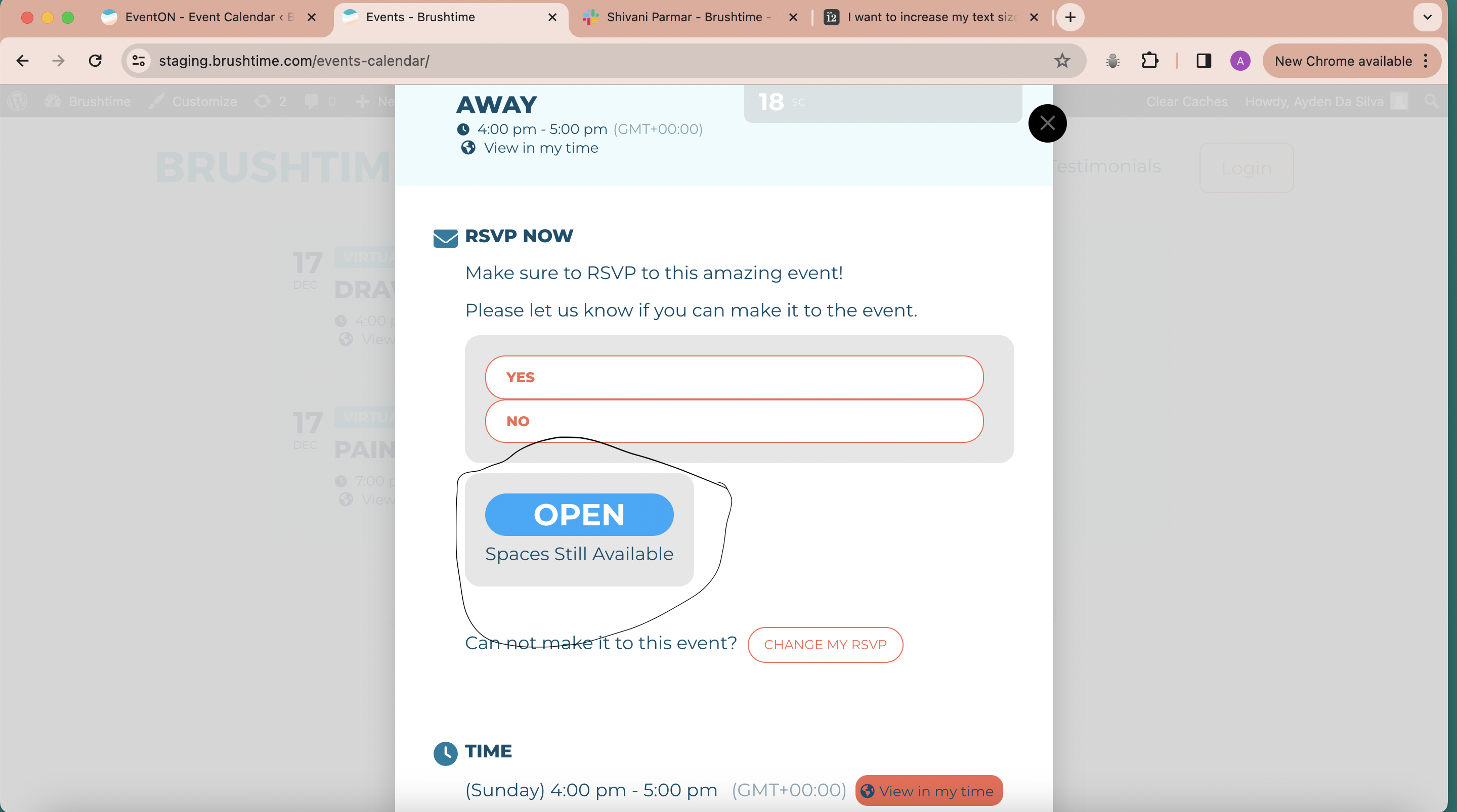
In the screenshot below I have circled the item that I would like to remove
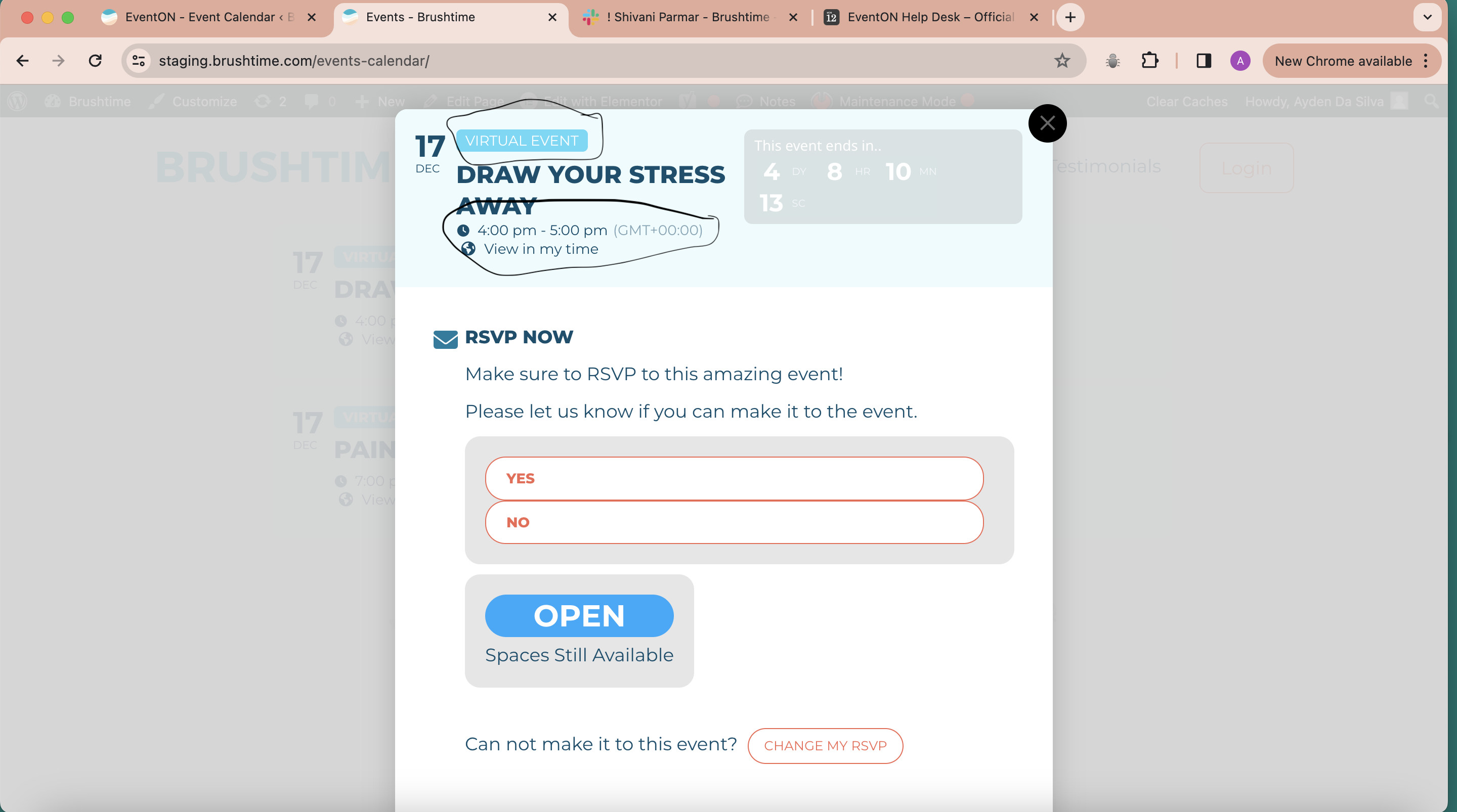
Thank you, it worked. I also just want to ask if there is different CSS code that I have to add in order for it to show up on mobile like the two things I have circled in the screenshot as it seems like it hasn’t gotten bigger in mobile.
HI we have reverted to the old version of our site and now it seems to be working
And with
“shows only December”
I meant of course
“shows only January”
sorry 🙂
Hi,
this line
[add_eventon_list number_of_months=”3″ hide_empty_months=”yes”]
shows only December. It seems “number_of_months” together with “hide_empty_months” counts in my example November, December and January and with that, even months with zero events. Is this the normal behavior?
Regarding starting in November:
“Use UTC offset time globally on calendars (BETA)” is now enabled but has absolutely no effect.
Maybe you can point out the place in php where the calculation is made than we could debug it?
Thanks Brian
Hi!
Thanks for your help. I know that I need to create a shortcode and also how to do to, but when I am doing changes the calendar is again not showing up. Your shortcode is working good and when I have put it back in, after my changes, that did not apply properly, I have recognized that you don’t use an ID for the calendar. This is in fact the only difference. I saw in the tutorial that I should use an ID, but I am ok when it is working without.
Anyway – thanks for your help.
Some more issues:
1) Why the full calendar is not showing up in the settings, please? and in the language settings? Is there something wrong?
2) Could you maybe also help me with the style of the event cards? I have somebody who did all the style of the web page and he did kind of a customizing style to eventon which is not very good visible (he is not available at the moment). For example in the event card in the section orgnisatrice the font is dark grey on black and I can not find out how to change this. I would prefer much more a standard style – black on white. Also the background of the card is making problems to me, as in google and in safari it is appearing in different ways. Could you help me please? Could we have a quick call, maybe?
Thanks again,
Veronika