Your code is correct: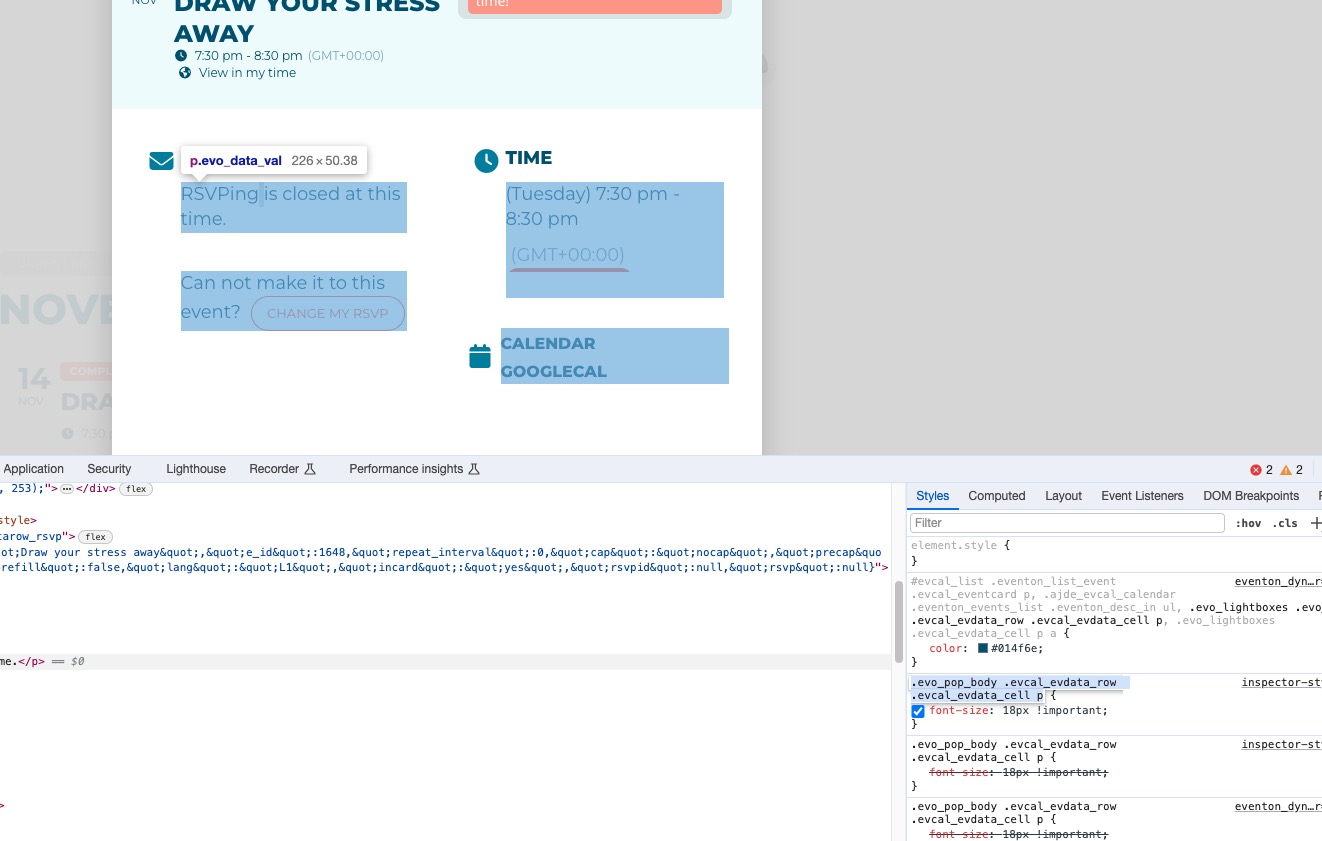
Please try adding it to wp-admin > Appearance > Customize > Additional CSS.
Replies for tickets on suppota
Your code is correct:
Please try adding it to wp-admin > Appearance > Customize > Additional CSS.
Hi there, I have been following the document that you have sent me and have started off with this code below
.eventon_list_event .evo_eventcard_time_t {
margin-bottom: 10px!important;
}
.evo_pop_body .evcal_evdata_row .evcal_evdata_cell p {
font-size: 18px!important;
}
.evo_pop_body .evcal_evdata_row .evcal_evdata_cell p {
font-size: 18px!important;
}
When I save the changes and go to the events page to see if anything has changed, nothing has. Am I perhaps doing this wrong?
Unfortunately that didn’t work. It seems to remove the entire section (icon and description) as well, but only for certain events. I can sort of see why, as you’re targeting [em] but the entire row has this style.
I guess it requires a change to the source to include a specific class or ID to be able to target just the label and not the whole area. Maybe in a future update?
Hello,
Please follow this guide:
https://docs.myeventon.com/documentations/show-additional-custom-data-eventcard/
You can add a new section that uses Open Street Map instead of Google Maps, but you need to develop this.
Hello,
1. Could you go to EventON > ICS Import > enable “Use custom timezone for importing events (override above)” > select Select Custom Event Timezone: (GMT-05:00) Eastern Time (US and Canada)?
2. Could you please send us a couple of examples? Please try EventON > ICS Import > disable Enable duplication event name check during importing.
3. Available fields that can be imported can be found in EventON > ICS Import > **ICS file guidelines.
This ticket private from now.
English:
https://20.53.248.155/en/home/
Chinese:
https://20.53.248.155/
The first leads to
https://20.53.248.155/events/prayer-meeting/var/ri-0.l-L2/
and the second
https://20.53.248.155/events/daogaohui/
So EventON outputs the correct content. The issue is with the menu, right? The thing is that the menu is coming from the theme.
Could you show me how do you change Polylang’s language on event’s page:
https://cmcnz1.australiaeast.cloudapp.azure.com/wp-admin/post.php?post=1350&action=edit
Hello,
You cannot feature each repeat using Action User from the front-end.
Repeat Customizer add-on allows you to do this, but from the back-end only:
https://www.myeventon.com/addons/repeat-customizer/
Try on https://dev.myeventon.com/wp-admin/
Hello,
Please click on it and drag-and-drop it under Event Details.