Hello,
Instead of issuing a refund, would it be possible to apply a credit so that I can purchase the event API? If it makes it easier for you to assign a license and the download, I’m happy if you keep the difference since the credit amount would be a bit more than the cost to purchase the plugin.
I look forward to your response. Thank you.
Thank you.
How do I center the event time, but only for the event slider?
As it is now, the event time aligns to the left throughout the entire site.
Hello
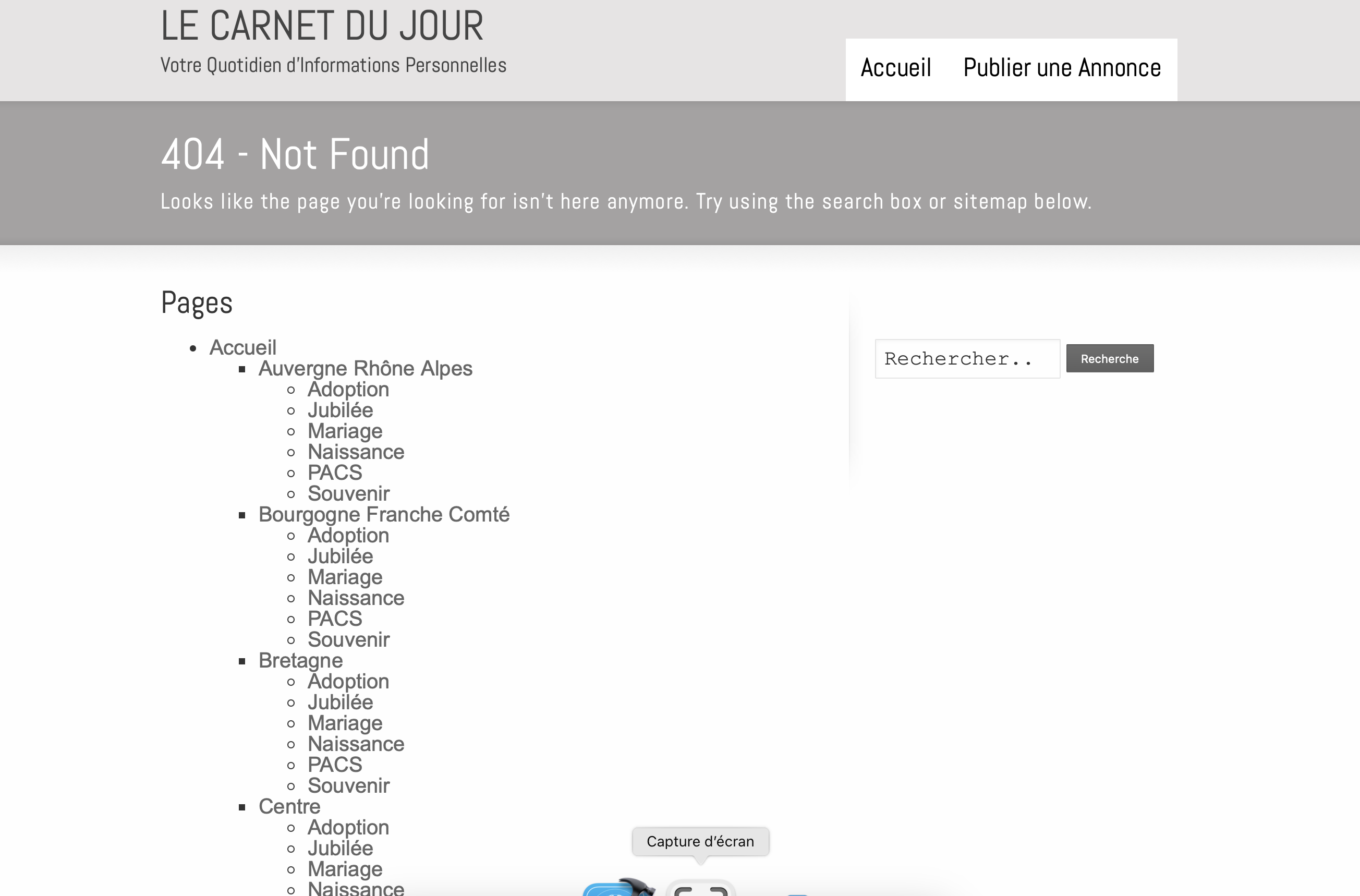
I used the same process on my other website “carnetdujour.com”: only one “Région” is OK: event-type-2 😢.
The other categories are redirected to a 404 error page…
Thank you for your advice.
Gracefully
Rémy
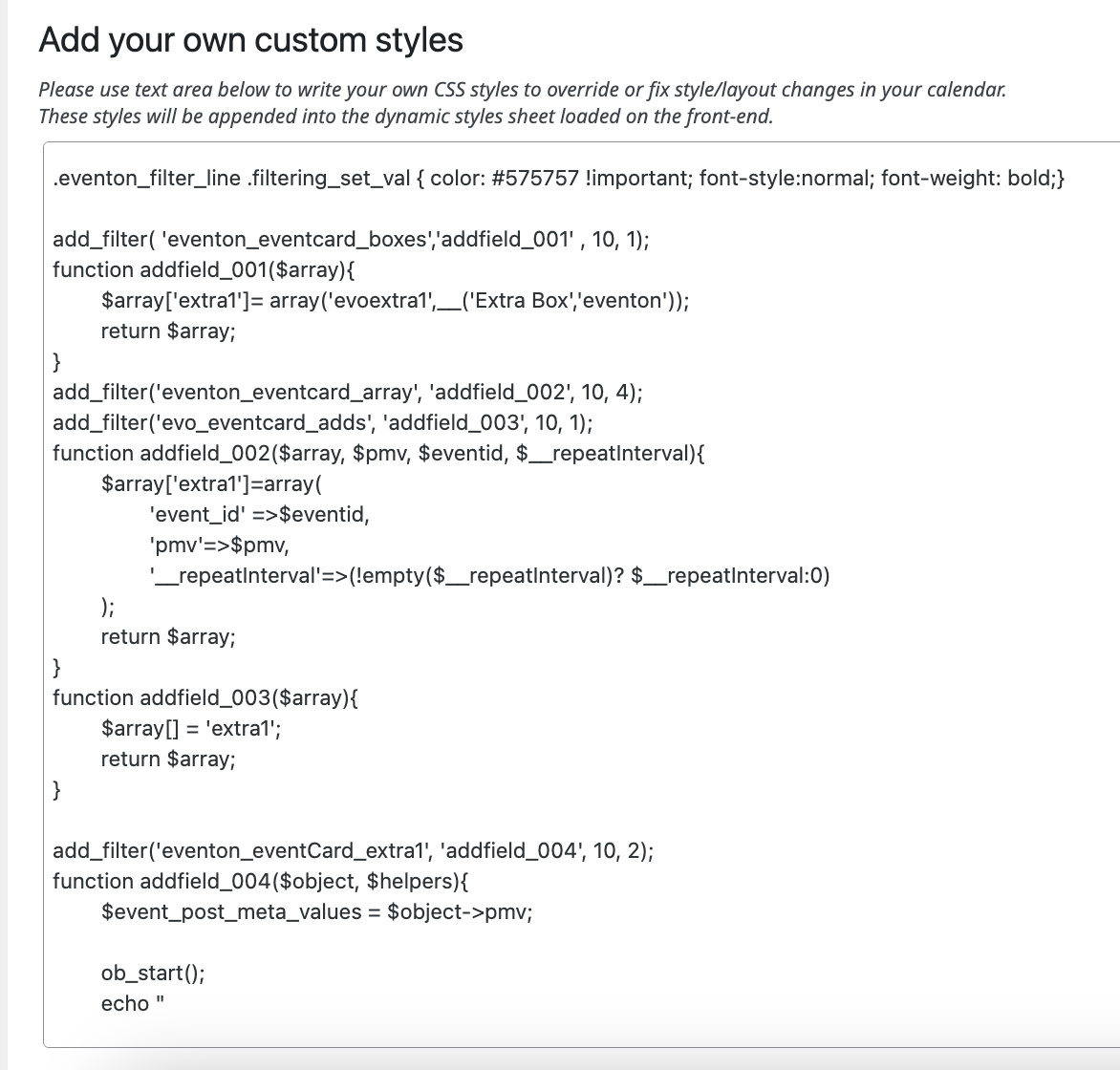
Thanks for your help, however I must have something wrong.
I have added the script from the article (both step 1 and 2) to the add your own custom code section, I have saved, written dynamic script to header but it is not showing in the event card data.
Could you let me know what I have done wrong
Thanks
Helen

Screenshot of the words I would like to hide.
The page with the events list is the home page here:
https://cmcnz1.australiaeast.cloudapp.azure.com/en/home/
Scroll down to “What’s On”. click on the only event there, and you’ll see the language context changes to the site’s default language – Chinese.
Please uss this account: eventon/bl@ckRat78
URL: https://cmcnz1.australiaeast.cloudapp.azure.com/wp-admin/
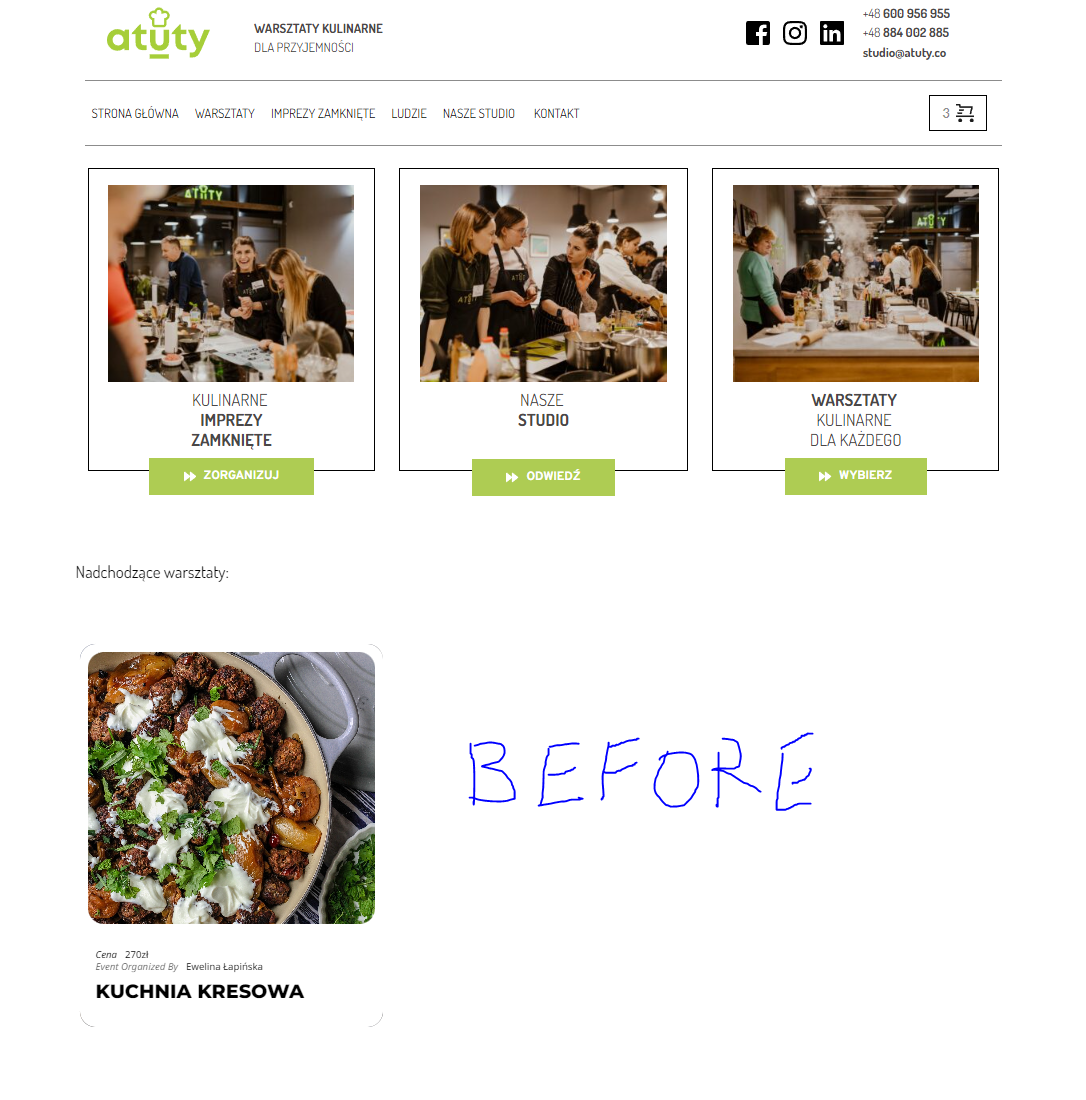
Thank you for your help. This is ok now. However, a have a new issue here. My website layout crashes when I try to edit any event with brizy plugin. I try to display the events and the layout gets destroyed no matter which shortcode I use, like to one below. I’ve shown the beforeeffect in the attached print screen and after clicking on event “edit with brizy” it displays the list like this: https://webcat.pl/atutystudio/
[add_eventon_list ux_val=”4″ show_et_ft_img=”yes” tiles=”yes” tile_count=”3″ tile_height=”400″ tile_bg=”1″ tile_style=”1″ hide_month_headers=”yes”]
Yes it is white, because I went back in to the settings and changed it. The two buttons used to be blue, not red. I will just have to go through all the settings again.
Somehow, when I updated the plugin yesterday it must have changed my settings – probably defaulted them.
Hopefully it was just the appearance settings.
However, I am concerned that that happened.
I did some more digging and found that there was a prefix on the ICS link that other calendars are able to process, but that EventON cannot. I was finally able to manually upload the ICS file using the link. I am waiting to see if it will follow the setting to update automatically.
In the meantime, there are some new problems:
Problem #1 is that all of the events are being imported 5 hours late, and many of them are also being imported 2 years late (start and end date in 2025 instead of 2023.) From what I can tell, the WordPress time zone, the ICS calendar’s time zone, and the EventON time zone override are all set to the correct time zone – and I have tried manually importing events based on each of those 3 settings.
Problem #2 is that additionally, many of the events that are appearing for review (and are selected for import) are not actually being imported to the events on the site.
Problem #3 is that EventON is not importing my featured image, event tags, or some additional information from the original calendar. (ex. there is a brief summary, and also an event description. It imports the summary but not the description which contains more in-depth event info.)
How can I resolve these three issues?