Done, thank you! You can close this ticket.
Archives: Replies
Replies for tickets on suppota
Reply to: tickets(333728)
Thanks, that worked. How can we change the date color too?
Reply to: tickets(333886)
Hello,
I went to EventON > Scripts & Styling > disabled Write dynamic styles to header:
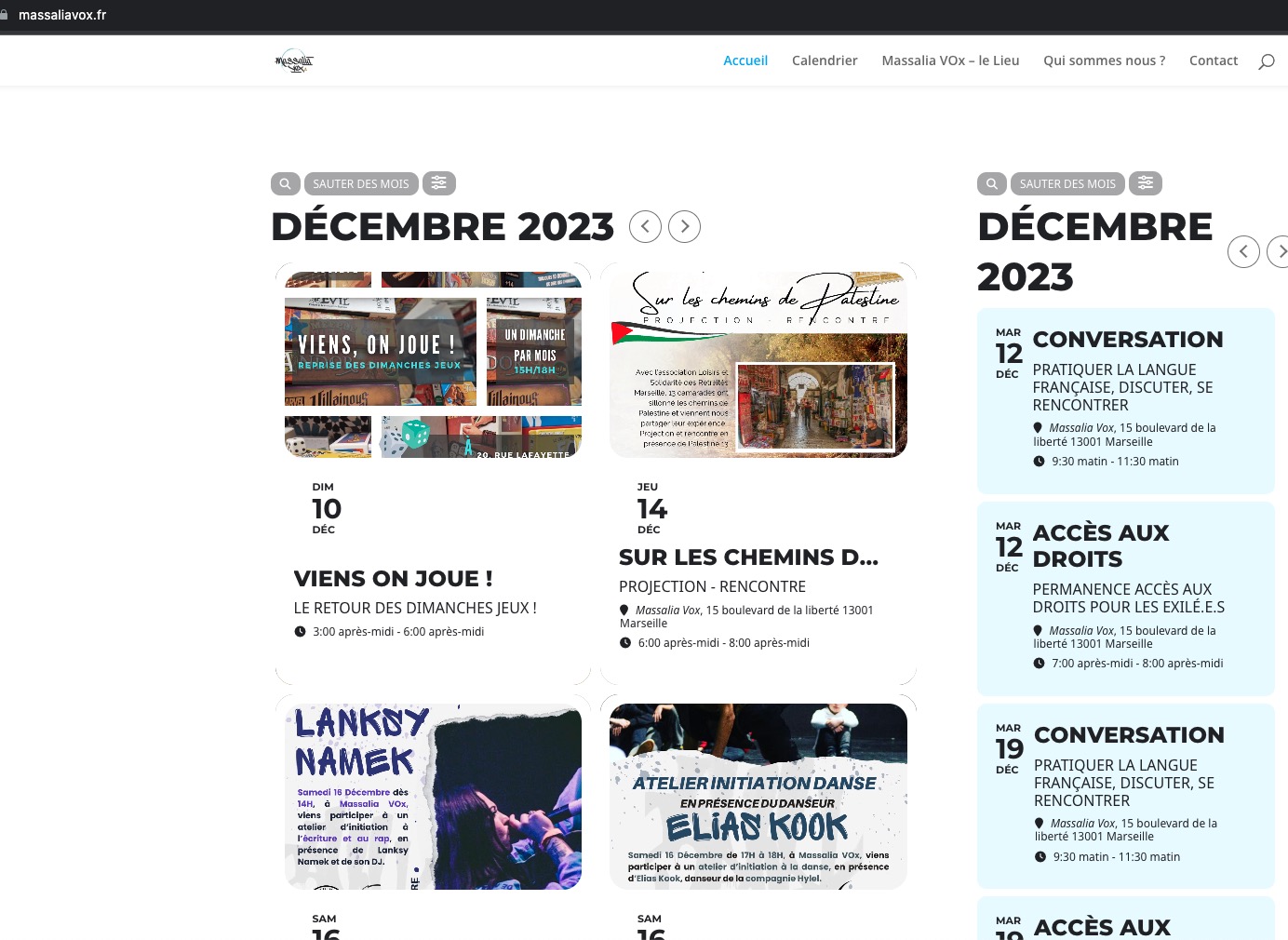
Seems to be working now.
Reply to: tickets(333886)
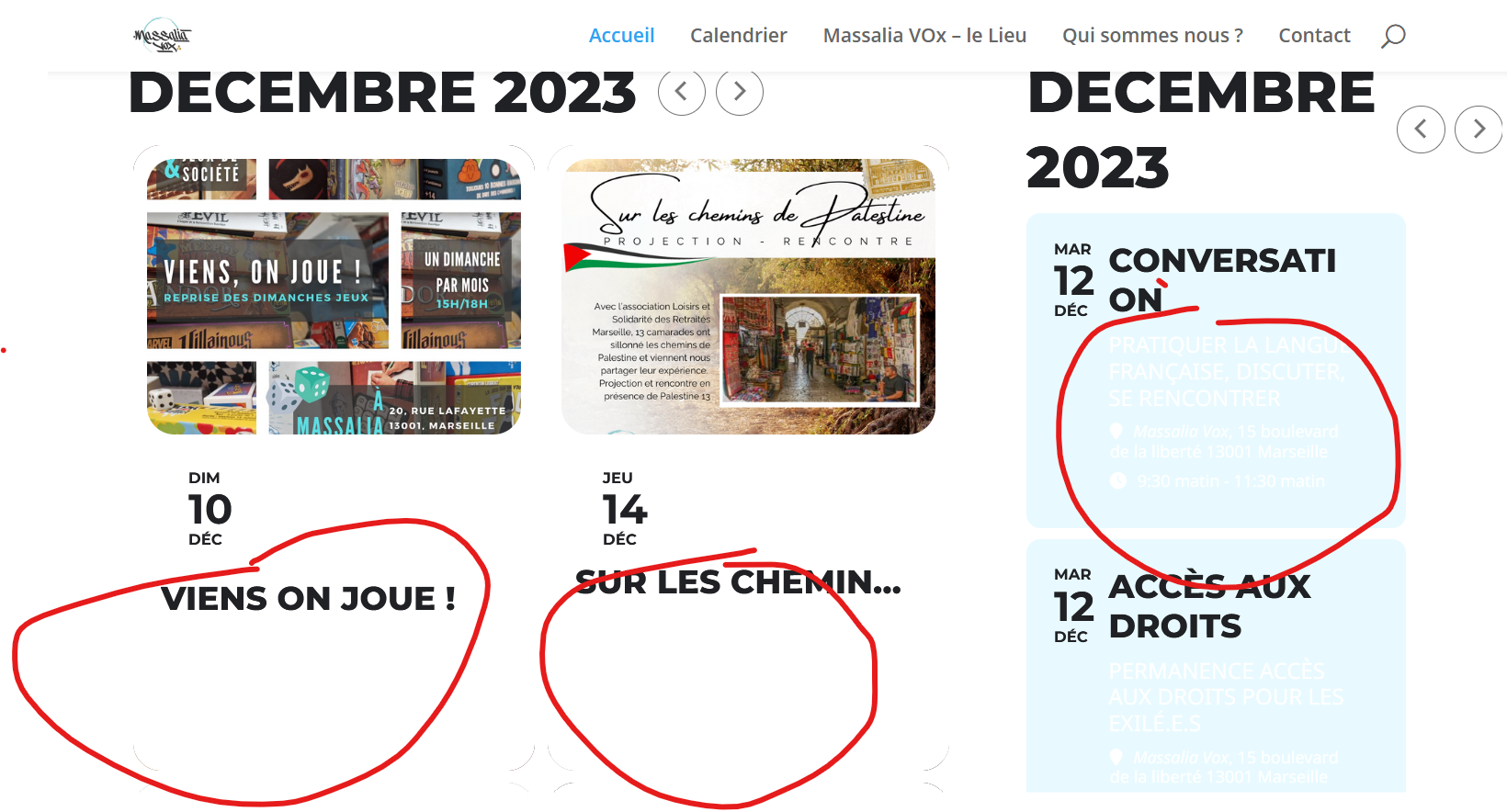
Here is a screen capture of the issue
Reply to: tickets(333832)
Please follow
https://docs.myeventon.com/documentations/show-additional-custom-data-eventcard/
Just add a new field, then when enabled it will be available on all events at once.
Reply to: tickets(331378)
That didn’t work. This thread is getting long to scroll through (due to me copying and pasting the log file.) I’m going to go ahead and open a new thread so it’s easier to manage.
Reply to: tickets(328139)
Unfortunately, not possible. The only option is to create a new subsite for the development only.
Reply to: tickets(333864)
Hello,
You can either customize the page through the code by following:
https://docs.myeventon.com/documentations/how-to-customize-events-archive-page/
OR
PROTIP: If the /events page does not work due to theme/plugin conflicts, create a new page, call it “Events Directory” Insert eventon shortcode and use that as your main events page which will have a URL ending like /events-directory. This would be a perfect solution if you have conflicts with /events slug.
This way you can customize Events Directory using WPBakery.
Reply to: tickets(333865)
Hello,
Please take a look at available add-ons:
https://www.myeventon.com/addons/event-tickets/
https://www.myeventon.com/addons/bookings/
https://www.myeventon.com/addons/seats/
Try on https://dev.myeventon.com/wp-admin/
availability of staff
You can set how many tickets are available.
book appointment
Booking add-on should help.
pay
Ticket Price can be set up using Tickets add-on.
Reply to: tickets(333794)
Can we try disabling everything except EventON + switch the theme ourselves?