Hello,
Thank you for your messages!
I am going to escalate this ticket to development to help in here. Please allow us some time to address this, and we truly appreciate your patience. Thank you for being a valued EventON customer!
Replies for tickets on suppota
Hello,
Thank you for your messages!
I am going to escalate this ticket to development to help in here. Please allow us some time to address this, and we truly appreciate your patience. Thank you for being a valued EventON customer!
Could you try deactivating the cache plugin completely?
Is this the correct?
Username:
EventOn
Password:
KIg5Q^(IO^u0FRbZAj9uC
Still not working on my side.
Hello,
I went to EventON > Event Card > Added Tickets section:
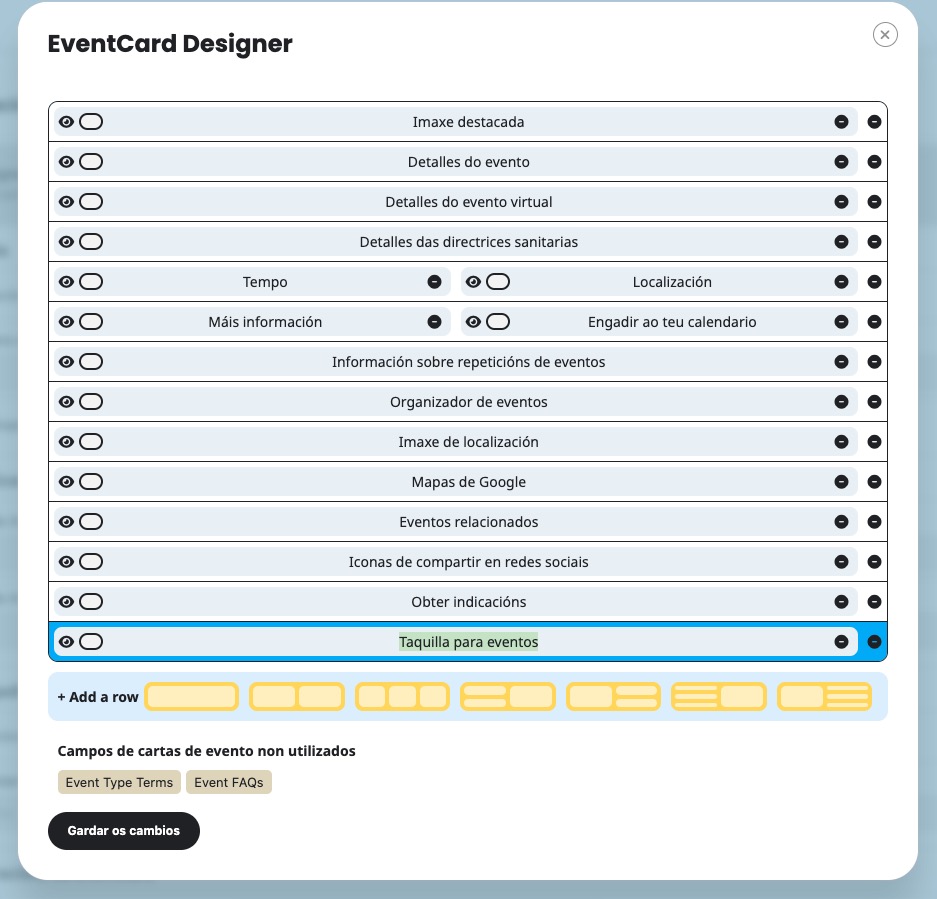
Now the section is visible:
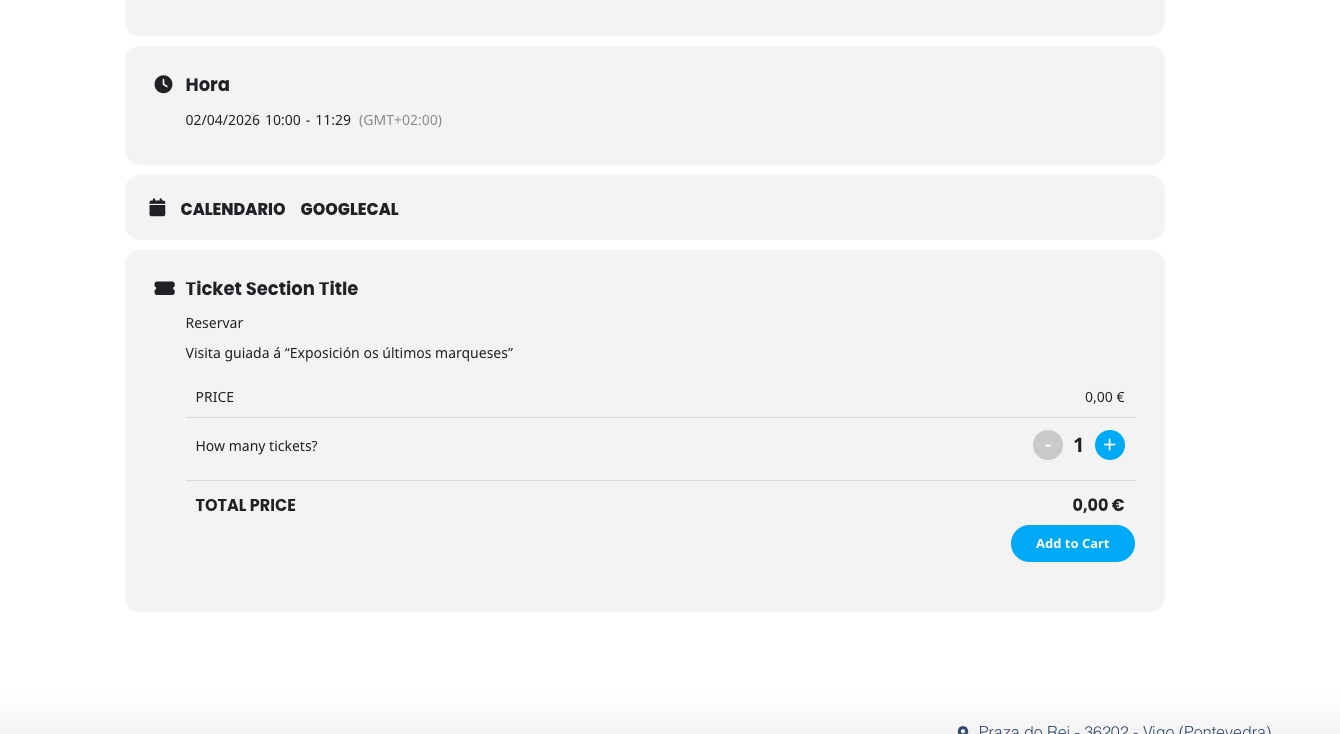
…he windows do not appear the same way as in the demo…
Could you tell us more about this issue?
There is no incompatibility between EventON and Weglot, I am afraid.
Available filters can be found here:
https://docs.myeventon.com/documentations/hooks-actions-filters/
Image URLs cannot be changed, unfortunately, however please create a new ticket and select Feature Request as category so others can vote on your idea and get it moved into development faster.
We are glad your issue is resolved, if you have any further questions or concerns please create a new ticket.
Hello,
Please try implementing this code change in your website.
code:
https://dev2.myeventon.com/codeshare/7QEBJf3jeRpA
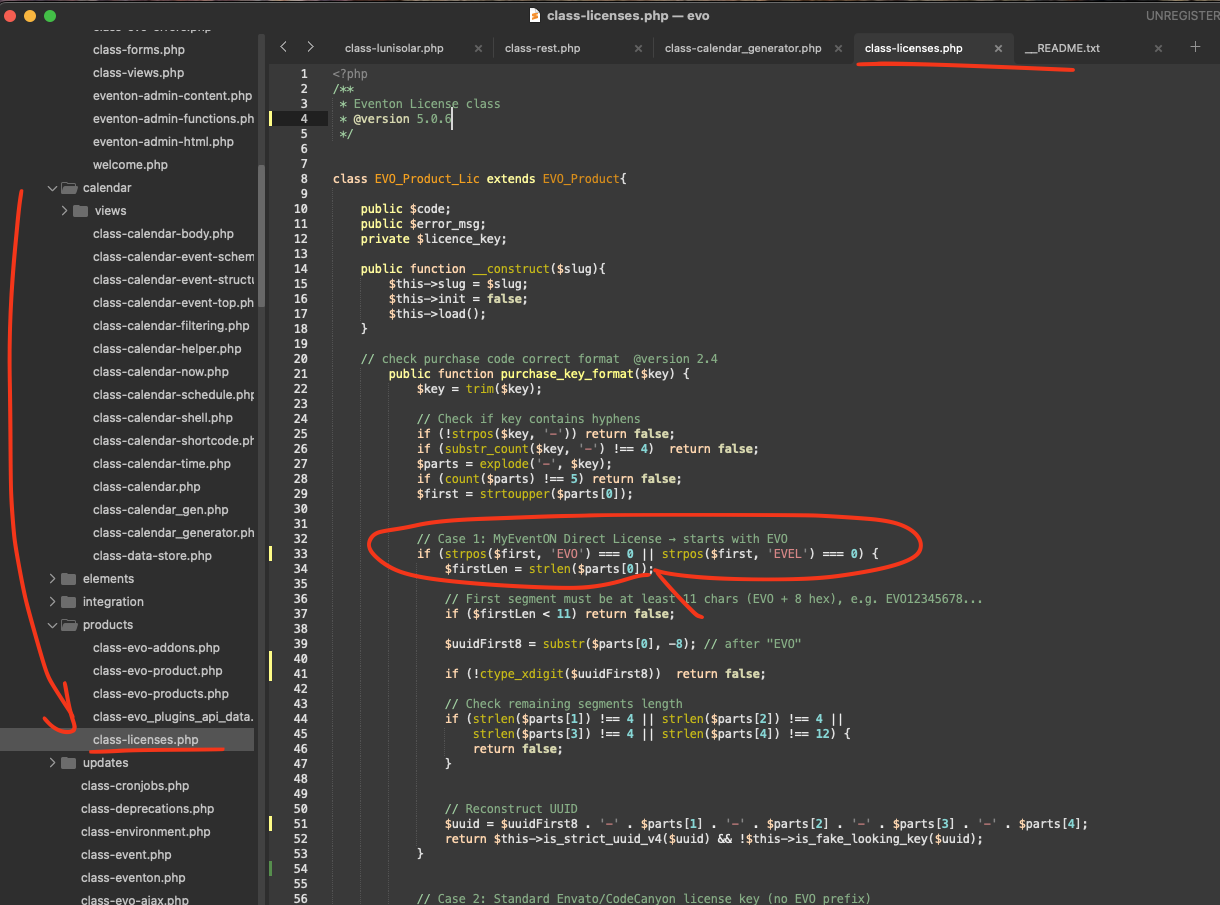
The login info didn’t work for me, so I cannot apply it.
As for the second issue, please send us the correct login info, so we can fix it.
Hello,
RSVP 3.1 added a new functionality related to the issue. Could you update and let us know?
To update eventon addons: You can download latest eventon addons from myeventon > my account. Then you can go to your website, deactivate old addon and install new one and activate then delete the old addon. This link will further explain the process. Also you can follow us on twitter to get real-time announcements on updates!
Please update RSVP to 3.1. The new version will solve the issue.
To update eventon addons: You can download latest eventon addons from myeventon > my account. Then you can go to your website, deactivate old addon and install new one and activate then delete the old addon. This link will further explain the process. Also you can follow us on twitter to get real-time announcements on updates!
Please follow this instruction:
To update eventon addons: You can download latest eventon addons from myeventon > my account. Then you can go to your website, deactivate old addon and install new one and activate then delete the old addon. This link will further explain the process. Also you can follow us on twitter to get real-time announcements on updates!