Tried to test it out, but all of their ticket events are sold out:
https://demo.theeventscalendar.com/events/month/
Do you have a link where we can take a look at this?
Replies for tickets on suppota
Tried to test it out, but all of their ticket events are sold out:
https://demo.theeventscalendar.com/events/month/
Do you have a link where we can take a look at this?
Please add this CSS code to EventON > Styles (If you don’t see any change, EventON > Scripts & Styling > turn off Write dynamic styles to header > save settings > turn on Write dynamic styles to header):
.row .label:nth-child(1) label[for=”_evcal_ec_f1a1_cus”] {display:none !important} input.fullwidth[name=”_evcal_ec_f1a1_cus”] {display:none !important}
Past events still contain upcoming events. I need the past events to be separated from the upcoming events. If you look at the event that is in upcoming events and also appears in the past events.
On the other hand, I would like to know why it takes so long to load this shortode?
Ah perfect! Thank you.
In this case, several empty seats appear on the map.
In the system, however, it appears that only one seat is available.
Could you send us a couple of examples of such orders and seats?
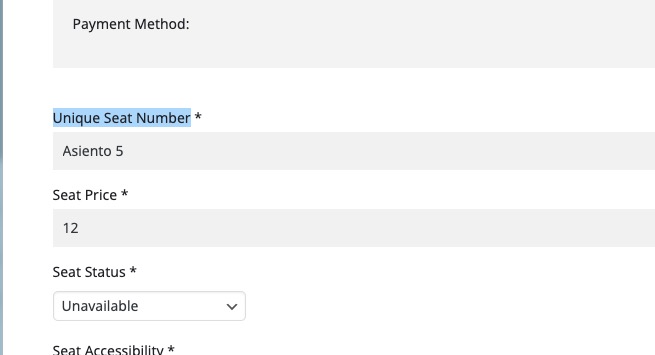
It is expected that each seat number should be unique:
How do you figure out which seat goes to which row?
We are glad your issue is resolved, if you have any further questions or concerns please create a new ticket. If you have a moment, we would greatly appreciate if you could kindly leave us a review at myeventon/my-account!. Cheers!
We are glad your issue is resolved, if you have any further questions or concerns please create a new ticket. If you have a moment, we would greatly appreciate if you could kindly leave us a review at myeventon/my-account!. Cheers!
I have not changed something in the html of the description but what you did helped. thx 🙂
it is solved. Thanks!!
Gr.Frank
it is working, Thanks!
Thank, you. Sounds great.