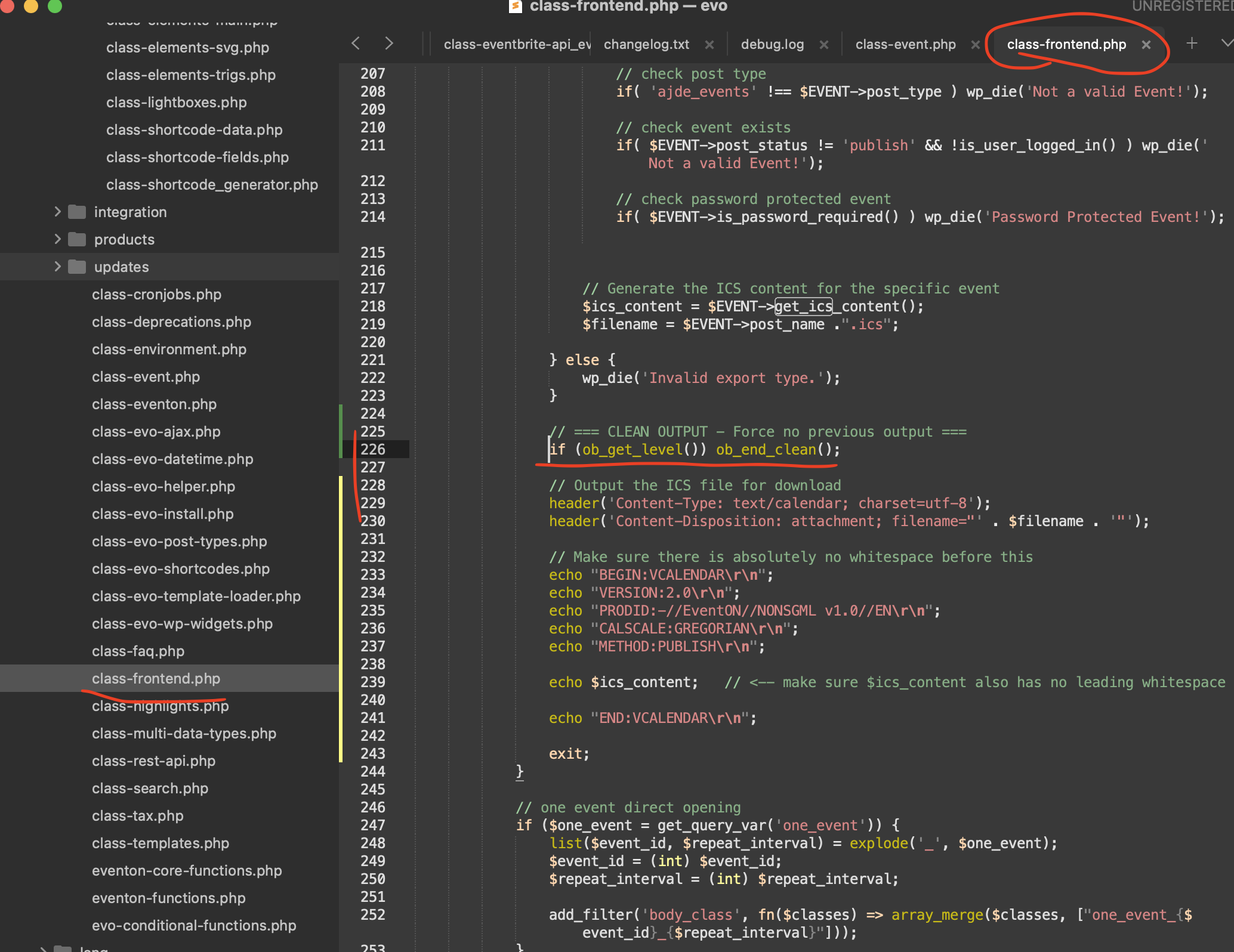
I think we found a fix for this. there is a empty space get added before BEGIN in ics file content. please add this patch fix and see if your safari errors will go away.
code: if (ob_get_level()) ob_end_clean();
file: class-frontend.php
Replies for tickets on suppota
I think we found a fix for this. there is a empty space get added before BEGIN in ics file content. please add this patch fix and see if your safari errors will go away.
code: if (ob_get_level()) ob_end_clean();
file: class-frontend.php
please update to the latest version of RSVP waitlist addon v 1.1.7 —
This will resolve the issue of changing out not offering space to others.
please use ”billing@keokee.com” as the username and your normal password.
Thank you! I think this will fix the problem. Can’t check as I added new events and when there is more events, the problem is also gone. But just in case added the shortcode and fixed timeline, was indeed off by 1 hour in admin settings.
Hi, so the eventon.php file should be 1kb and there should be 2 event headings in wordpress dashboard? Videos and other instructions have tried new page and add new events, and it was put to me that the EventOn plugin is missing required info. I searched if anyone else has had trouble with plugin php file and I cannot find any info. So I contacted you because you should know if the file should be 1kb and you should know if the EventOn plugin uses two sub headings in WordPress dashboard. In videos it doesn’t but they were using an older version of EventOn. You never answered my 3 questions at all. Please help to clear this up. Sincerely, Rob
Thank you!
Thank you very much Taryn!! you found a loophole that we have missed! WE were able to get that patched up. We will get the new version release out soon for waitlist addon for RSVP !!
got it figured out we will make sure to include this in the next version 5.0.13 — it is several codes that we had to change so would be best to have it share with you via new update than sharing a patch fix.
Kind Rergards!!
Hello,
Please go to EventON > Time Settings > make sure that ”Default Event Timezone” is the same as wp-admin > Settings > Timezone.
If the event is still showing twice, please also add hide_mult_occur=”yes” to the shortcode.
Hello,
By default EventON already uses this link for the default events page:
https://87bn2rvr.asn.au/events/
But as you can see you need to follow this to make it start working correctly:
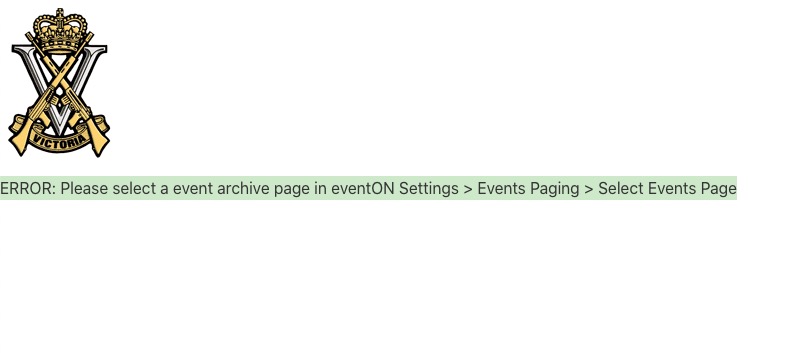
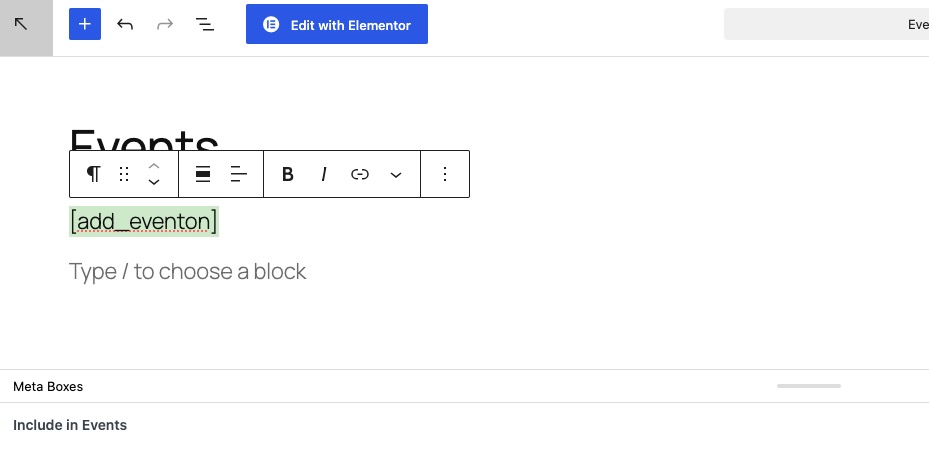
So you just need to go to wp-admin > Pages > create a new page and call it ”Events” > now add [add_eventon] like this:
After go to EventON Settings > Events Paging > select the previously created ”Events” page:
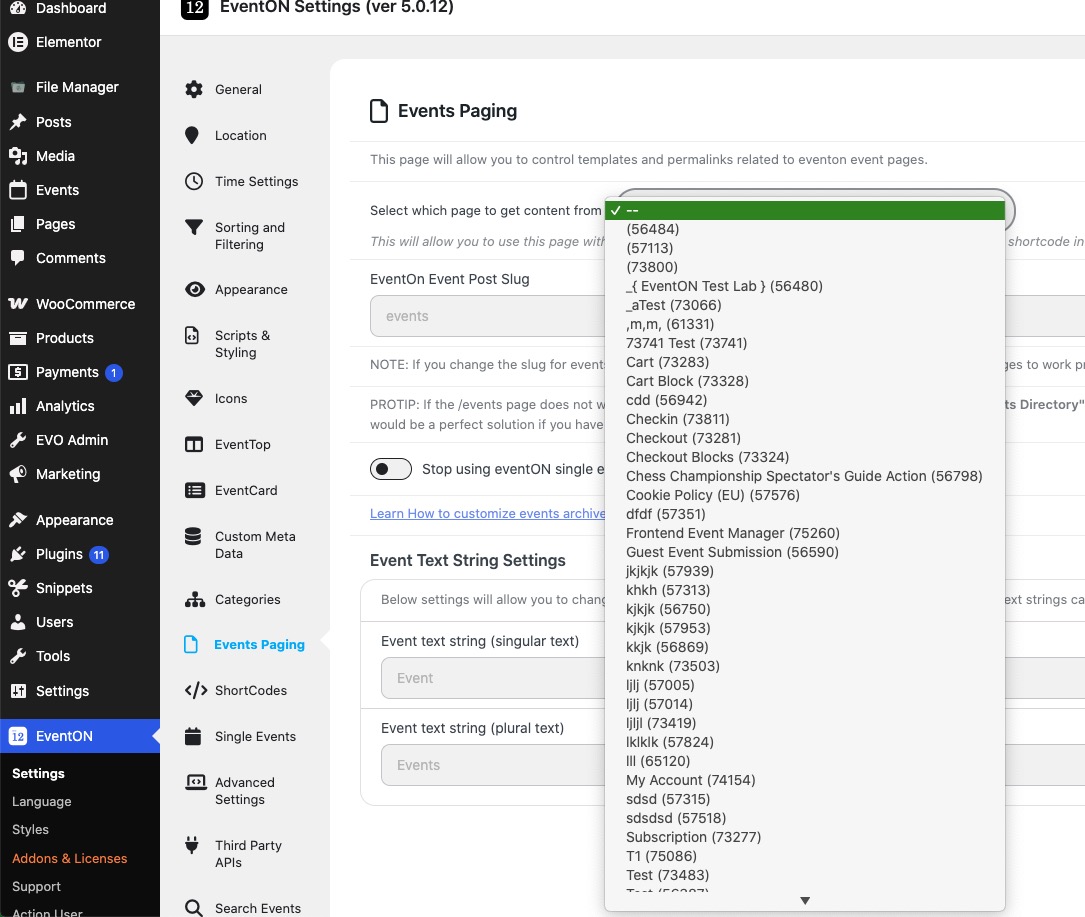
Please try and let me know.
You can also send us wp-admin access to your site from ”Access Info” box on right side menu, to further assist your situation.