Delete this!
.ajde_evcal_calendar.szM .evo_footer_nav .evcal_arrows
{height: 25px;width: 25px;font-size: 12px;}
Replies for tickets on suppota
Delete this!
.ajde_evcal_calendar.szM .evo_footer_nav .evcal_arrows
{height: 25px;width: 25px;font-size: 12px;}
Don’t you see that’s my workaround with custom css override?
25px style shouldn’t exist in the first place.
We are currently testing 5.0.13 version which should be available very soon.
Sorry for the delay.
”And thrid from top is defaut style that’s 25px.”
Are you referring to a different screenshot?
I can only see this image:
https://helpdeskx.s3.amazonaws.com/wp-content/uploads/2026/07/08121007/DevTools-kenkogairai-2026-07-08-at-12.09.38-PM.com_.jpeg
Is this how buttons should look like on mobiles in your opinion:
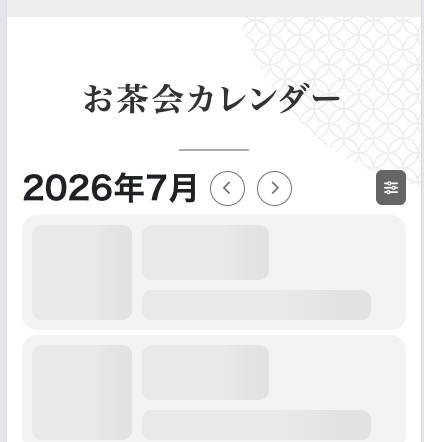
Please let me know.
Do you have some kind of customizations applied to the theme or any custom plugin?
Do you remember which version of Tickets you updated from?
…so the eventon.php file should be 1kb…
This is not related to the issue, so there is no need to fix this or somehow take this into account.
…and there should be 2 event headings in wordpress dashboard?
Are you referring to these headings?
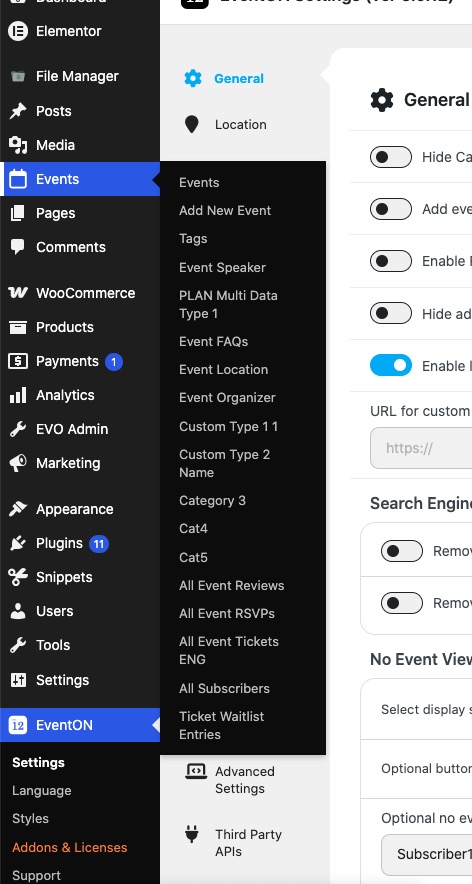
If you do then everything is correct, Events is where all your events are and EventON Settings is options.
At this moment let’s fix /events page on your website. Please follow my previous message to show EventON calendar on the page.
Not sure about which AI I can suggest. Please note that there is no need to use it as we are going to help with any issues.
Please check my suggestions and let me know.
We are glad your issue is resolved, if you have any further questions or concerns please create a new ticket.
We are glad your issue is resolved, if you have any further questions or concerns please create a new ticket.
If you have a moment, we would greatly appreciate if you could kindly leave us a review at EventON WordPress Page OR EventON > My Account > Downloads. Your review helps us a lot in continuing EventON improvements!
Great, thank you for the update!
I’ve updated it, however it still shows the issue