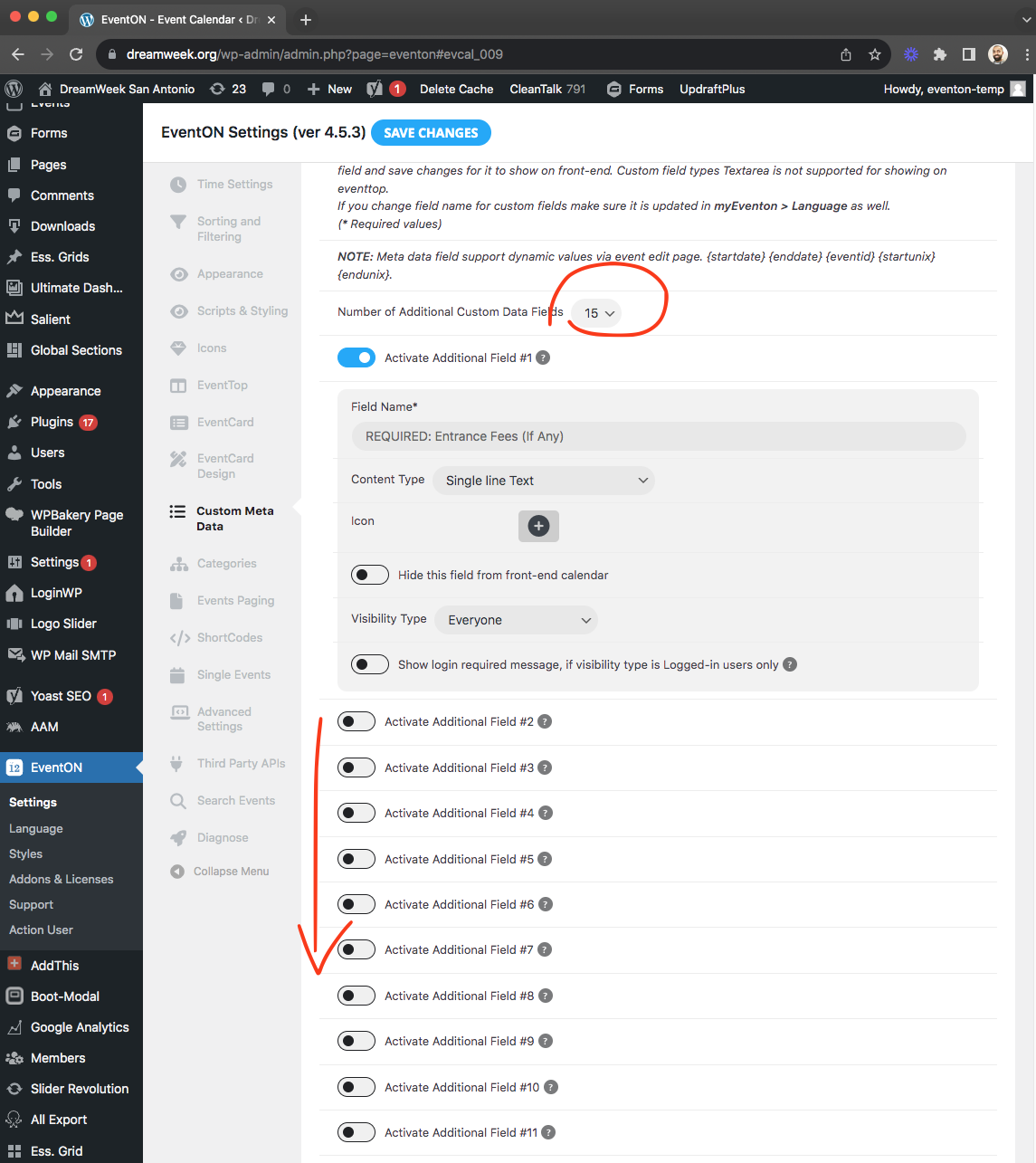
Hi there
After days of trials / errors we noticed something strange.
This is not a memory issue. The EventOn plugin prevents me from editing pages created with ELEMENTOR. But I’ve found a way to edit the page when the editor isn’t loading.
I click twice to edit the FOOTER of the Elementor’s page and then everything’s back in order, and I can edit the PAGE! See the video.
This problem probably stems from an incompatibility with the ELEMENTOR plugin. Perhaps this information will help you find a solution to this problem on your side. Memory is not the issue. I suspect that your addition of EventOn in the Elementor editor is causing this problem. I don’t need this shortcode editor in Elementor. Do you have a version WITHOUT this addition that I can test and validate that it’s this integration that’s causing my problem?
Disregard the above. I double-checked the code and saw the mistake…
I changed it to evcal_tx.. and now it works
I made that change to that file….
// when settings are saved
// fields to skip sanitizing on
function none_sanitize_fields($arr, $tab){
if( $tab != ‘evcal_tax’) return $arr;
$arr[]= ‘evorm_pre_1_message’;
$arr[]= ‘evorm_pre_2_message’;
$arr[]= ‘evorm_post_1_message’;
$arr[]= ‘evorm_post_2_message’;
return $arr;
}
Then I went and tested the site. It still is removing the HTML.
PLEASE GET THIS FIXED WITH A PLUGIN UPDATE… TEST IT THOROUGHLY… AND RELEASE THE PLUGIN UPDATE.
We spent a lot of money on your “addons” and we have now been waiting over 2 weeks for a basic functionality to work that was supposed to work according to the presale description of the addon
please apply this patch fix to resolve this.

kindly apply this patch fix.

Hi Ashan,
There are no particular triggers. It just happens. They work fine in the beginning and all of a sudden you are not able to edit and save them. Some work and some do not work. So yes – if you make a new event it might work. And some events never get the problem. But it happens very often. Maybe you can check the querymonitor. I think it’s already installed on the site.
On
https://phoenixflightstudio.com/new-students/intro-series/
i’m using this shortcode:
[add_eventon_list tiles=”yes” tile_bg=”1″ tile_style=”1″ number_of_months=”12″ hide_empty_months=”yes” event_type=”248″ hide_so=”yes” hide_past=”yes” hide_month_headers=”yes” tile_count=”4″]
On
https://phoenixflightstudio.com/workshops-events/
im using this shortcode to display 3 “featured” ones:
[add_eventon_list tiles=”yes” tile_bg=”1″ tile_style=”1″ number_of_months=”12″ hide_empty_months=”yes” event_type=”246″ hide_so=”yes” hide_past=”yes” hide_month_headers=”yes” tile_count=”3″]
and this to display the calendar
[add_eventon tiles=”yes” tile_bg=”1″ tile_style=”1″ tile_count=”3″ ]
Like I said, when i launched my clients site a couple months ago everything was working fine. I have EventOn scheduled to autoenable updates. The extention EventOn List I needed to update (as auto-update isn’t available).
This is rather urgent to get fixed. Appreciate it.
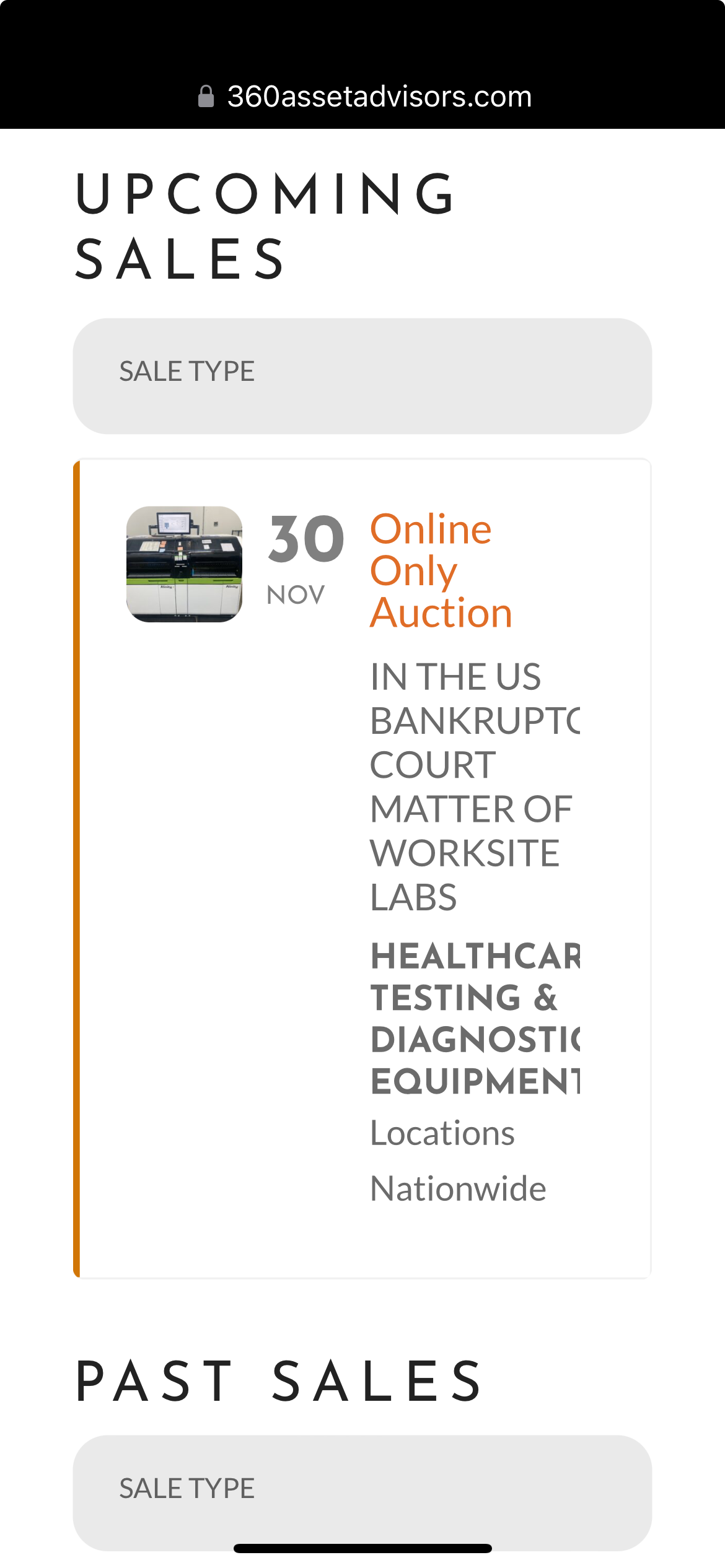
So I moved both of the css you provided to the Theme customization section (since that’s where I have all of the other added code)… It seemed to work better there… The text no longer breaks and using text-size: 100% seemed to provide a better look for now. However, two things: 1) you can see in the attached screen shot that the text now cuts off on the right side of the screen and 2) depending on the phone or browser app, the type sizes and line spacing are not consistent. On mobile devices, I’d just like the type size to be consistent (and smaller still)… I’m even wondering if there’s an option for the photo to go away just at this size so there’s more room for text before it wraps. Let me know your suggestions.
Frank, sorry for the delay. We do not sell additional support, regardless you purchase it or not, if you bought the plugin we will support.
So right now if I go to your settings page none of those additional custom meta fields are activated.
https://dreamweek.org/wp-admin/admin.php?page=eventon#evcal_009
I am not sure how the previously worked custom fields got erased out from settings. BUT the custom field data saved for EACH EVENT, should still be there under event post meta.
So lets try this. Activate the custom meta fields in settings and give the field names you used before. THen go to event edit page, and those new custom fields and their saved data FOR EVENTS should appear under event edit and then on event page on front end.
Thank you for pointing this out we will get that also resovled in the next version update. Kindly use EventON Settings > ICS Import for now.