Hello, but it worked. I assume I had to create 120 sections with each time only 1 seat…. But not sure, and I don’t have any chance to see the old seat map as no more editable.
This is quite blocking now :-((((
Replies for tickets on suppota
Hello, but it worked. I assume I had to create 120 sections with each time only 1 seat…. But not sure, and I don’t have any chance to see the old seat map as no more editable.
This is quite blocking now :-((((
But I do have that, and that is almost always added in the backend. see screenshots above.
can you adjust my code accordingly?
Code is also above.
Closed as duplicate.
Hello,
Please take a look at Method #2:
https://docs.myeventon.com/documentations/how-to-deactivate-eventon-addon-licenses/
This is where you can check your licenses.
Hello,
I added show_et_ft_img=”yes” to the shortcode to show the image and Tags before Title in
https://yoteame.com/wp-admin/admin.php?page=eventon#evcal_004aa
So it should work now. Please check and let me know.
Hello,
Supported fields can be found in EventON > ICS Import:
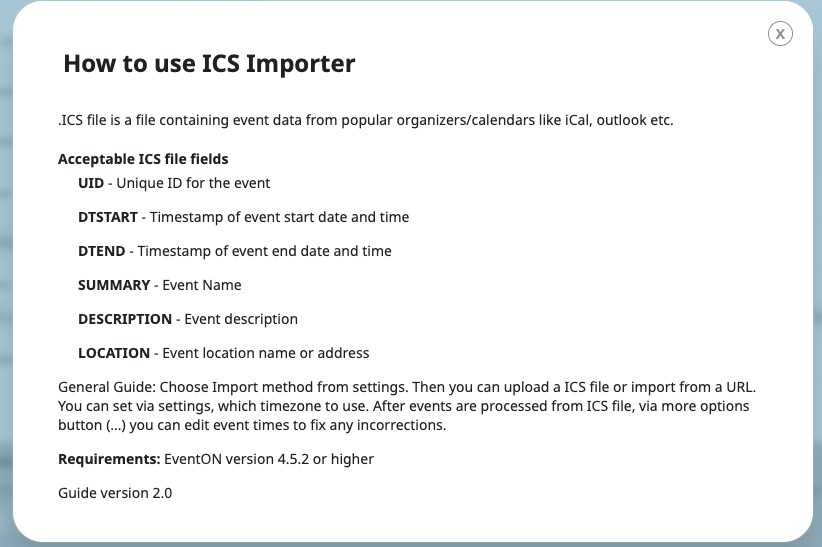
However, you can follow this guide and add this functionality through the code:
https://docs.myeventon.com/documentations/add-support-additional-ics-fields/
Unfortunately, debug.log doesn’t contain anything related to EventON, so it’s hard to understand what’s going on with EventON.
However, could you try increasing memory limit:
https://docs.myeventon.com/documentations/increasing-wordpress-memory-limit/
I added show_et_ft_img=”yes” to the shortcode, so the image is visible now. Please check and let me know.
The “required” parameter simply changes the input field on the front-end, but it doesn’t add any functionality to the backend. You need to add it to function evotx_3($arr, $event_id, $_th){.
The only option is to go to EventON Settings > Download all eventON events > ICS FORMAT:

Then you can import events.