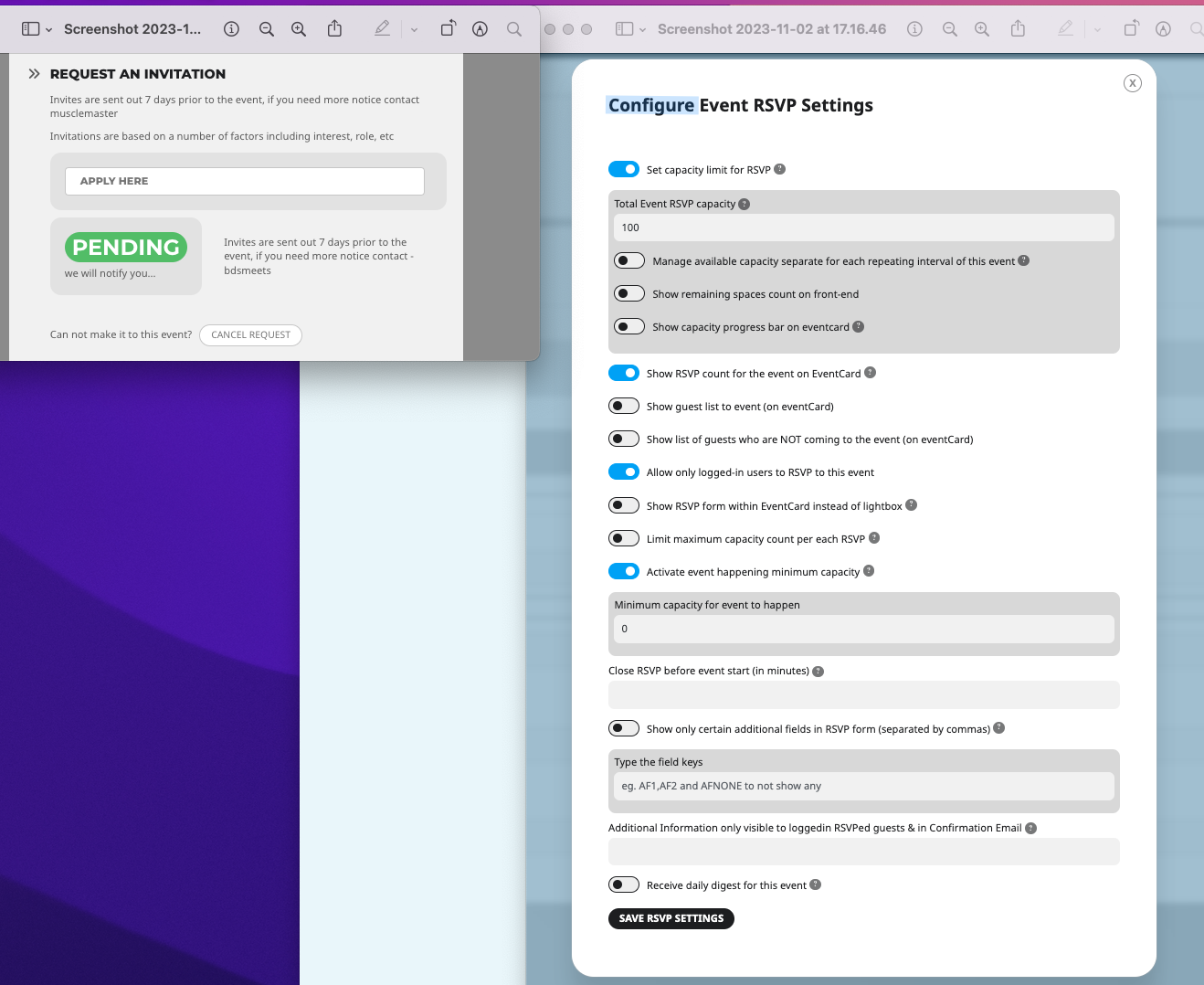
Sorry the message looked corrupted:
Hi
Okay I found how to set a maximum number ✅
Not sure how to do the csv download from the front end…
https://www.loom.com/share/f43caec57f444a218a663037516daf9f?sid=64faa066-a975-47fc-b199-8687a8a677ce
Thanks, Dan
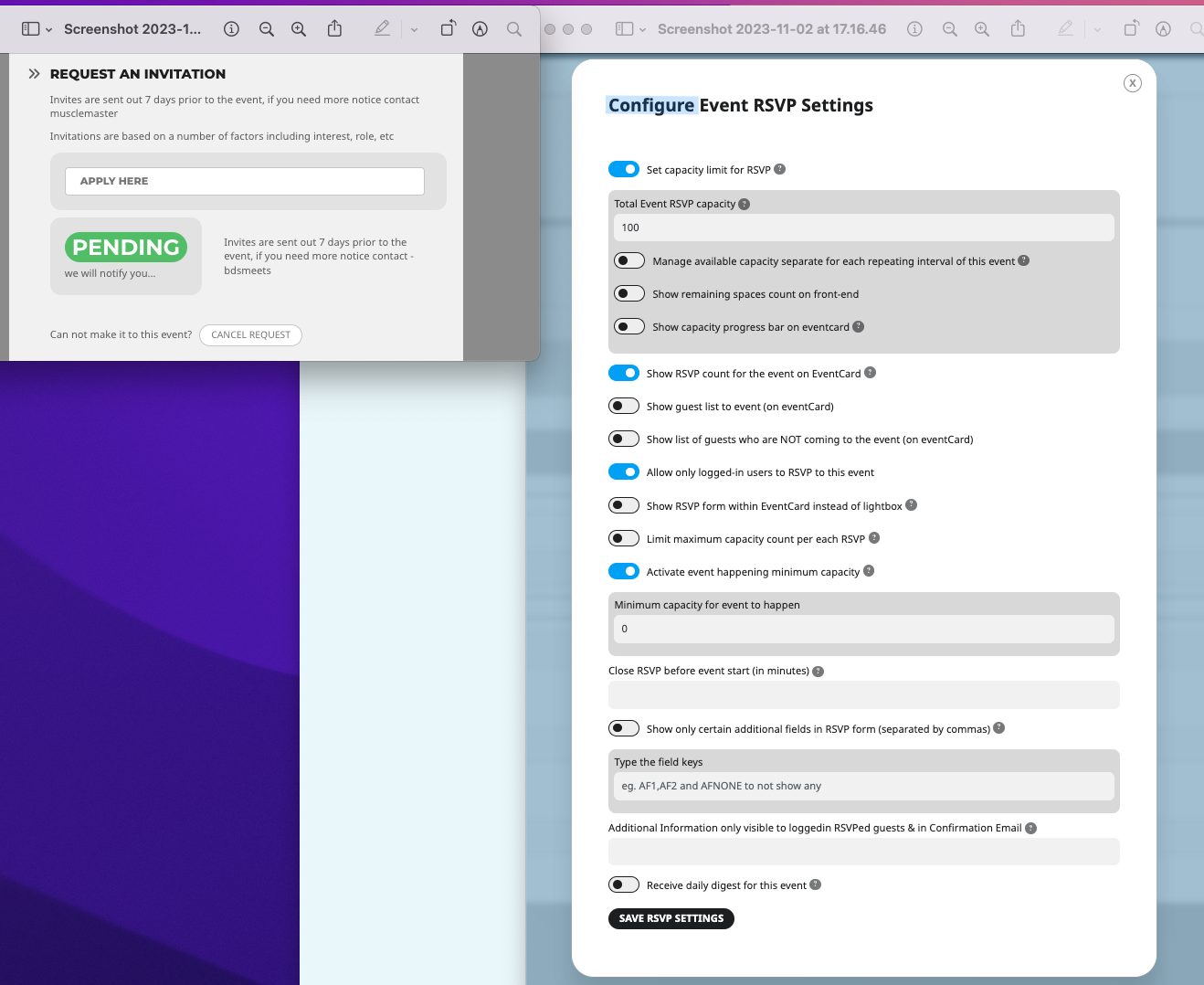
I changed the minimum number to 100 but it is still showing as PENDING,,,
Hi
Okay I found how to set a maximum number ✅
Not sure how to do the csv download from the front end…
https://www.loom.com/share/f43caec57f444a218a663037516daf9f?sid=5865d87e-b916-4465-8c10-2fb109308b19
Thanks 🙏
Dan
Hello
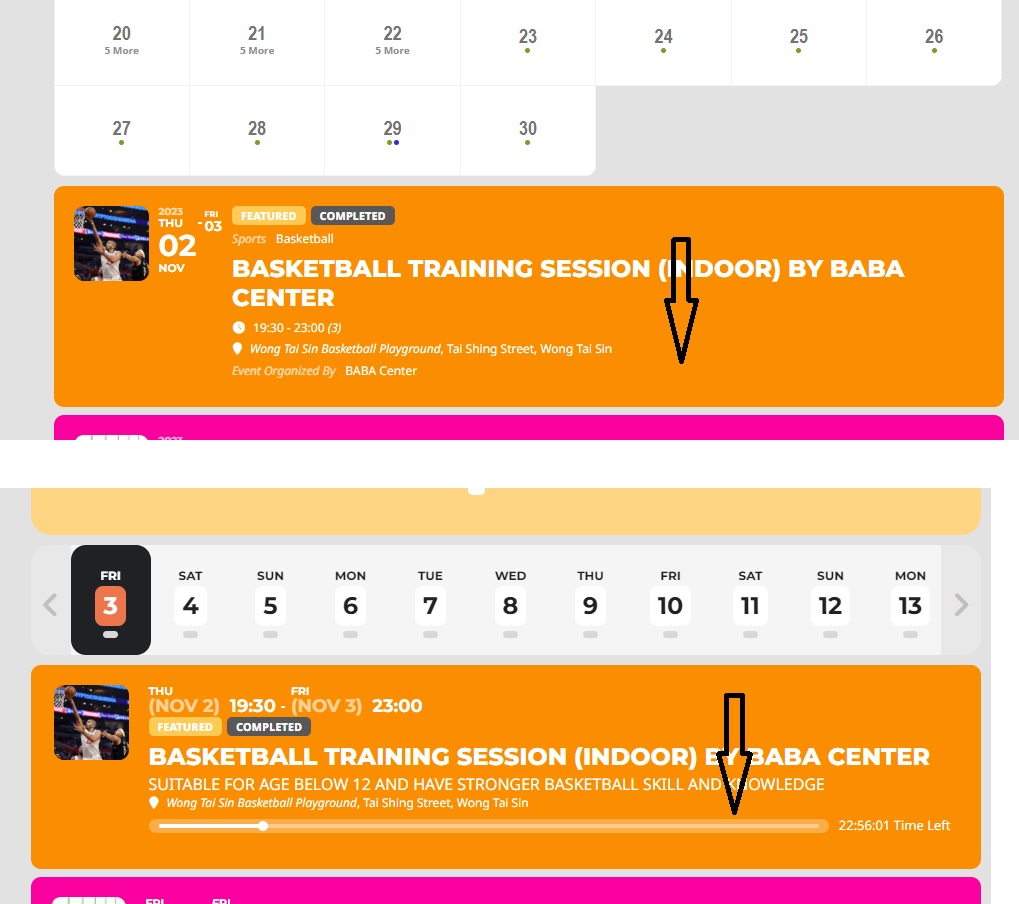
Thanks for adding! FulCal eventtop has feature image now and the layout looks great! However, I found the countdown bar is still missing on FulCal eventtop. Please see attached image. Let me know if countdown bar can be added as well? Thanks!
the pending suggests that you the waitlist addon and that you have reached the maximum number and that pending is because its only if someone changes their rsvp
it would be handy to have a look in your admin to see how you have set up events (this ticket is private so only you and I can see replies include access
download csv is found in myeventon>>>>RSVP>>>>>general
scraoll to the bottom theres 3 action user options
1:your events each have a 250kb image which you can reduce in size using this
https://www.giftofspeed.com/png-compressor/
2: that events list and items in the side bar is HUGE and will drain resources- perhaps have that on a different page
3: I have tried to edit the page where the shortcode is but I cannot get the edit page to load update I got in but I cannot see the shortcodes for each
4: I would hide past events as they have to load even tho they are in the past in myeventon>>>settings or can be added to the shortcode if you wanted to create a page with past events on it
5: you are also loading the daily view, monthly view and the events list and items on the one page thats a HUGE amount of events
I recommend using our own view switcher see video here
the page I used in the video is https://lexcolibrary.com/eventon-testing/
optiuons within the view switcher you don’t want can be hidden with css

Hi Artem
I have increased Memory limit – unfortunately without success.
I have received information from Provider – but they say they do not care about external CMS and Plugins 🙁
What I have done also: I have copied the whole Website to another Webhoster 1:1 – and there everything works fine.
Differences between both installatione seen in the Dev-Tools (F12) when trying to add e new event are the entries in the attached screenshot
BR, Martin
Hello,
I changed the payment method to Stripe.
Disable 2 plugins that were in conflict with woocommerce: ivory search and wp manager payment.
I tested the payment and it works. however the order is not automatically validated when completed. Maybe because it’s being tested…
But this is just a detail, the important thing is that the payment problem is resolved.
On the other hand, I see in my frontend text example “l’heure de début”.
A solution to make disappear?
Thank for everything I like eventON and your addons !
Mél
Where did you add it and which shortcode? I wasn’t using any shortcodes anywhere
Thank you that helped me figure things out. Much appreciated.