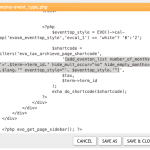
Can you completely remove the file (just for a test, so please make sure to back it up), so we can check if the file is what’s causing this?
https://www.hardwoodskiandbike.ca/wp-content/themes/salient/css/Tygershark_custom_1_winter.css?ver=6.3.2.1697835321
Since this happens randomly, this is because of how many memory available on the server and/or browser.
Just for a test, please try “#5 Open events in single event page”:
https://docs.myeventon.com/documentations/why-my-site-and-eventon-page-loading-slow/
Ashan,
I tried importing my own calendar on dev2 and it shows the same error.
Thank you for your messages, I am going to assign this ticket to Ashan and he will be able to take it from here and find you a solution. Please allow some time for him to get back to you, we greatly appreciate your patience and thank you for being a eventon customer! Also please disable any IP blocking on your site if there are any.
you guys are amazing… !!!!
Hi there,
(1) the code is in https://www.tourist-in-rom.com/de/draft-de/ in sources at de/draft-de->draft-de/ (or index), in my Opera browser it is row 141
(3) I found the setting to disable fontawesome and followed your indication to override CSS but I don’t see how I can substitute in this way <i class=”fa fa-location-pin”></i> with <i class=”icon-location”></i>
yes the link is correct. I reset the secret address. There is still an error. I also put the public address and there is also an error (https://calendar.google.com/calendar/ical/support%40wzdrowiej.pl/public/basic.ics).
Please send the previous version of ics import. I will check if it works on the previous version.
Hi, I just wanted to let you know that this page https://gaydesertguide.com/events_kmee/ that also shows the events calendar is showing as an internal server error. see attached screenshot.
Sometimes this page also does the same error. https://gaydesertguide.com/event-directory/ it happens randomly. Maybe you can see what the problem is with the calendar. When we report this to newspack who hosts the site they tell us to check with eventOn. https://gaydesertguide.com/event-directory/
Thanks, let me know if you want find anything on either of these pages that is causing this error.
Marilyn
Well… You are correct. I honestly don’t know what happened. I tried it MANY times last week and it never worked. Now it seems to be fine.
Sorry for the trouble.
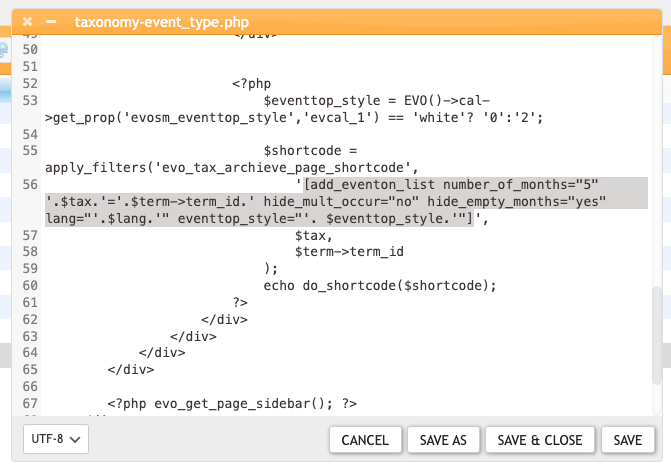
2a. Please follow by advice for b and customize the template. Take the shortcode from https://jfsdetroit.tpphost.com/upcoming/ and put it to event_type.php file (see how in b).
2b. Replace this part with your shortcode: