Hi Artem,
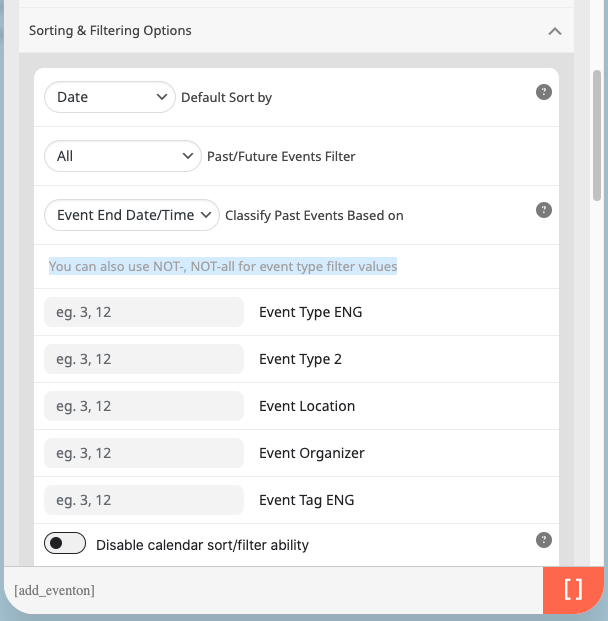
I have created/added the shortcode using the generator above (Code on page below):
[add_evo_submission_form lightbox=”yes” btntxt=”Set up a new meeting”][add_eventon_fc load_fullmonth=”no” event_type=”124,” jumper=”yes” heat=”yes” mo1st=”yes” event_type=”124,”][evo_event_manager]
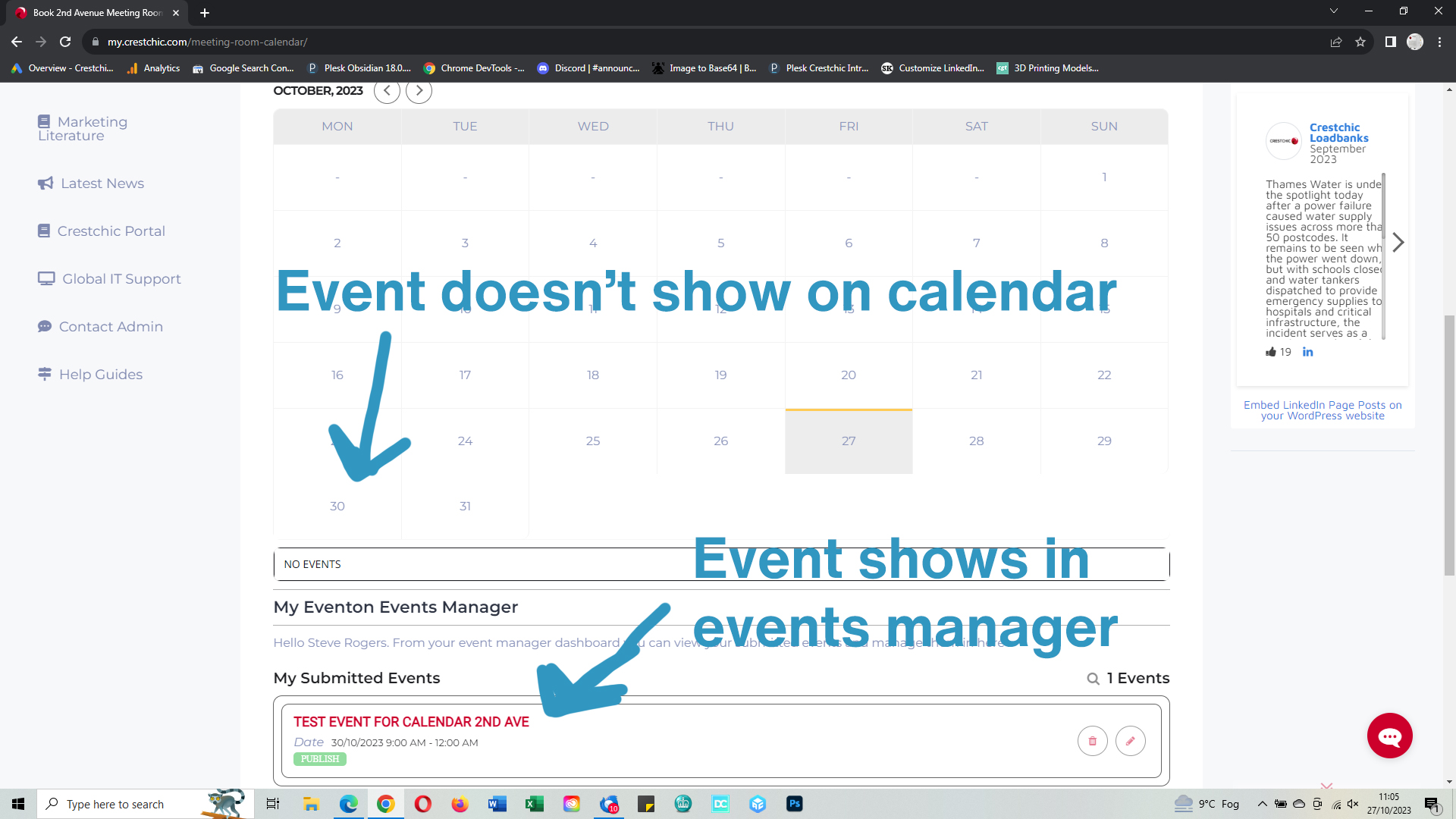
It doesn’t seem to have worked though.
Please see the image…
Regards
Neil
there are shortcode options to allow different appearance of the event on desktop vs mobile however eventon pop up does work on mobies it is been designed to work on mobiles- I believe something else is going on
Please send us wp-admin access to your site as a private message for us to further assist your situation.
Hi Artem,
Thank you for your quick and clear reply 🙂
Have a nice day!
Paul.
In order to optimize order management to add events, I added automatic woocommerce validation in my theme’s functions.php file:
/**
* Auto Complete all WooCommerce orders.
*/
add_action( ‘woocommerce_thankyou’, ‘custom_woocommerce_auto_complete_order’ );
function custom_woocommerce_auto_complete_order( $order_id ) {
if ( ! $order_id ) {
return;
}
$order = wc_get_order( $order_id );
$order->update_status( ‘completed’ );
}
Hello,
I think I have identified the problem. By deactivating the Easy table content plugin, the checkout page is functional again.
However, I have the impression that after payment, there is no pass assigned. Can you check on your side? Thank you
Hello,
So in that case, something is not right!
Since it is working correctly on our other site as well, we have an addon “EventON – Event Lists Ext” do you think that it might be because of that plugin?!
featured events work now. Is it possible to give certain locations and / or venues automatically the featured event status?
same question for event types, can i automatically asign certain event types whenever events by certain organizers / locations are created?
(keep in mind i import events from facebook so the person who posts the event can’t set these things)
Hello Artem,
Any plans/dates on taking this to place?
Many thanks in advance,
David
username didn’t work for us otherwise i would have set it up on your site
in anycase you’ll want to use the shortcode generator found at Myeventon>>>>settings>>>>shortcodes
once in the generator select events list and choose say 12 months well easier to show you on video
here us the basic shortcode- you can add other things like tiles, featured event priority etc as you please
[add_eventon_list number_of_months=”12″ hide_empty_months=”yes” show_year=”yes”]
when copying and pasting from this site paste into the html part of the editor and not the visual editor as to not paste additional code
Maybe you can somehow use this option?
Could you check and let me know?