EventTop’s time format cannot be changed, unfortunately. However, you can follow and add a custom date field:
https://docs.myeventon.com/documentations/hook-eventtop/
Date/Time variables can be found here:
https://docs.myeventon.com/documentations/event-post-meta-variables/
Hello,
What kind of integration are you referring to? You cannot use BeaverBuilder in Event Details?
Hello,
Thank you for your messages, I am going to assign this ticket to Ashan and he will be able to take it from here and find you a solution. Please allow some time for him to get back to you, we greatly appreciate your patience and thank you for being a eventon customer! Also please disable any IP blocking on your site if there are any.
I also have a question, on one of our websites we are using the free version of this plugin and we have the integration with our page builder BeaverBuilder Since I have tested and when we use the module to load the events on a page UTM work’s fine I tough it might be better to load it that that way but on this site where we are using the pro version I can’t see any integration with BeaverBulder!
Is it normal!?
Hello,
My manager is back from vacation and I will let you know how we can continue if I can create access for you or…
Thanks and Regards
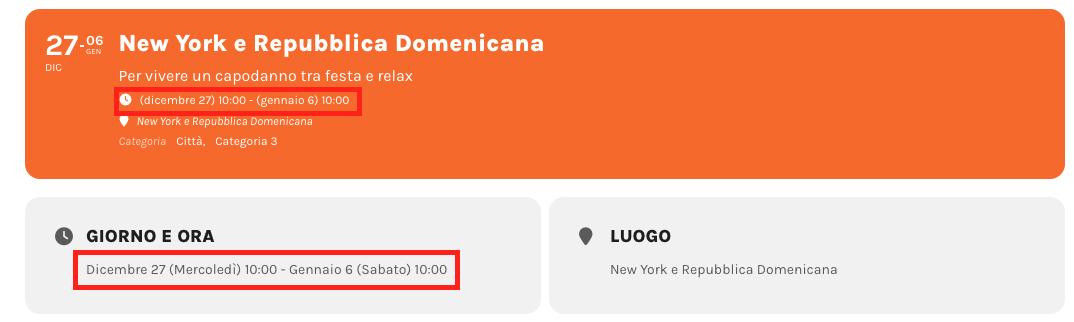
Hello,
I would like to change the date as in the attached image.
How can I do? Now I can see two different type format, but I would like to have only one like this:
28 October 2023 – 3 November 2023
Thanks
Did you find a solution? I am at the same point now and had a similar question. Either to download a pdf or just show with a shortcode. Or direkt in the event you rsvp to.
I don’t remember exactly the version, but it was a recent version. Maybe from a few months ago.
From what we recall, the custom fields were there up until we started the suggested troubleshooting from this link:
Which version did you update from?
Did you update the plugin and after Custom Meta fields disappeared? Could you tell us more?