please provide your email address
Archives: Replies
Replies for tickets on suppota
Reply to: tickets(327109)
Fully understand! Thanks for your help!
Reply to: tickets(323357)
Hello,
1. Please try adding this to your shortcode
ux_val=”3″
However, this option isn’t included by default, so not sure if works or doesn’t.
2. Unfortunately, we unable to help with customizations, since it’s against CodeCanyon’t Support Policy.
Reply to: tickets(329795)
Hello,
1. Is this coming from the theme or a third-party plugin? It seems that you need to contact this part’s developer about this.
2. Please add this CSS code to EventON > Styles (If you don’t see any change, EventON > Scripts & Styling > turn off Write dynamic styles to header > save settings > turn on Write dynamic styles to header):
.eventon_events_list .eventon_list_event .evcal_desc .evcal_desc_info, .eventon_events_list .eventon_list_event .evoet_cx .level_3, .evo_pop_body .evcal_desc .evcal_desc_info, .evo_pop_body .evoet_cx .level_3 { font-size: 15px !important; }
3. By default, EventON uses FontAwesome fonts, so if you want to use yours, you need to override CSS styles by following
https://docs.myeventon.com/documentations/change-css-calendar/
Reply to: tickets(328748)
We are glad your issue is resolved, if you have any further questions or concerns please create a new ticket.
Reply to: tickets(310319)
Hello,
Please send us wp-admin access to your site as a private message for us to further assist your situation.
Reply to: tickets(328974)
Hello,
I added this code to https://erikmessori.com/wp-admin/admin.php?page=eventon&tab=evcal_3 and it works now:
.eventon_events_list .eventon_list_event .evoet_cx span.evcal_event_subtitle { color: #202124 !important; }
Please check and let me know.
Reply to: tickets(328974)
HEllo HEllo… here again… I have a problem, I swear… I didnt’ touch any setting but the event card is getting reset by its self… now I get back some setting… but I have problem to see the type of event… please please could u help me… I have an exhibition the saturday
Reply to: tickets(329633)
Hi Artem,
Thank you for that 🙂 Point 1 solved!
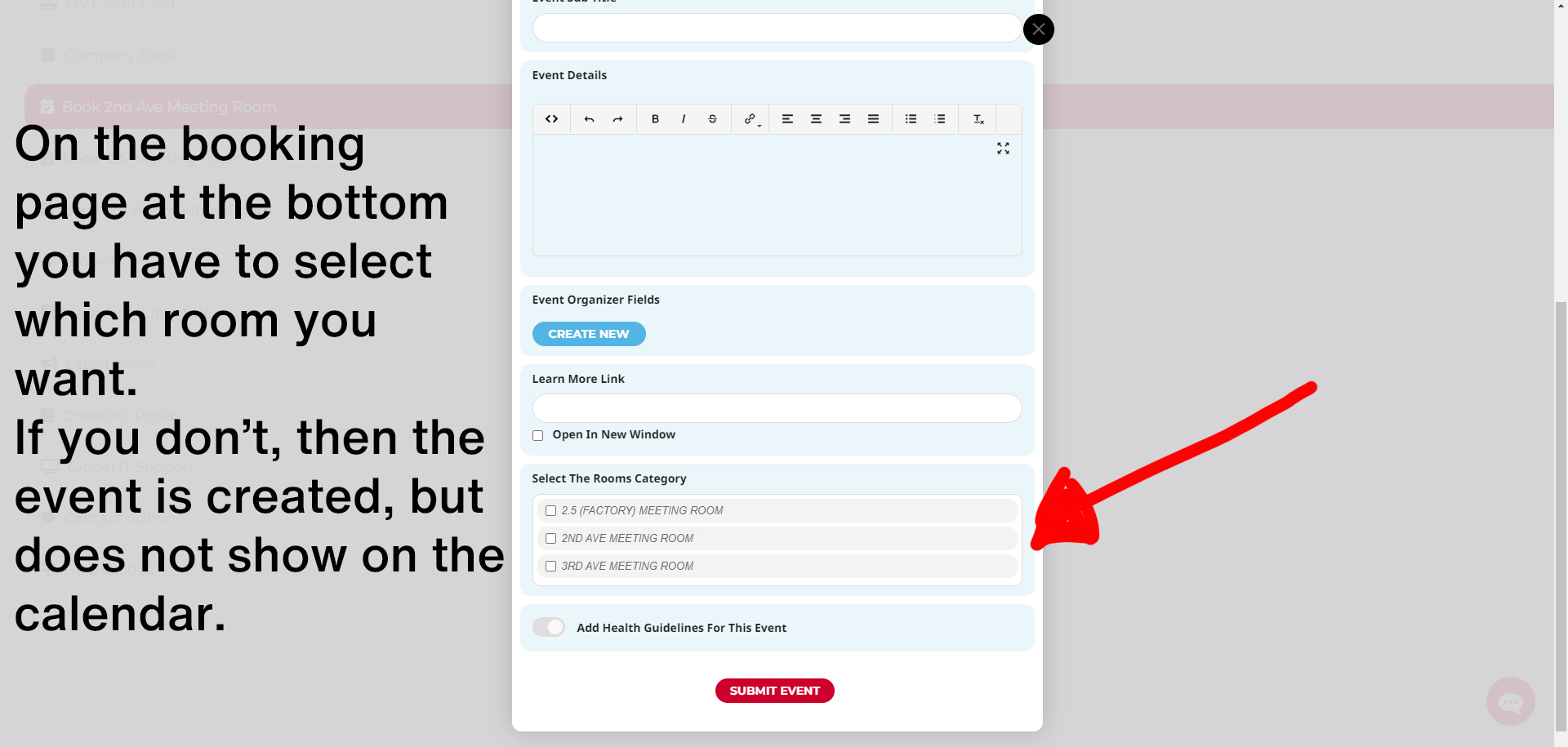
Regarding my other issue. I have attached a screenshot to show what i mean.
If i don’t have these options showing (or you don’t select one), then you can’t get the booking to show on the calendar. When you logged in and did that test for me, you didn’t click on a room, so i could see the event in the event manager, but not on the actual calendar.
Thank you,
Regards
Neil
Reply to: tickets(310319)
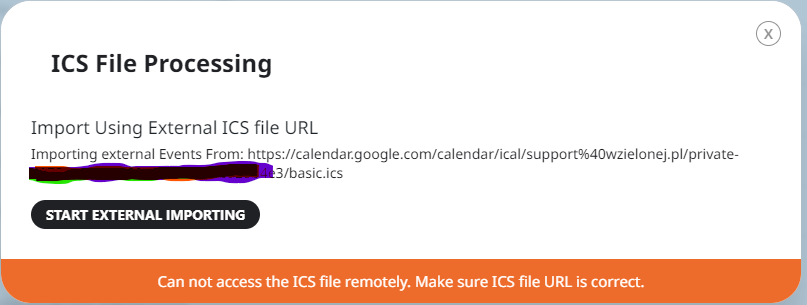
I have a problem with import.
I installed ics import 2.0 and I have the message