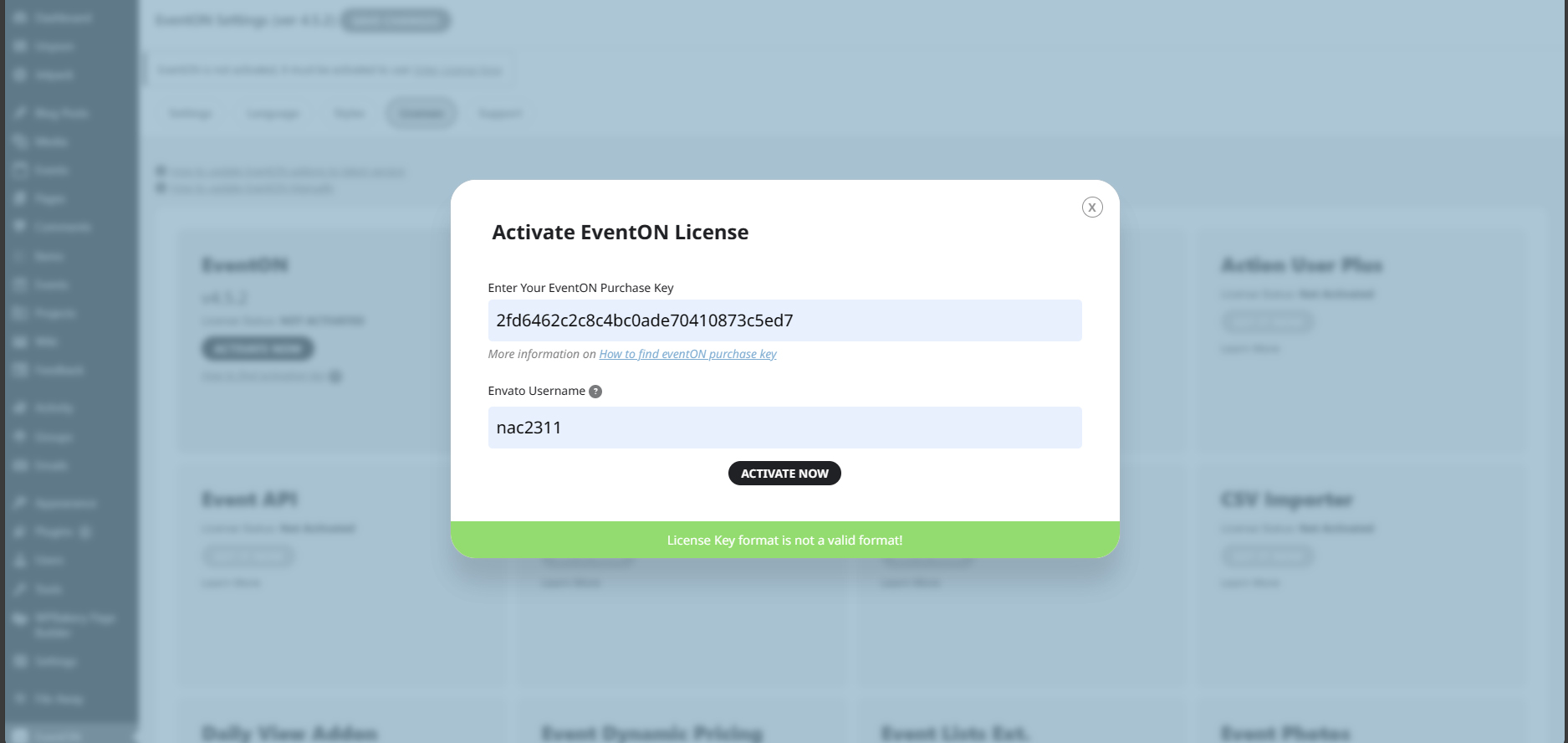
Just for your information, here’s my licence details:
Licensor’s Author Username: ashanjay
Licensee: The Right Consultancy Ltd
Item Title: EventON – WordPress Virtual Event Calendar Plugin
Item URL: https://codecanyon.net/item/eventon-wordpress-event-calendar-plugin/1211017
Item ID: 1211017
Item Purchase Code: 2fd6462c-2c8c-4bc0-ade7-0410873c5ed7
Purchase Date: 2023-10-17 12:42:06 UTC
And here’s what i get <<see image>>
How did you fix?
I have now removed the old po generated files in order to start with a fresh copy,
As a result, now I’m facing the same issue again.
Artem,
I gave you a link to an event where you saw exactly what the problem was when adding variations. The sum totals are incorrect, both when adding items and also removing them. What more information could I possibly provide? This is why I wish to speak with someone so I can look at the same screen as them at the same time. This is incredibly inefficient. Please look at the first date of this exchange and tell me if this is a reasonable timeframe to resolve a ticket. Also consider that I’ve made multiple tickets for this same issue for the last 3 years.
Hi Artem, thanks for replying to this ticket!
Although the path to this specific part of EventON settings was a bit different than described the first clue (changing Background Color for the Arrow Circle) did the trick. So this ticket is resolved.
Hi
here are the credentials for a ftp access
ftp://tropiqueqi-jack@ftp.cluster027.hosting.ovh.net:21/
tropiqueqi-jack
289766ATrium
thx for the support
Hello,
Update EventON Lite to the latest version.
Then go to EventON Lite Settings > make sure “Delete eventon settings & data when EventON is uninstalled” is disabled.
Now deactivate the plugin and install the full version, enable it. Now you can delete Lite.
Is there any way you could give me more specifics about what would be creating the shopping cart addition conflicts when using variations as separate tickets so I can pass it along to their tech support?
Could you tell us more about the issue?
Automatic updates aren’t available at the moment, unfortunately.
Could you answer:
Could you tell me “Dance plus birthday money for Aaron / Ocean Price” means “Retro Dance only” + “birthday money for Aaron / Ocean Price“?
Or “Dance plus…” is some kind of different dance?
It’s just the way you use Variations add-on isn’t correct, I believe. Even from the way you describe variations, you can just remove the first one (the default one), make it’s price Ticket Price, and then simply add variations for “birthday money“.
Hello,
Please follow the instructions in this documentation to activate debug in your site to see any PHP errors recorded that can provide insight on to whats going on. Please reply with a link to debug.log file. If you are not able to do this please send us FTP access to your site so we can do this for you.