Ashan,
The file I downloaded in Troubleshooting Mode:
https://helpdeskx.s3.amazonaws.com/wp-content/uploads/2023/10/10140435/Eventon_events_10-10-23-1.csv
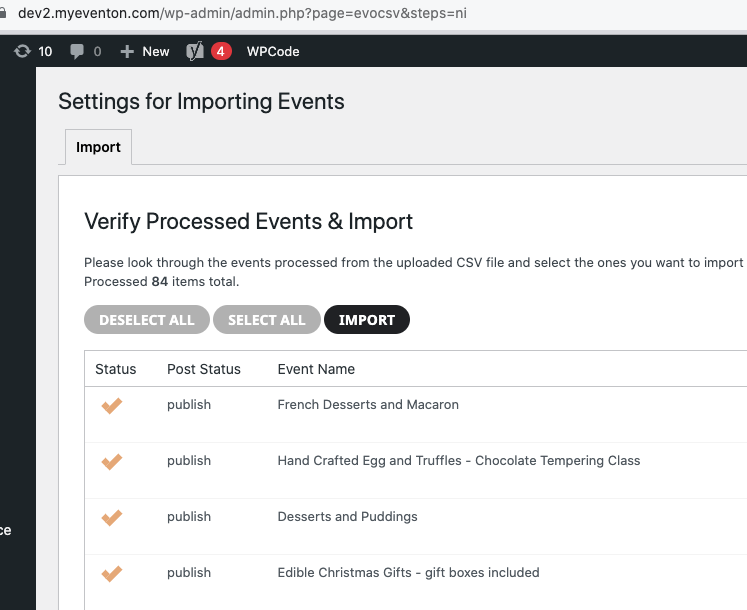
Only 84 events:
Replies for tickets on suppota
Ashan,
The file I downloaded in Troubleshooting Mode:
https://helpdeskx.s3.amazonaws.com/wp-content/uploads/2023/10/10140435/Eventon_events_10-10-23-1.csv
Only 84 events:
Hello,
Thank you for your messages, I am going to assign this ticket to Ashan and he will be able to take it from here and find you a solution. Please allow some time for him to get back to you, we greatly appreciate your patience and thank you for being a eventon customer! Also please disable any IP blocking on your site if there are any.
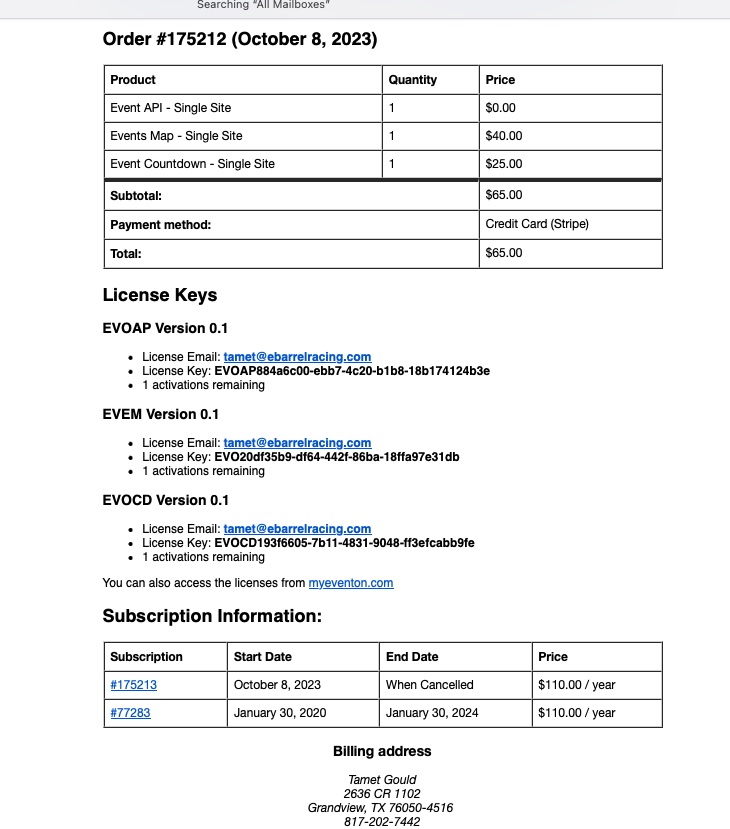
my husband tried to unsubscribe to “Event Countdown” in May because we couldnt get it to work. I received an email on Oct 5 that said Event API, Events Map and Event Countdown were due in 3 days. I went in and was trying to pay for the 2 we want to keep Event API and Events Map and it would not process the payment unless all 3 (Event API, Events Map and Event Countdown) were chosen.
When I got the receipt it said payment would be due AGAIN in Jan 2024. See attached receipt
EventON doesn’t support this, unfortunately.
It seems that you are still using the old version of Tickets. Please update it to the latest version.
To update eventon addons: You can download latest eventon addons from myeventon > my account. Then you can go to your website, deactivate old addon and install new one and activate then delete the old addon. This link will further explain the process. Also you can follow us on twitter to get real-time announcements on updates!
The same with EventON. Please update it to 4.5.1.
To update eventon to latest version: If you are unable to do autoupdate, you can go to codecanyon your account > download and get the latest eventon version as zip file. Then you can go to your website > make sure “Delete eventon settings & data when EventON is uninstalled” is Deslected from eventon settings, delete old eventon, install new one and activate. This link will further explain the process it. Also you can follow us on twitter to get real-time announcements on updates!
Hello,
Please update EventON to 4.5.1.
To update eventon to latest version: If you are unable to do autoupdate, you can go to codecanyon your account > download and get the latest eventon version as zip file. Then you can go to your website > make sure “Delete eventon settings & data when EventON is uninstalled” is Deslected from eventon settings, delete old eventon, install new one and activate. This link will further explain the process it. Also you can follow us on twitter to get real-time announcements on updates!
In other words, I do not care what the timezone setting is as long as the Google Calendar and events in EventOn are both in the US Central timezone that changes for Daylight Savings Time.
Hello,
Please go to EventON > enable Hide past events for default calendar(s).
Hello,
Please use this code to change the width:
.evo_lightbox_content, .evolb_box { max-width: 1000px; }
Shadow:
.evo_lightbox.eventcard .evo_lightbox_body, .evo_lightbox .evo_lightbox_body, .evo_lightbox .evolb_content { box-shadow: 0px 0px 30px 0 #0000002e; }
Follow the css customization guide to further edit style changes.
Hello,
Please fix this js error:
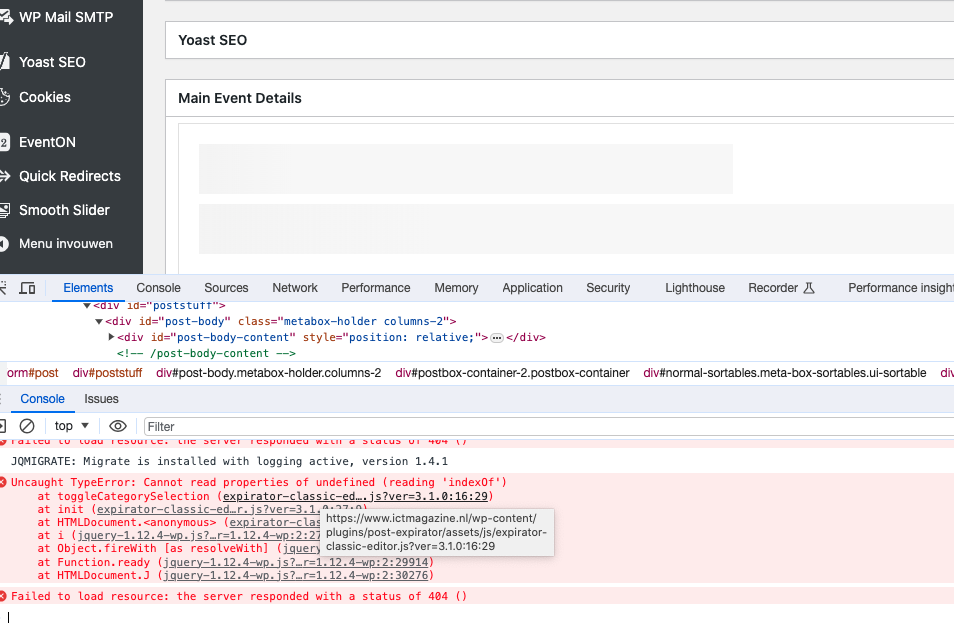
It’s coming from Post Expirator plugin. Could you please try the instructions mentioned in this documentation?