So that’s why the site went down :)) because of clearing the cache. Cache clearing is done once a night. Hosting is on AWS with an EC2 T3 Medium instance during the week and an EC2 T3 Large instance on weekends. I also use the AWS CloudFront service for caching. Even if I allocate more resources, the plugin loads events slowly. Even on your site, it loads slowly when I click “more” or change the month, considering there aren’t many events in the database. https://demo.myeventon.com/
Translation in English:
I don’t understand what you mean by “lots of errors within the shortcode I am cleaning up.”
Thanks
Hi,
For some reason when the “copy link” is copied the link is incorrect as noted below.
Any help would be greatly appreciated.
Thanks, Greg
Site: http://regenttheatre-com.okyanust.com/
Go to NEXT UP under the slider on the homepage and arrow to October.
If you click on any event and click on the “copy link” icon, it takes you here:
https://regenttheatre-com.okyanust.com/wp-content/uploads/2023/03/background-regent-theatre2-GRAY-scaled.jpg
These are the WP credentials to the site:
https://regenttheatre-com.okyanust.com/wp-login.php
UN: Regent2023
PW: REGENTtheatre2022!!
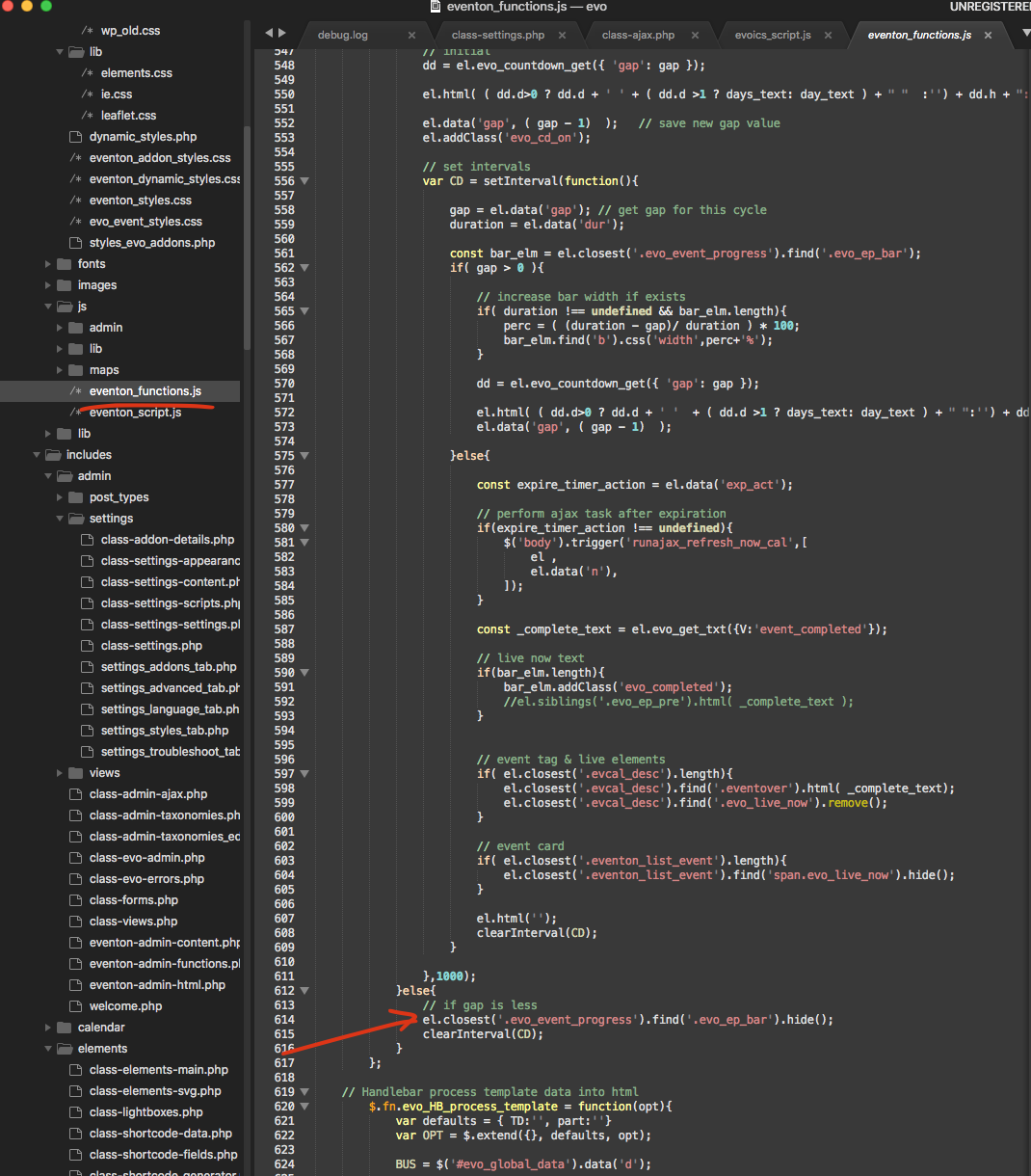
You do not have the plugin editor enabled in your website. So can you please add this code change and clear cache on your website. This should help remove the prorgess bar is the event is past.
Hello,
That worked. Strange, because the events that disappeared were in this month.
Thank you.
see reply on other ticket on how to manually add an RSVP in the backend
when I clear the cache sometimes it goes into maintenance mode and I get the maintenence page showing up this suggests the server might be causing issues. as it cannot handle the request to purge the cache
you have 2 calendars on the page effectively showing the very same event type_2 “2” theres also lots of errors within the shortcode I am cleaning up
but its still taking a while to load it also takes a long time to simply clear a cache which should take 1 second to be honest
can I ask about your hosting what server are you using – a link to the hosting provider and the package you are using so I can check if the hosting is up to par at the very least to cancel out that as a reason why its not working well
seems to be going through maintenenace- will check in a few minutes
in myeventon>>>>settings>>>>>advanced settings
please select a different Select event calendar WP Query method
at the moment its set to 2 months so only events created in the last 2 months will show
so perhaps change it to 1 year and see if the loading of the evnets is fast and shows the desired events
www.onevent.ro/wp-admin
user: eventondebug
pass: m@tpx6hwoW&x9i2^G#$M8IPN
I don’t think it will be fixed through settings, rather how to configure the object evo-ajax=eventon_init_load? caching method.
it appears the theme or another plugin is overiding the submit form
the date pickers do not load – mush of the css is overidden its a bit hard to diagnise without wp-admin access as that tokan has expired
Could you please try the instructions mentioned in this documentation to make sure your issue is indeed coming from eventon.
this will allow us to know whats causing the overide- once we know which plugin or theme that will help us figure out why its not working