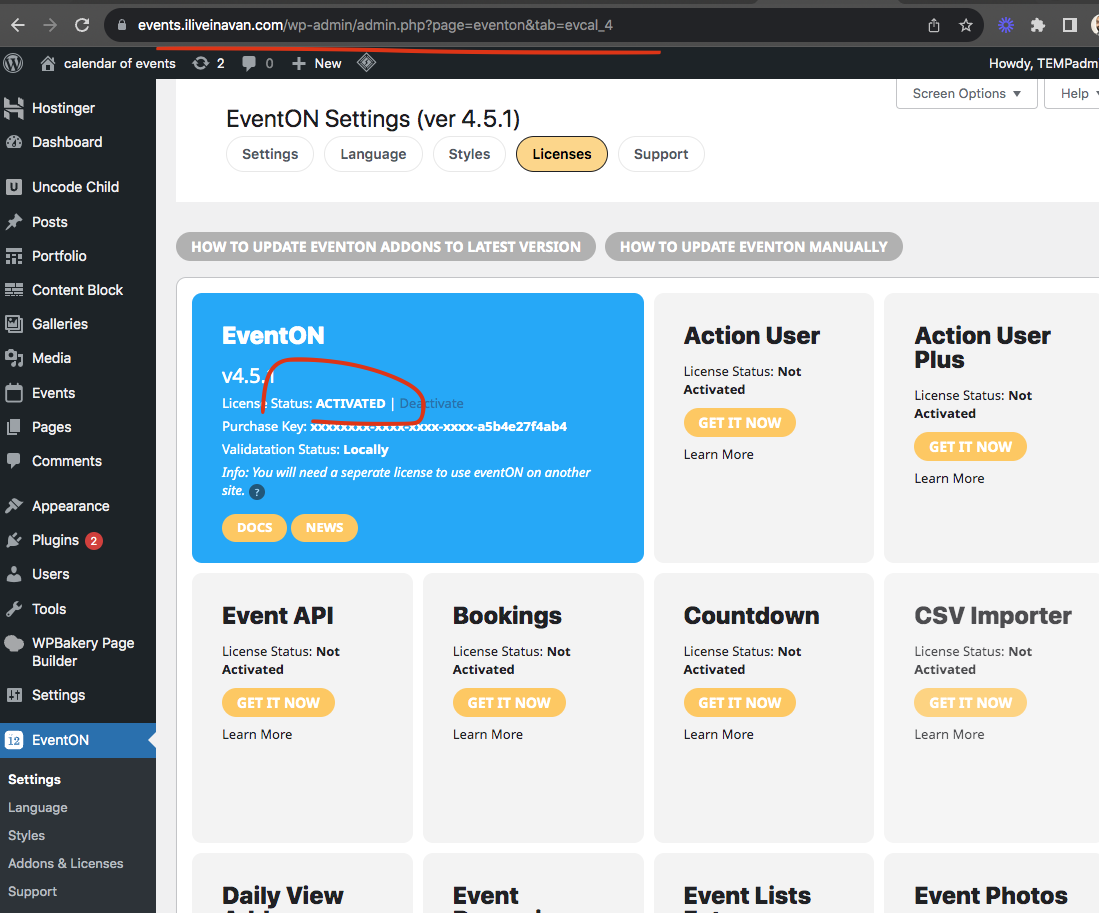
I had to make few code changes and was able to get it activated locally.
Replies for tickets on suppota
I had to make few code changes and was able to get it activated locally.
Anyway, I cannot understand step 3 and 4. Where do I create shortcode variables?
I’m not using shortcodes to duplicate the event.
To start, I’m trying to translate the fields on the card.
Thanks
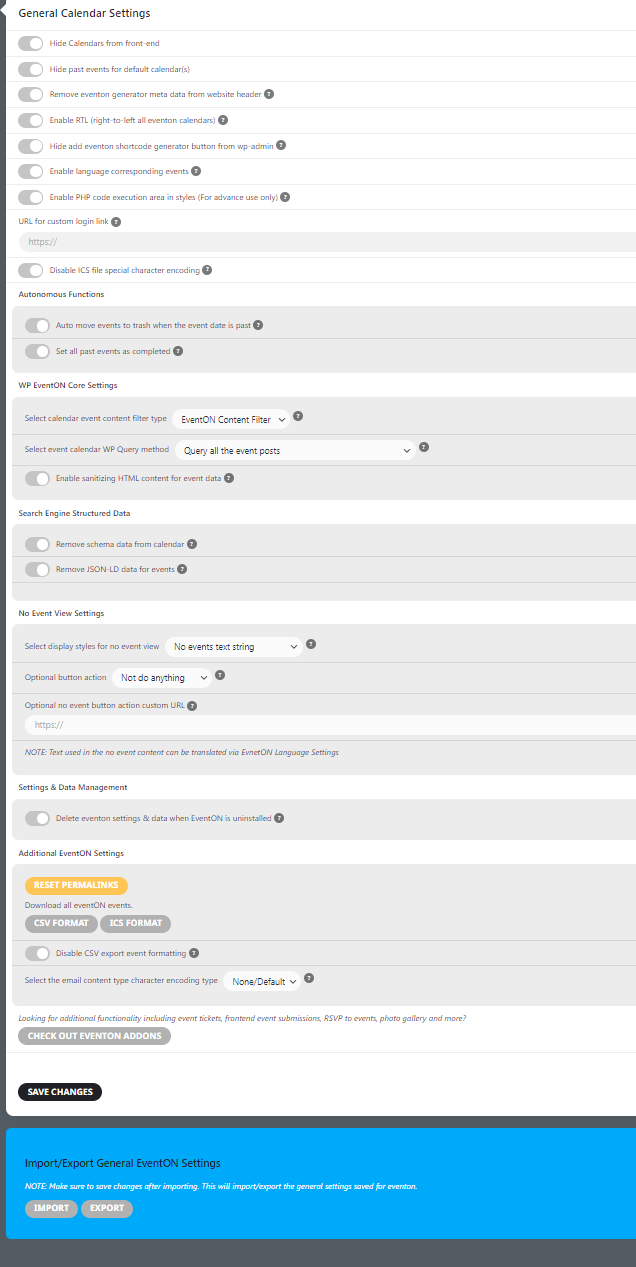
Here are our EventON settings.
For more information, here is the Environment stats:
EventON version4.3.5
WordPress version6.3.1
is multisiteNo
WordPress memory limit256M
PHP version7.4.33
Maximum update size268435456
CURL enabledYes
Events count25
Total event postmeta DB entries1959
And here are the most recent system logs:
2022-08-05 06:59:05: Checked for remote updates: (all) – Received 1 updates
2022-08-06 03:28:24: Checked for remote updates: (all) – Received 1 updates
2022-08-07 02:40:10: Checked for remote updates: (all) – Received 1 updates
2022-08-08 08:01:22: Checked for remote updates: (all) – Received 1 updates
2022-08-14 09:15:47: Checked for remote updates: (all) – Received 1 updates
2022-08-16 03:22:12: Checked for remote updates: (all) – Received 1 updates
2022-08-18 02:29:40: Checked for remote updates: (all) – Received 1 updates
2022-08-21 10:52:09: Checked for remote updates: (all) – Received 1 updates
2022-08-23 04:17:11: Checked for remote updates: (all) – Received 1 updates
2022-08-25 02:47:37: Checked for remote updates: (all) – Received 1 updates
2022-08-26 12:43:55: Checked for remote updates: (all) – Received 1 updates
2022-08-26 08:44:23: Checked for remote updates: (all) – Received 1 updates
2022-08-27 04:49:25: Checked for remote updates: (all) – Received 1 updates
2022-08-29 07:00:18: Checked for remote updates: (all) – Received 1 updates
2022-08-30 06:50:45: Checked for remote updates: (all) – Received 1 updates
2022-09-01 12:46:05: Checked for remote updates: (all) – Received 1 updates
2022-09-02 04:45:21: Checked for remote updates: (all) – Received 1 updates
2022-09-05 11:30:57: Checked for remote updates: (all) – Received 1 updates
2022-09-05 11:32:47: Evo version update: (eventon) – from 4.1.1 4.1.1 to 4.1.2
2022-09-09 04:27:40: Checked for remote updates: (all) – Received 1 updates
2022-09-09 04:28:23: Evo version update: (eventon) – from 4.1.2 4.1.2 to 4.1.3
2022-09-11 03:57:33: Checked for remote updates: (all) – Received 1 updates
2022-09-14 06:16:58: Checked for remote updates: (all) – Received 1 updates
2022-09-22 12:15:29: Checked for remote updates: (all) – Received 1 updates
2022-09-22 08:18:15: Checked for remote updates: (all) – Received 1 updates
2022-09-28 01:05:04: Checked for remote updates: (all) – Received 1 updates
2022-10-05 06:10:41: Checked for remote updates: (all) – Received 1 updates
2022-10-07 12:06:54: Checked for remote updates: (all) – Received 1 updates
2022-10-12 05:05:53: Checked for remote updates: (all) – Received 1 updates
2022-11-24 09:11:51: Checked for remote updates: (all) – Received 1 updates
2022-11-29 02:06:59: Checked for remote updates: (all) – Received 1 updates
2022-11-29 11:11:23: Checked for remote updates: (all) – Received 1 updates
2022-12-02 10:56:22: Checked for remote updates: (all) – Received 1 updates
2022-12-07 04:21:21: Checked for remote updates: (all) – Received 1 updates
2022-12-08 12:49:01: Checked for remote updates: (all) – Received 1 updates
2022-12-16 02:37:51: Checked for remote updates: (all) – Received 1 updates
2022-12-16 02:38:30: Evo version update: (eventon) – from 4.1.3 4.1.3 to 4.2.2
2023-02-01 04:35:17: Checked for remote updates: (all) – Received 1 updates
2023-04-17 05:11:59: Checked for remote updates: (all) – Received 1 updates
2023-05-08 11:51:05: Checked for remote updates: (all) – Received 1 updates
2023-05-09 11:47:51: Checked for remote updates: (all) – Received 1 updates
2023-05-11 07:55:08: Checked for remote updates: (all) – Received 1 updates
2023-05-16 01:53:29: Checked for remote updates: (all) – Received 1 updates
2023-05-16 03:05:26: Evo version update: (eventon) – from 4.2.2 4.2.2 to 4.3.5
2023-07-18 03:09:28: Checked for remote updates: (all) – Received 1 updates
2023-07-21 12:14:47: Checked for remote updates: (all) – Received 1 updates
2023-08-17 09:44:16: Checked for remote updates: (all) – Received 1 updates
2023-09-01 02:06:22: Checked for remote updates: (all) – Received 1 updates
2023-09-25 06:53:29: Checked for remote updates: (all) – Received 1 updates
Hello,
There are several plugins installed on the website.
However this issue is only happening with EventOn. As described, without notice or indication, events that have passed will disappear from the calandar. This seems to happen at random intervals, and we are not sure how or why.
It seems that this functionality would happen if we had the Auto move events to trash if they have passed, but we do not have this feature enabled.
Events that are put to trash also seem to be automatically deleted, preventing us from being able to restore them.
We do not experience this issue with any other plugin, page, or post on the website.
Please explain why this might be happening?
actually I see the issue kindly apply this for the moment I am workin gon fully refreshing the addon and will use better option for timezone management in this new versino.
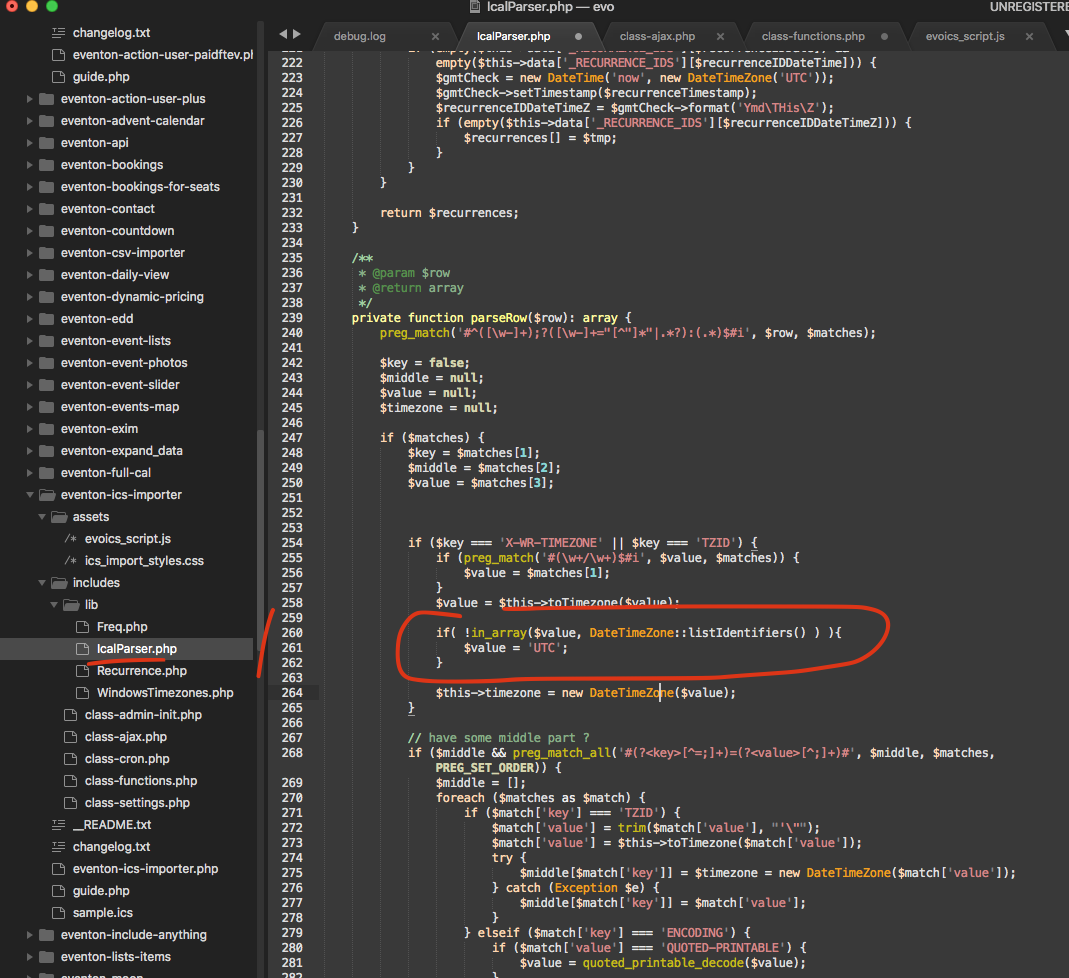
Send it where?
Hello,
I cannot access wp-admin because of WordFence. Could you check?
I also tested this on our test server and disabling “Auto notify subscribers of new event, when the event is published” stops the emaling.
update done
Hello,
On this page https://balanzrock.net/wp-admin/admin.php?page=wc-settings&tab=tax you selected “Yes, I enter the product prices including VAT”.
Please try selecting “No, I enter the product prices exclusive of VAT” to show the tax.