Hi,
Here is the link to the image:
https://prnt.sc/nGfnlvb6k00s
What I need is to create a page and then being able to play around with different parts of an event.
Thank you for your support.
Replies for tickets on suppota
Hi,
Here is the link to the image:
https://prnt.sc/nGfnlvb6k00s
What I need is to create a page and then being able to play around with different parts of an event.
Thank you for your support.
Hi
Thanks for the response.
No problem, I had suspected so. The client was just asking.
Regrads
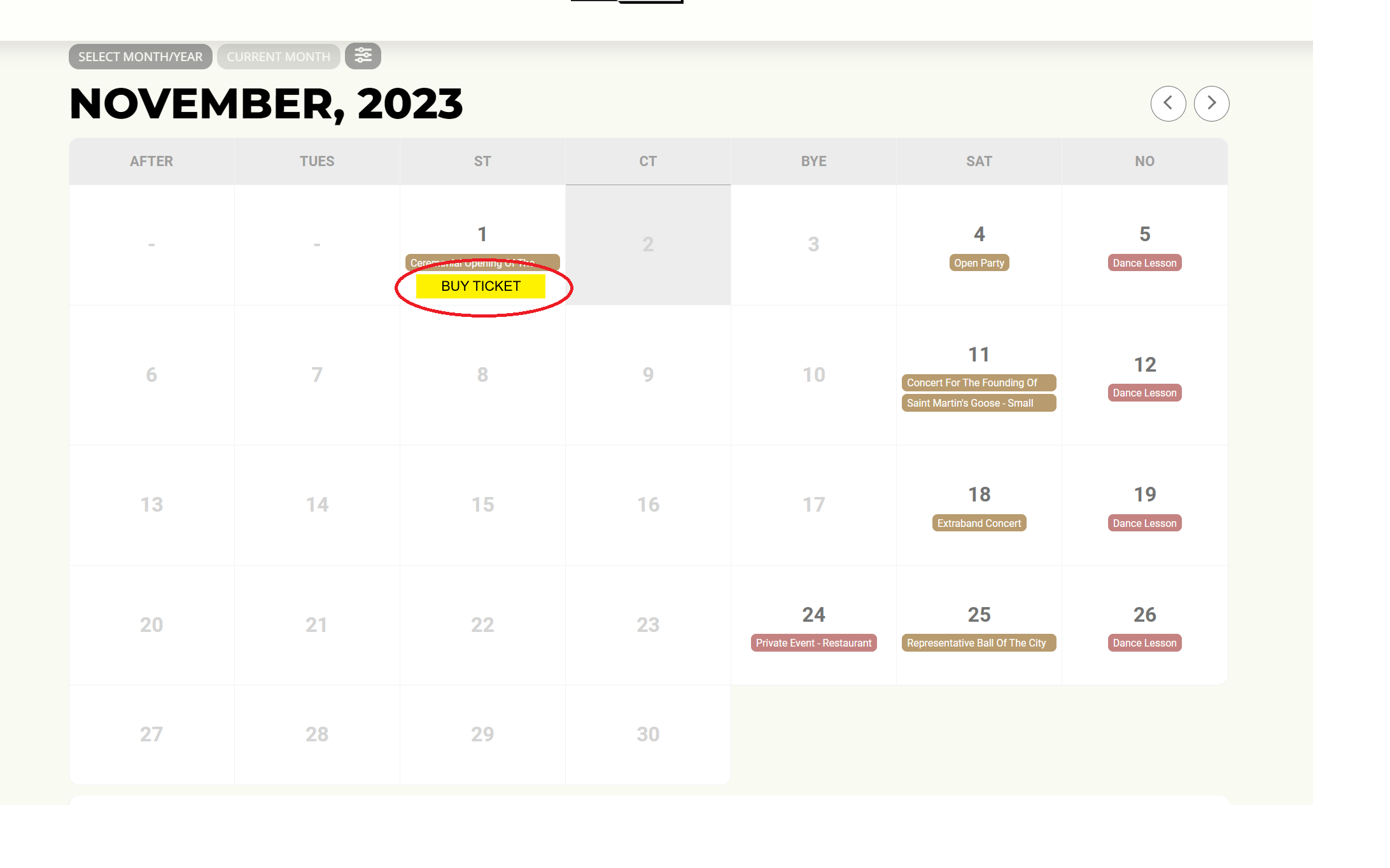
I’m posting a picture here to give you an idea.
Please do not email all our subscribers to test this issue
Ashan,
Since this doesn’t work, shouldn’t we remove it:
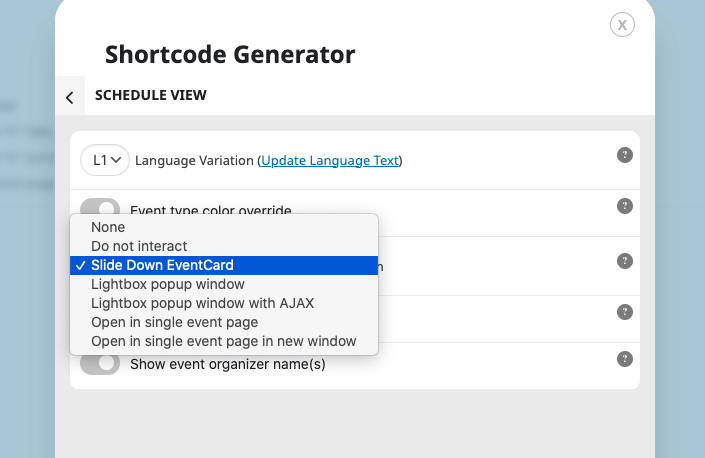
Could you check?
Hello,
It seems that “User Interaction: Slide Down EventCard” shouldn’t be there:
We will remove this in the next version.
Also, on the schedule view, it doesn;t show cancelled events as cancelled.
Certain functionality of Schedule View is limited, since the shortcode is fairly new, so this isn’t working for now. However please create a new ticket and select Feature Request as category so others can vote on your idea and get it moved into development faster.
Please send us wp-admin access to your site as a private message for us to further assist your situation.
Hello,
DailyView doesn’t have “Show load more events button” setting available in Shortcode Generator:
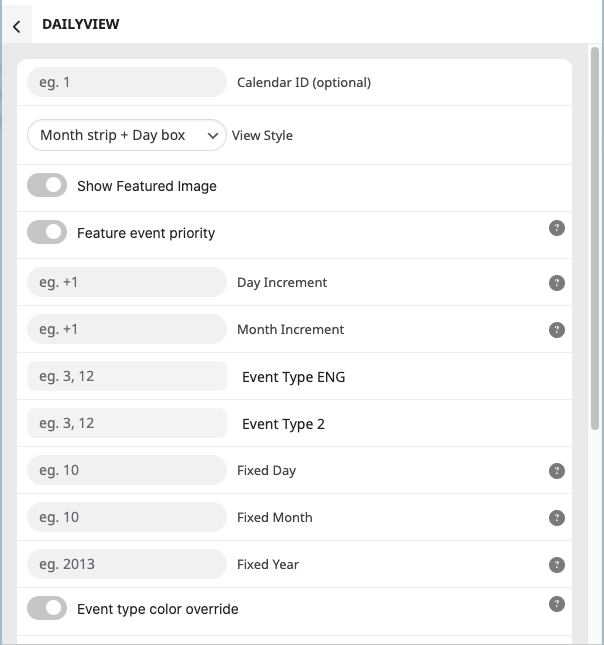
So adding show_limit_ajax breaks the shortcode.
Hi Pauline,
Please send us wp-admin access to your site as a private message for us to further assist your situation.
Hi Nathan,
Thanks for sending the credentials.
I was able to edit the location and organizer for both a new event and existing one. Kindly confirm, were you able to resolve the issue?
https://travelersrestsc.com/wp-admin/post.php?post=7460&action=edit