Hello i have done this but it did not work. I have manually gone into each event and added a colour in manually from that section.
Archives: Replies
Replies for tickets on suppota
Reply to: tickets(328210)
Hello,
Unfortunately we don’t grant refunds on renewals per our refund policy.
http://docs.myeventon.com/documentations/terms-and-conditions-and-refund-policy/
Item 7 under 7.5 subscription renewal reminder emails.
Our system sends out a reminder email 3 days before the renew.
Please follow this guide to cancel your add-on subscription:
https://docs.myeventon.com/documentations/how-to-cancel-addon-subscription-before-auto-renew/
Reply to: tickets(327448)
Hello,
You need to use this add-on:
https://www.myeventon.com/addons/event-lists-items/
Try on https://dev.myeventon.com/wp-admin/ with this shortcode:
[add_eventon_li cat_type=”event_organizer”]
Reply to: tickets(328168)
Ashan,
Says that the key is in invalid format:
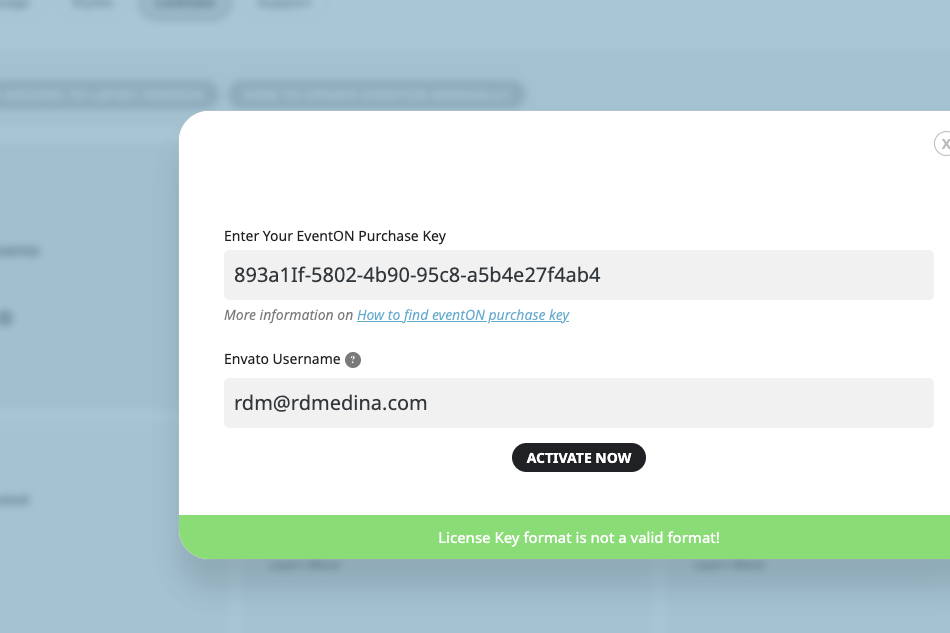
The same with customer’s envato username:
evantorabbit88
Could you check?
Reply to: tickets(328168)
Thank you for your messages, I am going to assign this ticket to Ashan and he will be able to take it from here and find you a solution. Please allow some time for him to get back to you, we greatly appreciate your patience and thank you for being a eventon customer! Also please disable any IP blocking on your site if there are any.
Reply to: tickets(328168)
https://events.iliveinavan.com/wp-admin
Reply to: tickets(328168)
Here are your login credentials:
User: TEMPadmin
Password: XPSY398oAoDPPM4U4jc*!nwN
Reply to: tickets(327681)
Sorry Artem, I just realized I didn’t include the screenshots, please see them via this link: https://drive.google.com/drive/folders/1XkNlzHeaC8Er4P3hq5dxGoOc3S6vtKe5?usp=sharing
Looking forward to your feedback!
Kindest regards
Dee Masuku
Reply to: tickets(327448)
Hi,
I would like to know if there is any shortcode to show only event organizers?
Thanks
Reply to: tickets(328211)
Hello,
Please follow this guide:
https://docs.myeventon.com/documentations/override-event-colors-event-type-colors/