Perfect, thank you Artem!
-Greg
Replies for tickets on suppota
Perfect, thank you Artem!
-Greg
Could you try clicking on “Copy Link” in Troubleshooting Mode:
https://regenttheatre-com.okyanust.com/wp-admin/site-health.php?tab=troubleshoot
Try here:
https://regenttheatre-com.okyanust.com/test/
I just tried and it worked correctly.
We are glad your issue is resolved, if you have any further questions or concerns please create a new ticket.
Please check now.
Hello,
You are referring to these two, right:
https://arsmagna.live/wp-admin/post.php?post=105892&action=edit
https://arsmagna.live/wp-admin/post.php?post=105952&action=edit
Did you cancel one of them?
Could you update Tickets add-on?
To update eventon addons: You can download latest eventon addons from myeventon > my account. Then you can go to your website, deactivate old addon and install new one and activate then delete the old addon. This link will further explain the process. Also you can follow us on twitter to get real-time announcements on updates!
In order to monitor this situation before the event and seek early solutions, it is necessary to be able to see the seat number in the downloadable csv client list. Please tell me how you get a list of clients with each seat number.
In order to add seats to the .csv file please follow:
https://docs.myeventon.com/documentations/how-to-add-additional-fields-to-download-attendees-csv-file/
Ok done! Seems to be working: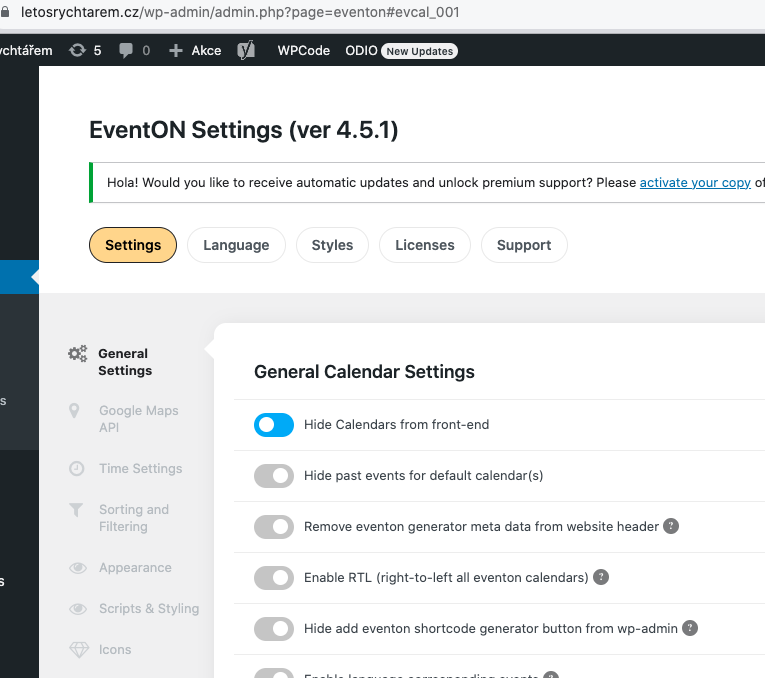
Could you check and let me know which imported setting is wrong?
Hello,
Please go to EventON > Appearance > Primary and General Font Color both are correct. If they are, go to EventON > Scripts & Styling > turn off Write dynamic styles to header > save settings > turn on Write dynamic styles to header.
Hello,
You can customize Single Event Page template by following this guide:
https://docs.myeventon.com/documentations/customize-single-events-page/
If you want to customize Event Card itself, please take a look at “in class-calendar-generator.php” filters:
https://docs.myeventon.com/documentations/hooks-actions-filters/
Hello,
Please go to EventON > Scripts & Styles > disable Disable Moment script.
Greetings Artem
I hope you’re well 😀
Thank you very much for your response, we’ve implemented the CSS code, and have a better idea of how to work with the classes. Some feedback from this end:
1. The font doesn’t seem to load, but other fonts are loading without an issue, we’ve substituted that font for something else standard for now
2. 3. 4. The CSS and suggestions for this
There is one more issue in the eventCard that we’re looking for help with. There is a GS Team Members plugin that was used to create speakers for the event. This plugin has a widget that renders in the editor, but doesn’t appear in the front end. Would you be able to advise why it is not visible? (screenshots below)