Thank you for your messages, I am going to assign this ticket to Ashan and he will be able to take it from here and find you a solution. Please allow some time for him to get back to you, we greatly appreciate your patience and thank you for being a eventon customer! Also please disable any IP blocking on your site if there are any.
Archives: Replies
Replies for tickets on suppota
Reply to: tickets(327652)
We are glad your issue is resolved, if you have any further questions or concerns please create a new ticket.
If you have a moment, we would greatly appreciate if you could kindly leave us a review at myeventon/my-account!. Cheers!
Reply to: tickets(327652)
SOLVED!!
I need to keep Settings – Scripts & Styling – Dynamic Styles ON, even after cache purge. Then your css works great.
Reply to: tickets(327652)
I have tried turning dynamic styles on/off after adding your css, purging cache etc. but no change in how the search bar is displayed – still too close to event header content.
Reply to: tickets(327652)
If you do not see the new style changes, Go to “EventON Settings > Styles & Scripting > Turn off write styles to header”
This option does not exist!! Please re-word your instructions correctly and/or login and do it for me please!
Reply to: tickets(326272)
Yes, I can repeat this. But it stopped working again after a second or so, but with the troubleshoot mode still enabled. So it is not due to another plugin, but appearantly more some bug with the new eventon, or wordpress. Please send me the previous version of the plugin. 4.5.0 if possible?
Reply to: tickets(327652)
Hi Andrew,
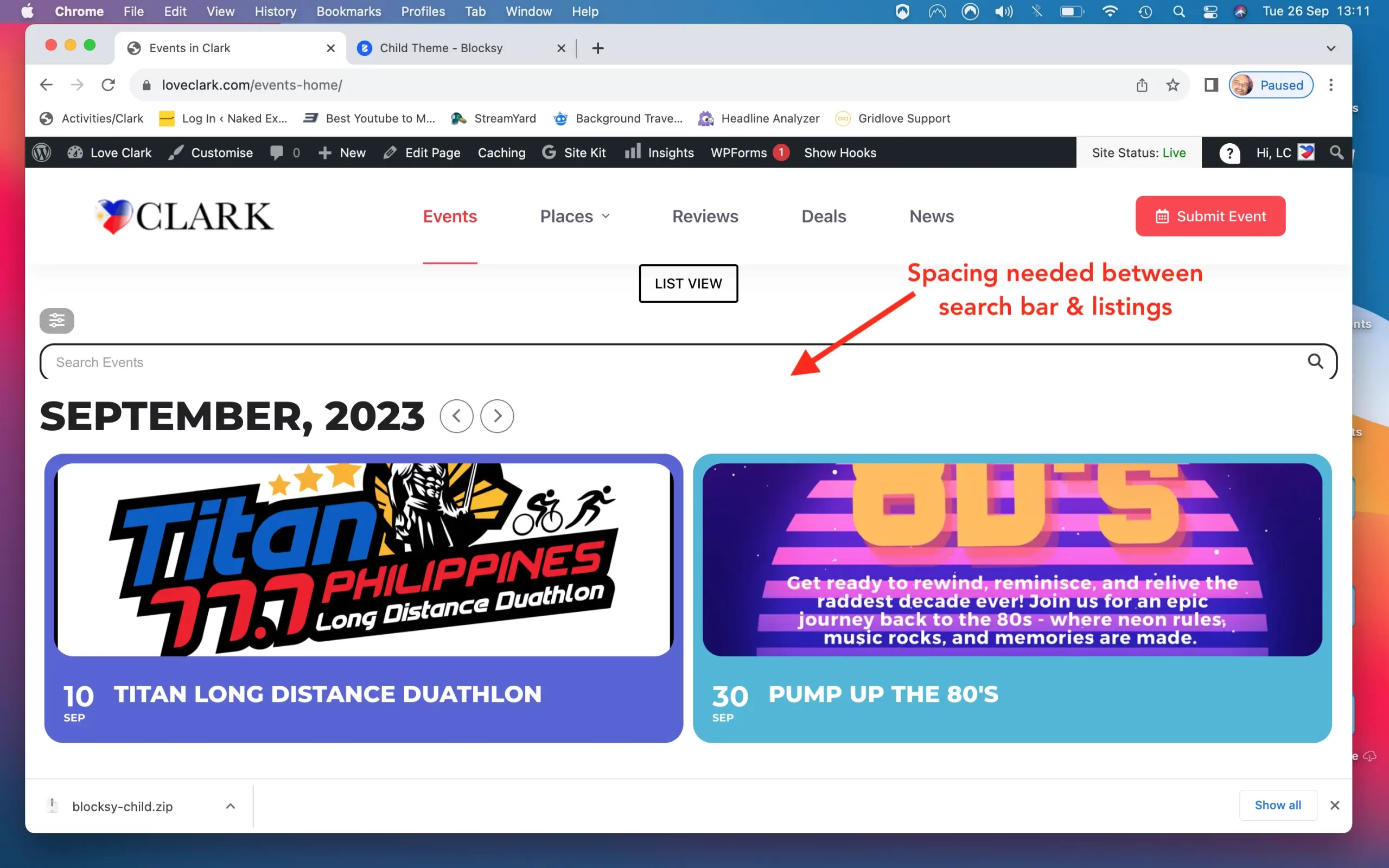
Use the custom CSS below to add the gap between the search bad and the event heading
.evo_search_bar{
overflow:visible;
margin-bottom: 1em;
}
Please add the custom CSS code to “EventON Settings > Styles” and save changes. If you do not see the new style changes, Go to “EventON Settings > Styles & Scripting > Turn off write styles to header” Click save changes – to write the styles css code direct into page header. You can turn this off once the cache is cleared.
Reply to: tickets(327652)
Reply to: tickets(327646)
Do you have a staging site we could work on to diagnose
it not crashing on our site, and we don’t want to activte it on your site which will end up crashing your site
a staging site however could allow us to diagnose the issue-
alternatively it could be a combination of different plugins I am sure you have done this but I will link anyway
Could you please try the instructions mentioned in this documentation to make sure your issue is indeed coming from eventon.
Reply to: tickets(327445)
have a look at https://metropolitano.gal/agenda/
I added:
cal_init_nonajax=”yes”
to the shortcode
seems to be loading fast now
were there any other pages that needed help with – they may need the above inserted into the shortcode
(also I cleaned up the shortcode there were double spaces between parts so just double check that theres only one space between each part of the shortcode if its not working