Hi Jan,
The translation should be there. Please go to Eventon > Language > ADDON: Event Tickets

Replies for tickets on suppota
Hi Jan,
The translation should be there. Please go to Eventon > Language > ADDON: Event Tickets
Hi Greg,
Please go to Eventon > Settings > Single Events and enable the shareable social icons you want

Hi Anka,
You can be able to display the event organizer field, on the Action User form but not the location image. If the Organzer field is not displaying, please send a direct link to your event submission form so that we can check.
Regarding the different fonts, please go to Eventon > Settings > Appearance and define the font you want to be used.
Thank you so much, I add the shortcode option but the “location” filter disappear, only the category filter working if I add that option.
is it also possible to use the location filter with the add_eventon filter_show_set_only=”yes” option?
thank you
Hello,
You could use custom CSS code to achieve that. If you send in the calendars you want the event title removed, we can advise if it’s possible to do so and also advise on the CSS code to use.
Perfect that worked for with the br tag for new lines.
Normal enter still does not work, but that is alright for now.
Thanks, looking forward to getting a permanent fix.
Yes, and this has been the CORE issue of this entire ticket raised at the beginning of August – I’ve said this is the case at least 10 times as well as EVERY video i’ve added
This is what I am seeking a solution to. You have all of the information in this thread (as well as from the WP Rocket support team).
At the VERY TOP of this ticket I included the response from WP Rocket which I have included below – AGAIN…
………………
FROM WP ROCKET
Thank you for your patience while waited for a reply. I proceeded with more tests using the migrated copy and I noticed even if no WP Rocket optimizations are being used, the issue persists. It seems the page cache mechanism is not compatible with the time count progress bar.
When a cache file is generated and the even is ended, it seems the event removal functionality is not able to make changes to the DOM and this way to remove the event, as said, it happens due to the way cache works.
I am not really sure if it will work the way we intend and for this case, I kindly recommend you to consult the event plugin support in order to get some more guidance from them if it is really compatible with cache plugins and if so, if we have any setting, filter or so to achieve the correct behavior.
………………
THIS IS WHY I RAISED THE TICKET IN THE FIRST PLACE
You made a change to he plugin to use unix time so the time would display correctly with caching enabled. It seemed to be working but now it’s not.
Surely your plugin should be compatible with the top caching plugins on the market as most website owners will have it enabled for page speed otpimistion.
It’s been nearly 2 months on this so I’m sure you can understand how frustrating this is becoming. I have events embedded all over the site so it’s crucial this issue gets fixed. Please help to remedy this.
Sure, here are credentials:
https://ccsouthbay.org/wp-admin/
u: eventonadmin
p: *x1r*Xmr9mdz#1lcJ1(2EZ30
The page where I’m having a problem is located here https://ccsouthbay.org/events
Thanks,
Peter

Thank you for the CSS, I appreciate it.
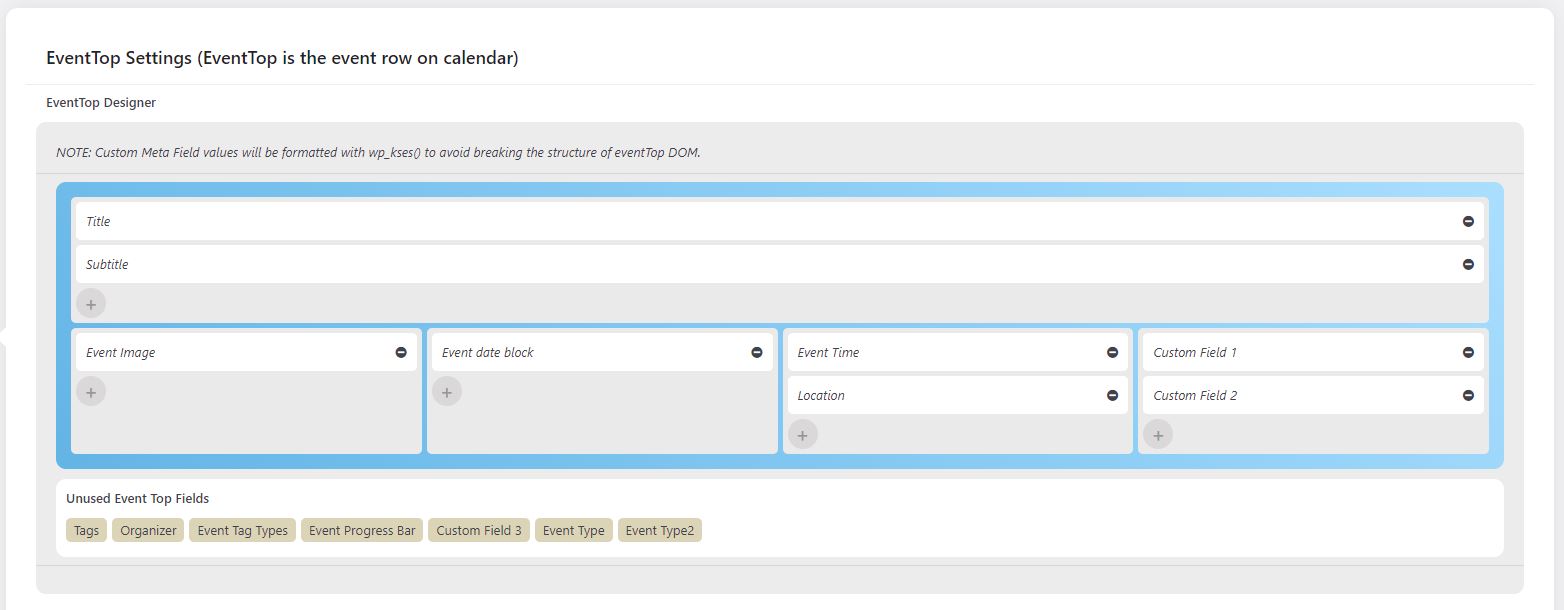
Please find attached screenshots of the EventTop.
I’d also like to let you know that the Singe Event Page sidebar doesn’t allow shortcodes outside of EventOn items to be displayed.