Please send us wp-admin access to your site as a private message for us to further assist your situation.
Archives: Replies
Replies for tickets on suppota
Reply to: tickets(326205)
Hello,
Please go to EventON Settings and save them. Next, go to EventON > EventTop > arrange fields the way they were before.
Sorry about this.
Reply to: tickets(326055)
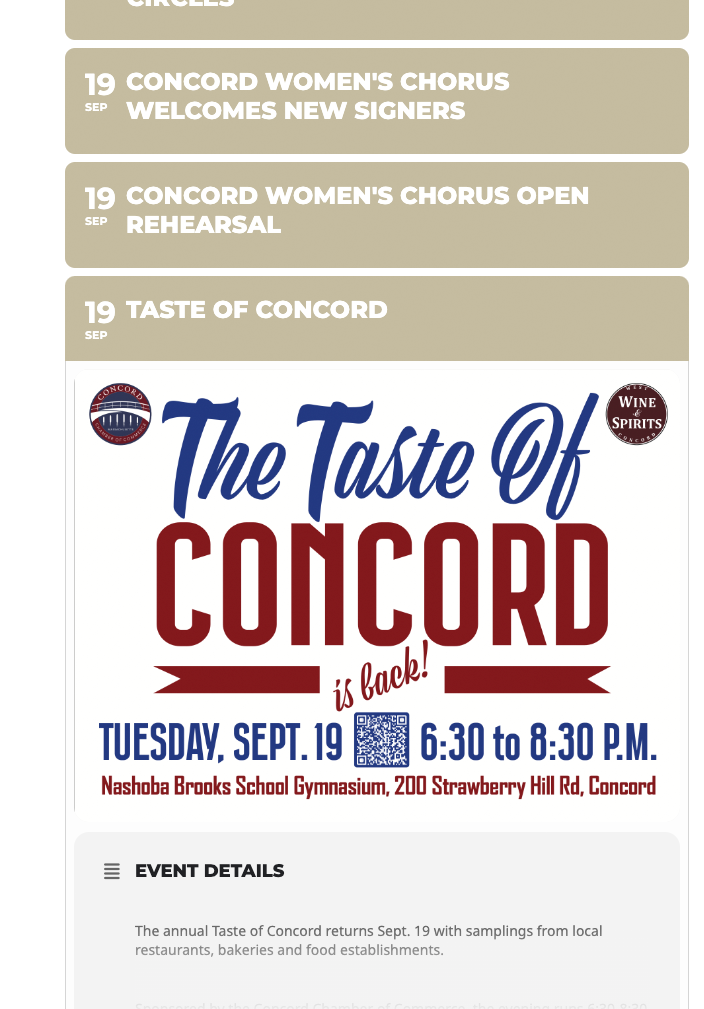
“Go to EventON Settings and save them” Worked!
Many Thanks
(No cache plugin)
Reply to: tickets(326042)
Hello,
Saving EventON Settings fixes the issue. Sorry about this.
Please also go to EventON > EventTop > make sure that fields are arrange correctly.
Reply to: tickets(326065)
Thank you. I have tried both settings and neither seems to work. It is a ninja form form if that helps
Reply to: tickets(326067)
Hello,
We are sorry for this. Going to EventON Settings and saving them is the correct way of fixing this issue.
Also sorry about EventTop. We are trying to figure out what caused this.
Reply to: tickets(326171)
Hello,
EventON 4.5 lets you to move month long events to bottom by adding this to a shortcode:
ml_toend=”yes”
Please try and let me know.
Reply to: tickets(326067)
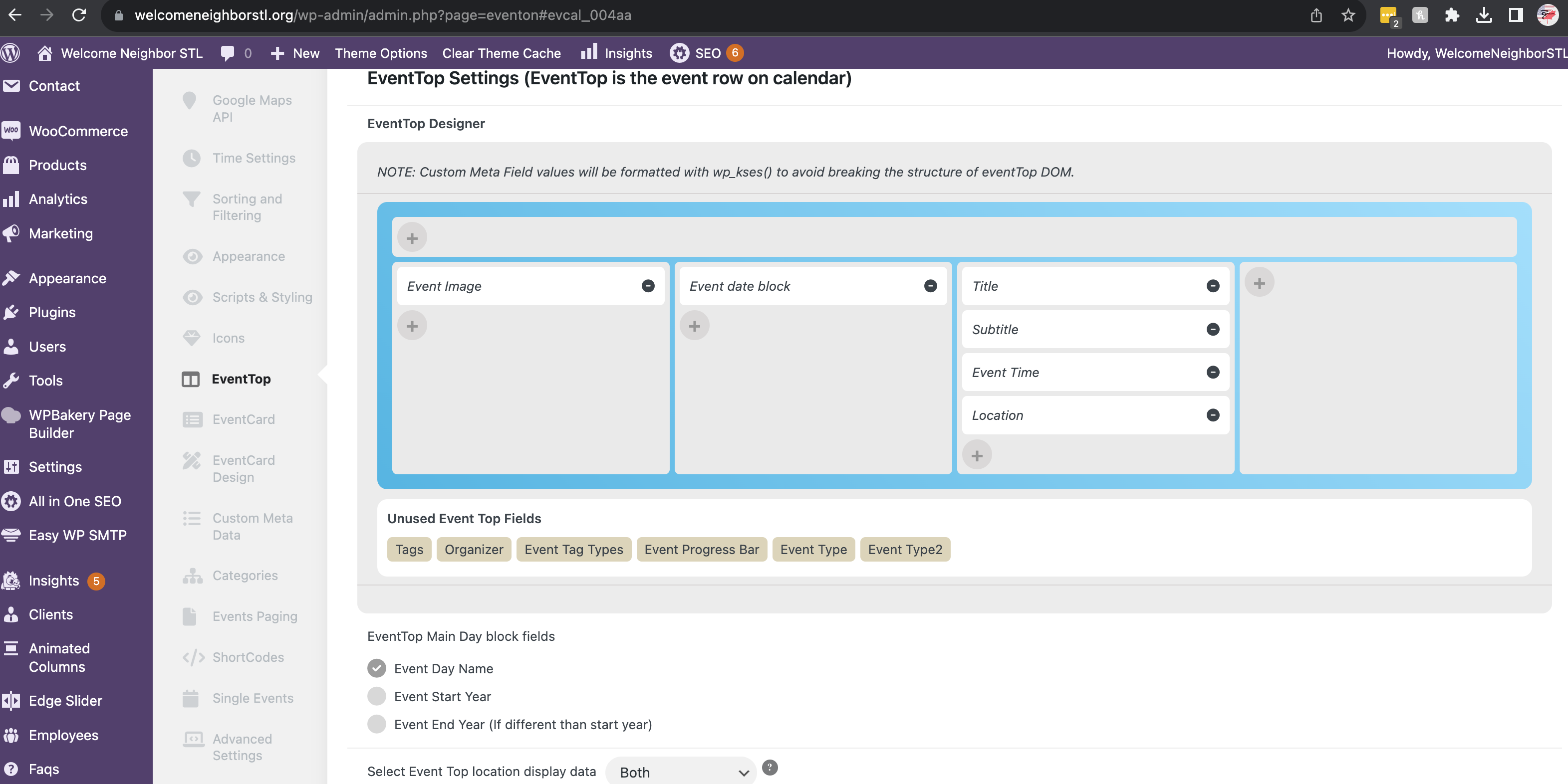
Also, the most frustrating thing is this update reset The EventCard Design, which I now have to reset on all sites.
Reply to: tickets(326067)
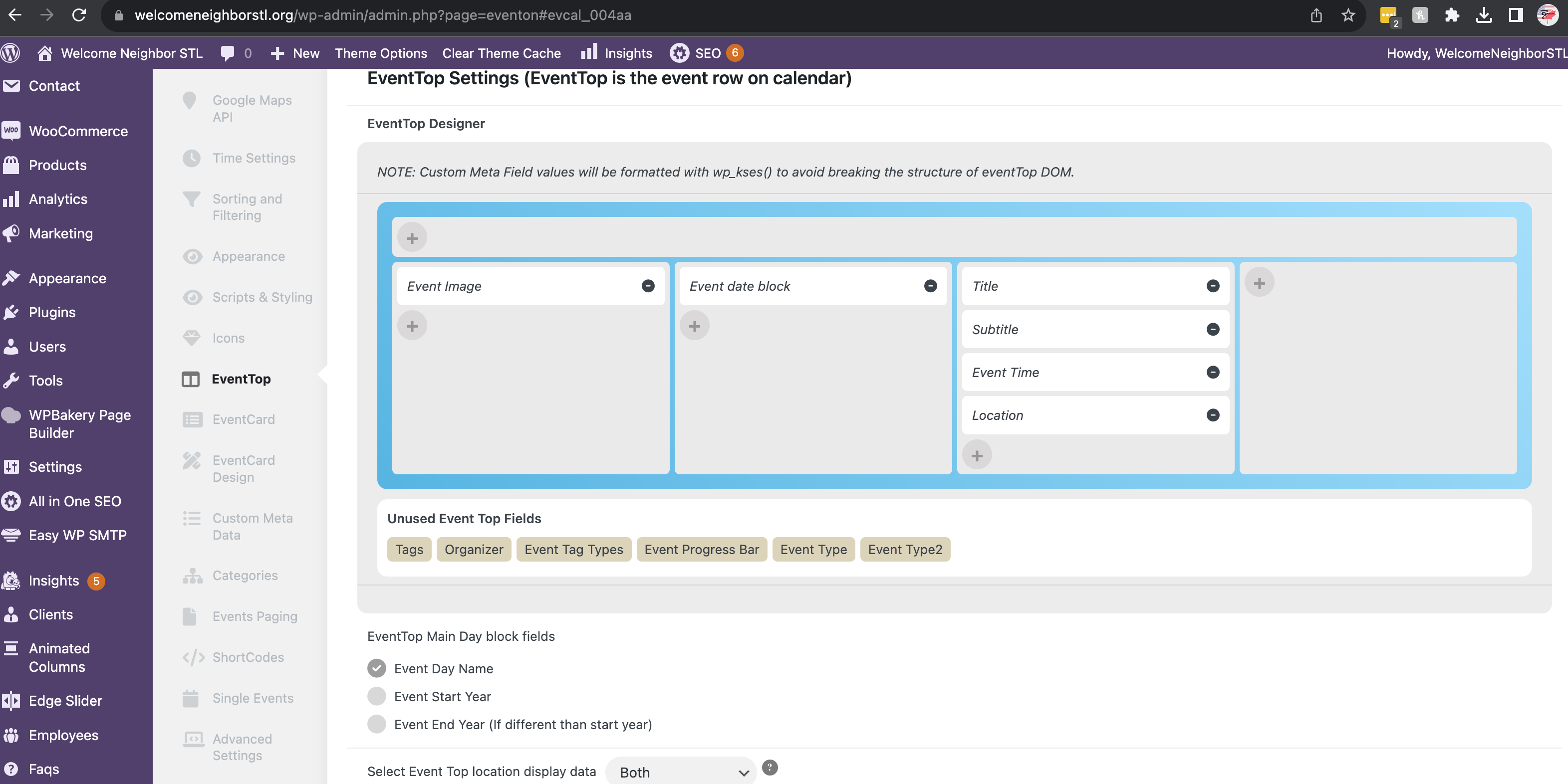
I have fixed this by simply going to the SETTINGS > EventTop and setting it up again and hitting save.
This reverts all my calendars back to normal. Please address in a future update!
Reply to: tickets(326067)
Please note I have 3 other websites using their own version of this paid plugin and this issue happened to all of them.
https://universitycityloop.com
https://exploreucity.com
https://welcomeneighbor.org
The last website also uses Event Tickets – Single Site & Action User – Single Site
So I hope the fix is not a local fix for only one website.
Thanks,