Hello,
Please go to EventON > License > deactivate all of them. Now activate them on your new website.
You can also deactivate licenses by following
https://docs.myeventon.com/documentations/how-to-deactivate-eventon-addon-licenses/
Replies for tickets on suppota
Hello,
Please go to EventON > License > deactivate all of them. Now activate them on your new website.
You can also deactivate licenses by following
https://docs.myeventon.com/documentations/how-to-deactivate-eventon-addon-licenses/
Hello,
Schedule View shortcode is the closest design:
https://wolfgang-ferdinand.de/test/
Please also check my suggestion in the original ticket with the same question.
Also note that if some fields from your view don’t exist in EventON, you can always add them with Custom Meta fields:
https://docs.myeventon.com/documentations/setup-use-custom-meta-fields-events/
After you enable them, just use EventTop Designer:
https://docs.myeventon.com/documentations/how-to-use-the-eventtop-designer/
Please use Event Lists shortocode:
[add_eventon_list number_of_months=”12″ hide_empty_months=”yes”]
Ashan,
Please take a look at
2. The second one is that when I set up an event that lasts several days it only appears the fist day of event. I want that appears the first day and the last day. For ex: 29 jan – 9 feb
I am not sure why this one works on our test site but not on customer’s:
https://dev2.myeventon.com/?page_id=51099
Tried enabling Troubleshooting Mode, but still the same issue.
1. Please add event_order=”DESC” to the shortcode.
2. Thank you for your messages, I am going to assign this ticket to Ashan and he will be able to take it from here and find you a solution. Please allow some time for him to get back to you, we greatly appreciate your patience and thank you for being a eventon customer! Also please disable any IP blocking on your site if there are any.
Hello,
Please go to and enable Shareable Options:
https://wolfgang-ferdinand.de/wp-admin/admin.php?page=eventon#eventon_social
Hello,
Like this:
https://dev2.myeventon.com/?page_id=51094
Please take a look at
https://www.myeventon.com/addons/weekly-view/
Try on https://dev.myeventon.com/wp-admin/
Hello,
Could you tell us who adds events: admins or users?
Also make sure that these are enabled:
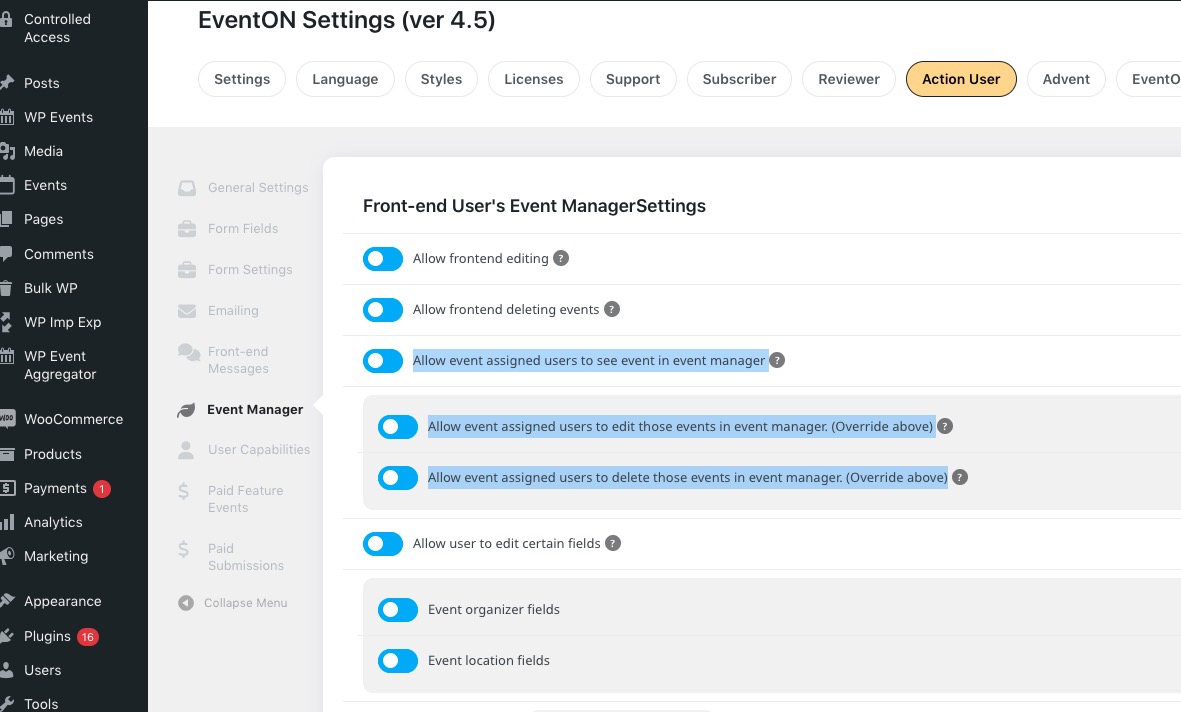
Users cannot edit events unless they are assigned to them:
https://docs.myeventon.com/documentations/assign-users-events/
Hello,
Could you try going to EventON > Scripts & Styling > turn off Write dynamic styles to header > save settings > turn on Write dynamic styles to header?
Ashan,
When you even change Permalink structure to, for example, Plain:
https://dev2.myeventon.com/wp-admin/options-permalink.php
It breaks QR Codes links:
https://dev2.myeventon.com/wp-admin/post.php?post=51083&action=edit
https://dev2.myeventon.com/checkin/?id=51083-51082-51081T0