i think we can simplify this.
- look at plant based grilling. (see attached)
- look at plant based pasta – class happening saturday (see attached)
The HTML is not being recorded. when i save the “event” the html goes away so the customer is not able to click and see the recipe files.
https://www.chef-julia.com/wp-admin/post.php?post=331342&action=edit
https://www.chef-julia.com/wp-admin/post.php?post=331703&action=edit
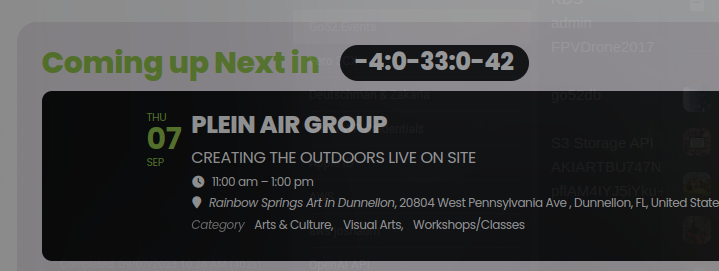
there is something still not right, the counter is now counting negative and doesn’t seem to relate in anyway to the span before the start date.
Hello Artem,
Thank you for your offer to assist with the ongoing issue. At this moment, providing wp-admin access to the environment is not an option due to our security and privacy policies.
However, I am more than willing to work closely with you to resolve the issue. Could you perhaps guide me on what specific details or settings you would be investigating if you had the access? I can then provide you with the necessary information or perform the steps myself and update you with the results.
Moreover, I’d appreciate any troubleshooting steps or recommendations you might have that could potentially help in resolving the 404 errors on the single event pages. I look forward to collaborating with you to find a solution.
Best regards, Maximilian von Heyden
Thanks and hopefully we can get this resolved quickly. Please let me know the time frame. We are dealing with an accessibility audit and this is very important.
Hello,
Please send us wp-admin access to your site as a private message for us to further assist your situation.
The checkout filed “phone number” does not show up anywhere in WC Orders or Ticket extras search of the eventon Menue
Third question:
The column header of the participant name shows up as xEFxBBxBFName in the csv participant list download
Ok – it looks like it’s working now
I can’t turn it off entirely.
Even for a minute test? The issue is gone when I enable Troubleshooting Mode.
Hello,
It seems that you can use any basic calendar for this. For example, Main Calendar.
Just use EventTop Designer to arrange fields in different columns:
https://docs.myeventon.com/documentations/how-to-use-the-eventtop-designer/