Ashan,
The same on dev2:
https://dev2.myeventon.com/wp-admin/post.php?post=74457&action=edit
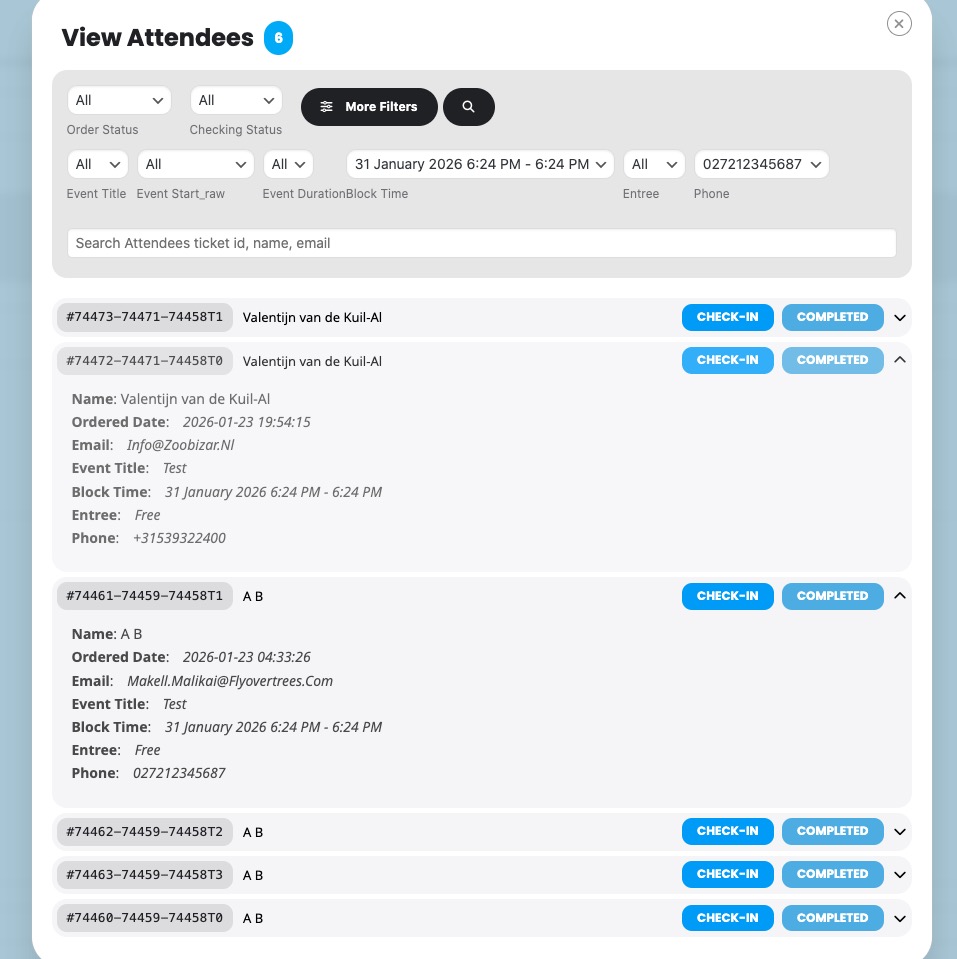
It doesn’t filter attendees when you select any parameters:
Replies for tickets on suppota
Ashan,
The same on dev2:
https://dev2.myeventon.com/wp-admin/post.php?post=74457&action=edit
It doesn’t filter attendees when you select any parameters:
Hello,
Thank you for your messages!
I am going to escalate this ticket to development to help in here. Please allow us some time to address this, and we truly appreciate your patience. Thank you for being a valued EventON customer!
Additionally, if your site has any IP blocking or security restrictions in place, kindly disable them temporarily to facilitate our support process.
Hello,
Please check for latest version of this software from here Your issue might be related to an older version you are running and we might have resolved this already in the newer version update. If you are on latest version of our software and the issue still persist please let us know.
Hello,
Please add this CSS code to EventON > Styles (If you don’t see any change, EventON > Scripts & Styling > turn off Write dynamic styles to header > save settings > turn on Write dynamic styles to header).
You can also add this code to wp-admin > Appearance > Customize > Additional CSS.
.evo_bub_box { display: none !important; }
Thank you!
Ashan,
Please check the error in this message:
It seems that when products have the same SKU, it throws an errors.
For autocomplete, please go to EventON > Tickets > Checkout > enable ”Enable auto complete ticket orders”.
The main issue is
[26-Jan-2026 10:27:19 UTC] PHP Fatal error: Uncaught WC_Data_Exception: Invalid or duplicated SKU. in /home/customer/www/tamaraskitchen.com/public_html/wp-content/plugins/woocommerce/includes/abstracts/abstract-wc-data.php:945
If you can change SKU’s manually, please do to fix the issue. At the same time, I am going to escalate this ticket to development to help in here. Please allow us some time to address this, and we truly appreciate your patience. Thank you for being a valued EventON customer!
Hi again. We’re ready to post our calendar of new classes, but wanted to wait until the page looks as it should. Any suggestions on how to get back to normal? Thx!
Yes please, so we can check the website and access wp-admin as well.
That didn’t work; it pushed the date underneath the small thumbnail picture. I want it how you helped me get it in the thread here… https://helpdesk.ashanjay.com/ticket/updated-plugin-and-featured-image-missing-mobile-items-all-messed-up-too/