The same for ticket variation option.
Rollback to 1.1.1 because 1.1.2 isn’t fully initiated without ticket 2.2.2
Replies for tickets on suppota
The same for ticket variation option.
Rollback to 1.1.1 because 1.1.2 isn’t fully initiated without ticket 2.2.2
right and how would i downgrade? – could you send me the old files to reinstall?
is that going to impact functionality going forward?
this is solved, thx.
Could you tell more about this issue ? why it’s happened ?
Hi,
I’d like to know if it’s possible to leave juste ONE event open/load with all its details ? Specially the next event coming
Please send us FTP access to your site as a private message.
Images are fully visible. Opacity is applied to the overlay.
Try adding this code:
.ajde_evcal_calendar.boxy .eventon_list_event.hasbgimg::after { background: black; }
We are glad your issue is resolved, if you have any further questions or concerns please create a new ticket.
If you have a moment, we would greatly appreciate if you could kindly leave us a review at codecanyon! from your account > downloads. Cheers!
Hello,
Please add this CSS code to EventON > Styles (If you don’t see any change, EventON > Scripts & Styling > turn off Write dynamic styles to header > save settings > turn on Write dynamic styles to header):
.wrap.evotax_term_card.evo_location_card { margin: 0 auto; max-width: 1164px; } .archive.tax-event_location .evotax_term_card .td_block_widget, .archive.tax-event_location .evotax_term_card .widget { display: none; } .archive.tax-event_location .content-area { width: 100%; float: none; }
Hello,
I went to https://canardsbastogne.be/wp-admin/admin.php?page=eventon#evcal_001_advance > changed Select event calendar WP Query method to Query only the event posts created this year.
Seems to be working now. Please check and let me know.
Ashan,
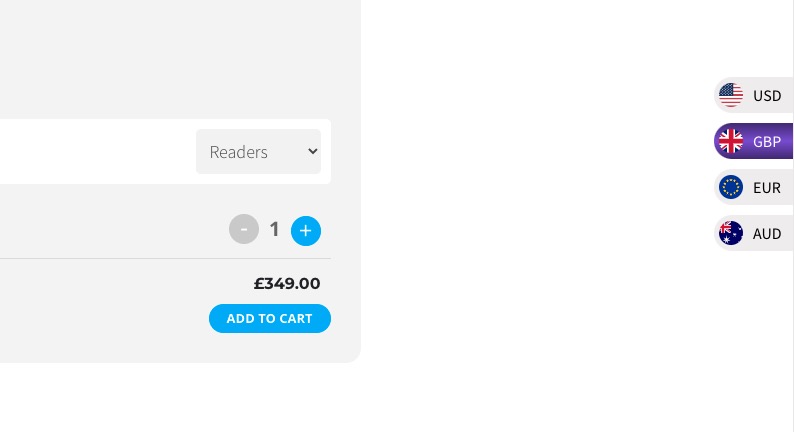
They have this third-party plugin that allows users to convert the price. But after the recent update it just changes the currency symbol:
Can we help?