- I have tested to deactivate all plugins only have Event plugin activated. – Still don’t work
- I have turn on default template 2023 from WordPress – don’t work
- activated the debug mode for you.
ssh.bristol.se
bristol.se
Password: wmHsd7d9ukac
22
Replies for tickets on suppota
ssh.bristol.se
bristol.se
Password: wmHsd7d9ukac
22
Which events are showing this issue at the moment? So we can test this.
Try replacing the previous code with this one:
@media (min-width: 568px){ .evcal_evdata_row .evcal_evdata_cell h3.evo_h3 + *, .evcal_evdata_row .evcal_evdata_cell h3.evo_h3 + * + * { margin-left: -32px; } }
Please wait for Ashan to reply.
On this line
$order->wc_get_order($td[“oDD”][“Brevet”]):
Where $td is coming from?
I think this is what’s causing this:
[31-Jul-2023 10:50:06 UTC] PHP Fatal error: Allowed memory size of 536870912 bytes exhausted (tried to allocate 4096 bytes) in /opt/bitnami/wordpress/wp-includes/meta.php on line 1190
Could you try following:
https://docs.myeventon.com/documentations/increasing-wordpress-memory-limit/
I’ve already tried and it did nothing, however, maybe you can edit php config file on the server?
Please install this plugin
https://wordpress.org/plugins/code-snippets/
Then copy the code from this message and use it in a newly created snippet:
Ashan,
Still working on figuring out what’s going on. However, if you know how to fix this, please let the customer know.
Can we try the instructions mentioned in this documentation? It will take less than a minute.
Please also send us FTP access to your site as a private message, so we can perform several tests from our end and resolve your issue fast!
I am also going to assign this ticket to Ashan and he will be able to take it from here and find you a solution. Please allow some time for him to get back to you, we greatly appreciate your patience and thank you for being a eventon customer! Also please disable any IP blocking on your site if there are any.
Could you try applying this patch?
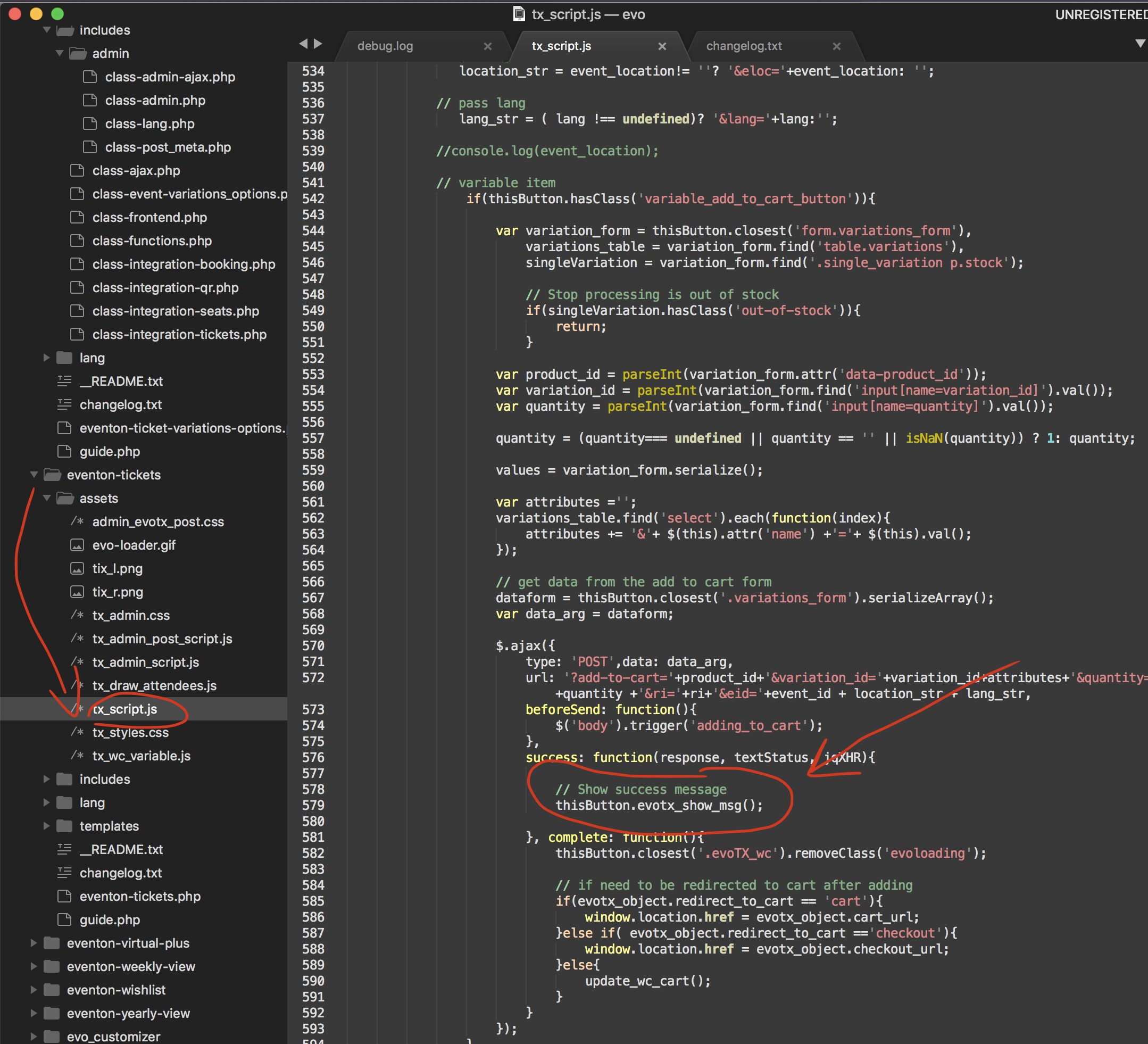
Make sure to clear your browser cache.