Hello,
Thank you for your messages, I am going to assign this ticket to Ashan and he will be able to take it from here and find you a solution. Please allow some time for him to get back to you, we greatly appreciate your patience and thank you for being a eventon customer! Also please disable any IP blocking on your site if there are any.
Hello again Artem.
I have changed the order of plugin loading and the behavior is still the same.
So on my site, I have two types of pages: normal and events.
In normal only one <title>:
Example: https://www.portugalrunning.com/plano-treino-corrida/
In events two titles <title>:
Example: https://www.portugalrunning.com/eventos/meia-maratona-sao-joao-das-lampas-2023/
You can see here: is not good because its an element of uncertainty.
https://www.searchenginejournal.com/google-on-how-it-handles-extra-meta-descriptions-and-title-tags/368600/#close
Can you see please, how to correct it? I have almost 2.000 events and i don’t want to be penalize in searching and be the reason for some pages not being indexed…
Thanks
nuno
I cannot test the site in Troubleshooting Mode:
https://www.bristol.se/wp-admin/site-health.php?tab=troubleshoot
After I enable EventON + add-ons + WooCommerce, it exits the mode.
Can we try the instructions mentioned in this documentation? It will take less than a minute.
Seems to be working. Could you please try clearing your browser’s cache?
Hello,
Please follow this instruction:
To update eventon to latest version: If you are unable to do autoupdate, you can go to codecanyon your account > download and get the latest eventon version as zip file. Then you can go to your website > make sure “Delete eventon settings & data when EventON is uninstalled” is Deslected from eventon settings, delete old eventon, install new one and activate. This link will further explain the process it. Also you can follow us on twitter to get real-time announcements on updates!
Hello,
Thank you for your great suggestion, at the moment it is not supported. However please create a new ticket and select Feature Request as category so others can vote on your idea and get it moved into development faster.
Hello,
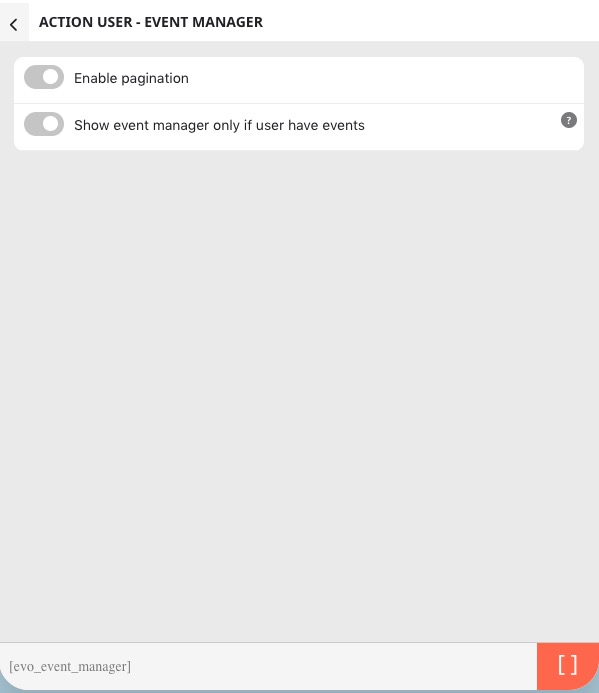
Unfortunately, Event Manager shortcode only supports these options:
The only available option EventON > Advanced > enable Auto move events to trash when the event date is past. But after some time all events will be deleted from Trash.
You can copy the whole website easy with this or similar plugin:
https://wordpress.org/plugins/wp-clone-by-wp-academy/
Hello,
sadly i cannot give you access to our Production Site.
If you really want to fix it, i can give you access to a Testsite that i need to copy/install first.
However as im currently on Vacation this could take up to a Month.
Yes the Ordernumber #169243 is correct.
Best Regards
Hi Robert,
As a temporary solution, if your shortcode contains cal_id=”noIMG” please remove it and let me know if this resolves the issue.
Best regards,