Please take a look at this guide:
https://wordpress.stackexchange.com/a/229491
Replies for tickets on suppota
Please take a look at this guide:
https://wordpress.stackexchange.com/a/229491
Hello,
Could you elaborate?
If you want to import events from your Google Calendar please take a look at ICS Import add-on:
https://www.myeventon.com/addons/ics-importer/
Try on https://dev.myeventon.com/wp-admin/
https://xzib.com/wp-admin
ryan eddy lutz
6gtj^e0NDFXeqQ6Ea7pR8&Sp
____
I also have an event top problem on this page, if you scroll down you will see the event top is transparent. Is this shortcode the problem? Any idea whi
[add_single_eventon id=”50851″ show_et_ft_img=”no” show_upcoming=”1″ cal_init_nonajax=”no” evc_open=”no” show_exp_evc=”no” hide_end_time=”yes” grid_ux=”2″ cal_init_nonajax=”yes” show_limit=”yes” show_limit_ajax=“yes”]
I also have these opacity modifiers commented out
/* xxx
.ajde_evcal_calendar.boxy #evcal_list .eventon_list_event .desc_trig.hasFtIMG span.ev_ftImg:before { opacity: 0.1 !important; }*/
/* Eventtop opacity before hover
.ajde_evcal_calendar.boxy #evcal_list .eventon_list_event .desc_trig.hasFtIMG span.ev_ftImg:before{background-color:#ffffff; opacity:0.9;}*/
/* Image quality
.evo_event_images span img{opacity:0.1;}*/
/* make featured image opaque on hover
.ajde_evcal_calendar.boxy #evcal_list .eventon_list_event .desc_trig.hasFtIMG:hover span.ev_ftImg:before { opacity: 0 !important; }*/
Hello,
Please follow
https://docs.myeventon.com/documentations/why-my-site-and-eventon-page-loading-slow/
You can also go to EventON > Advanced Settings > try Select event calendar WP Query method.
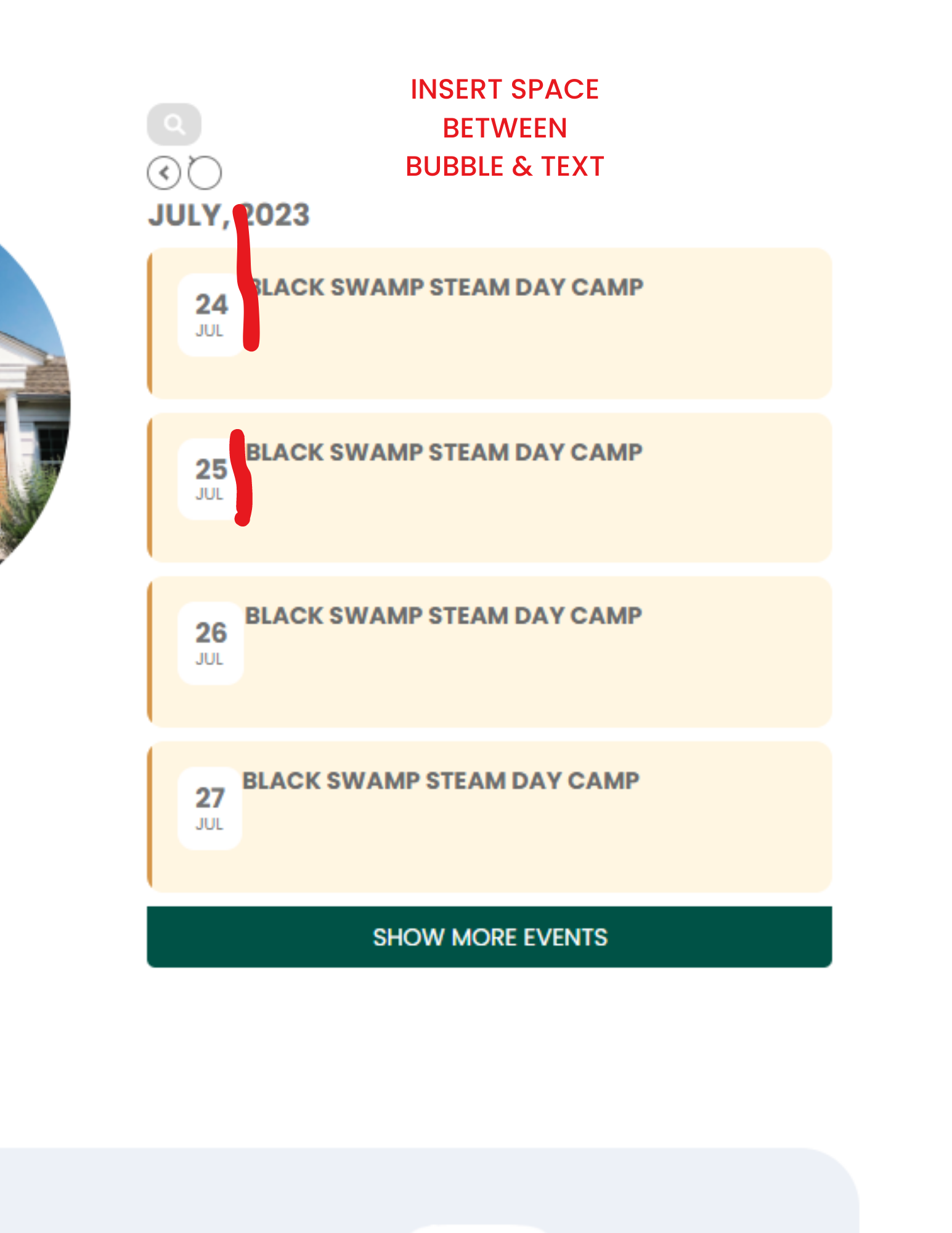
Here is the ss. I saw you made the bubbles smaller; the bubble size was fine, I’d just like a bit of space between the bubble and the text. Thanks so much for your help!
Hello,
Following your docs, here is the code :
//<?php uncomment it if not already present in the file
add_filter( ‘ig_es_post_notification_body’, ‘exp_cc_replace_custom_keyword’, 10, 2 );
function exp_cc_replace_custom_keyword( $email_body, $post_id ) {
$evcal_srow = get_post_meta( $post_id, ‘evcal_srow’, true );
$email_body = str_replace( ‘{{post.evcal_srow}}’, $evcal_srow, $email_body );
return $email_body;
}
This snippet adds the evcal_srow value in my notification plugin but when I get the e-mail notification after event publishing, the date is shown in a wrong format : evcal_srow returns “1690632000” instead “26/07/2023”
How to convert date format in this value d/m/Y ?
Ok thank you
This issue is on production serveur, so I need a fix asap 🙂
correct link: https://test-lnd.qrqs.eu/turnieje-dart
here: https://laczynasdart.pl/turnieje the search engine works properly. But this is version 4.3.5 installing every next one caused the search engine not to work.
here: https://test-lnd.qrqs.eu/tournieje-dart version 4.4.2 is installed (but there were also 4.4.1 and 4.4.0) on none of them the search engine DOES NOT WORK.
Below is the login to the site:
lnd-guest
pass: 7BHmEEWbjw
You can also downgrade to 4.3.5:
https://helpdeskx.s3.amazonaws.com/wp-content/uploads/2023/06/12031951/eventON4.3.5.zip