1. Please send us wp-admin access to your site as a private message for us to further assist your situation.
2. By default users see events by date they can then attend. But with Lists add-on you can, for example, show them a list of locations they can click on and see events for that location.
Ashan,
The same on dev2:
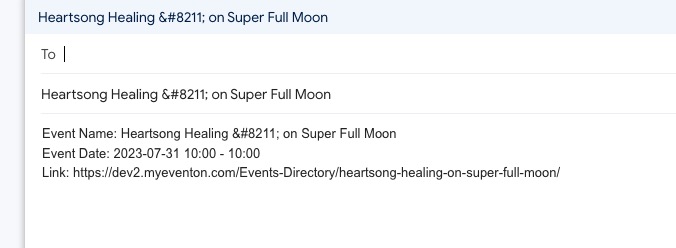
https://dev2.myeventon.com/Events-Directory/heartsong-healing-on-super-full-moon/
Hello,
Thank you for your messages, I am going to assign this ticket to Ashan and he will be able to take it from here and find you a solution. Please allow some time for him to get back to you, we greatly appreciate your patience and thank you for being a eventon customer! Also please disable any IP blocking on your site if there are any.
On July 11th we updated EventON again but didn’t change it’s version, so it’s the same 4.4.1. Could you update it?
Hello,
Please check my reply in your other ticket.
You need to renew your add-on subscription if you want new updates and support.
More info 7.2 Subscription Cancellation:
https://docs.myeventon.com/documentations/terms-and-conditions-and-refund-policy/
The shortcode I am using:
[add_eventon_el number_of_months=”12″ event_type=”1036,” tiles=”yes” tile_count=”3″]
Basic Event Lists won’t work in your case, only Event Lists: Ext will.
Events are from July, August and September.
You can also show only featured events by adding only_ft=”yes” and removing event_type=”1036,”.
Try the shortcode on our test server:
https://dev.myeventon.com/wp-admin/
Hi! No, is not possible downgrade wordpress.
Yes this is how we did it to, we have 1 ticket that can be bought 1 time. and the other ticket can be bought multiply times.
But after i or my teammember order this tickets. and then refresh the page he can again purchase the tickets again. so then the limit is refreshed also somehow. this should not be the option. For the first ticket it must only be possible to buy it 1 time in a lifetime, the second ticket doenst matter this can be bought multiply times if needed. How can de do this?
Or will you be adding a new update soon with fixes?
Thank you,
1. I am using event_past_future=”future”
I noticed that an event yesterday that was 9am-6pm was not there in the afternoon. However with another event today when I checked at 11:13 pm I see that an event that was from 6:00 – 8:30 pm today is still there (as I would wish it to be). Not sure why the other one dropped off. I’ll see if it happens again.
2. Thank you, I will use the Weekly add-on. I am unclear on the benefits of the Lists Add-On. Can you clarify please?