Thank you for your messages, I am going to assign this ticket to Ashan and he will be able to take it from here and find you a solution. Please allow some time for him to get back to you, we greatly appreciate your patience and thank you for being a eventon customer! Also please disable any IP blocking on your site if there are any.
Archives: Replies
Replies for tickets on suppota
Reply to: tickets(319127)
Ashan,
Here’s the error:
[28-Jun-2023 21:18:28 UTC] PHP Fatal error: Uncaught TypeError: trim(): Argument #1 ($string) must be of type string, array given in /nas/content/live/kranzfoundati1/wp-includes/taxonomy.php:1554
Stack trace:
#0 /nas/content/live/kranzfoundati1/wp-includes/taxonomy.php(1554): trim(Array)
#1 /nas/content/live/kranzfoundati1/wp-content/plugins/eventon-csv-importer/includes/class-admin-init.php(216): term_exists(Array, ‘event_type’)
#2 /nas/content/live/kranzfoundati1/wp-content/plugins/eventon-csv-importer/includes/class-admin-init.php(138): evocsv_admin->save_event_post_data(29342, Array)
#3 /nas/content/live/kranzfoundati1/wp-content/plugins/eventon-csv-importer/includes/class-ajax.php(37): evocsv_admin->import_event(Array)
#4 /nas/content/live/kranzfoundati1/wp-includes/class-wp-hook.php(308): evocsv_ajax->evocsv_001(”)
#5 /nas/content/live/kranzfoundati1/wp-includes/class-wp-hook.php(332): WP_Hook->apply_filters(”, Array)
#6 /nas/content/live/kranzfoundati1/wp-includes/plugin.php(517): WP_Hook->do_action(Array)
#7 /nas/content/live/kranzfoundati1/wp-admin/admin-ajax.php(188): do_action(‘wp_ajax_evocsv_…’)
#8 {main}
thrown in /nas/content/live/kranzfoundati1/wp-includes/taxonomy.php on line 1554
I’ve tried to change event_type’s file data, but it just breaks. The thing is that it imports completely fine on dev2:
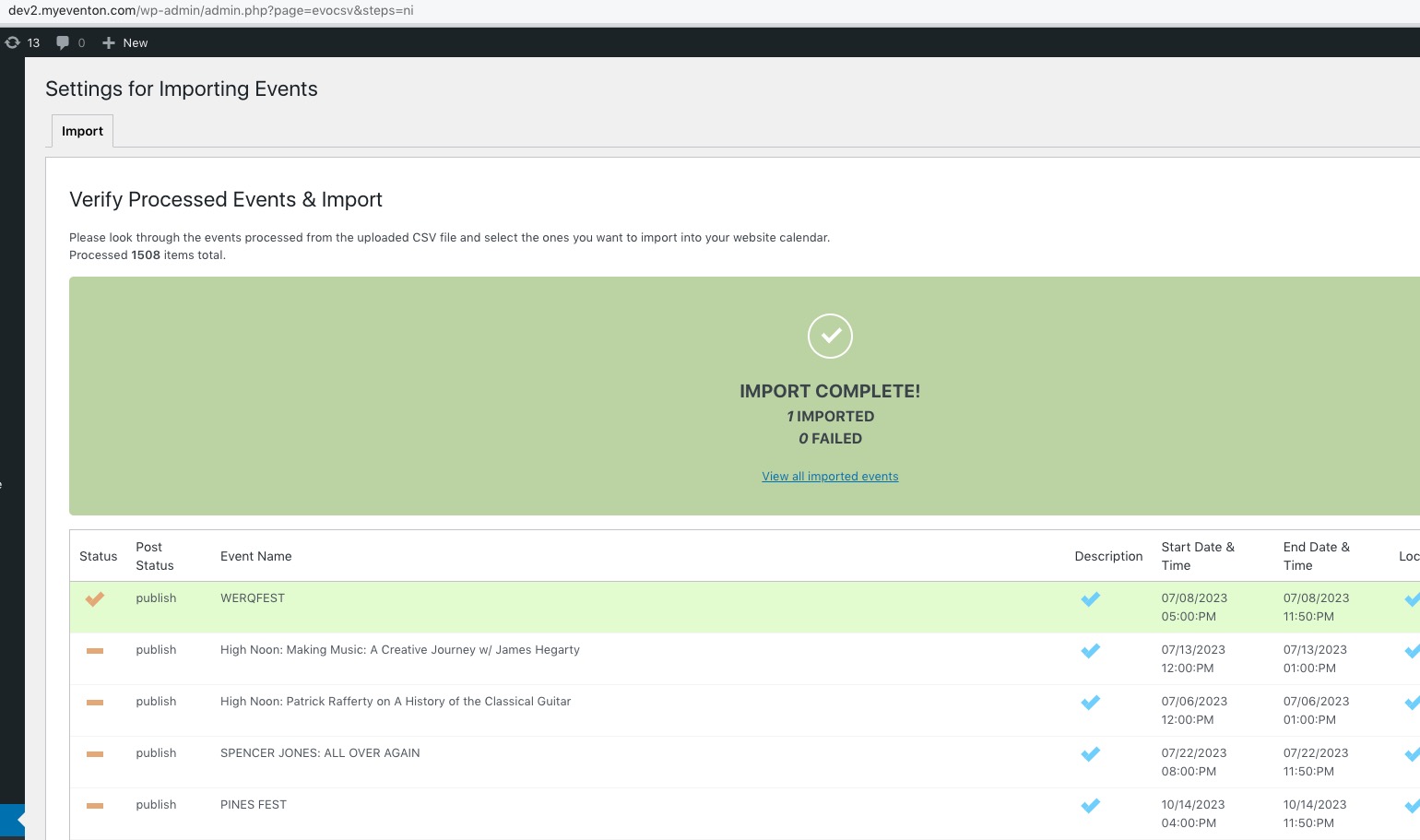
The file:
https://kranzbergartsfoundation.org/wp-content/uploads/2023/06/Eventon_events_23-06-23.csv
Login first if you want to download it.
Reply to: tickets(319275)
Hello,
Please add this CSS code to EventON > Styles (If you don’t see any change, EventON > Scripts & Styling > turn off Write dynamic styles to header > save settings > turn on Write dynamic styles to header):
.ajde_evcal_calendar .calendar_header p { display: none !important; }
Reply to: tickets(319117)
Hello,
Please follow this guide to increase memory limit:
https://docs.myeventon.com/documentations/increasing-wordpress-memory-limit/
Reply to: tickets(318166)
We are glad your issue is resolved, if you have any further questions or concerns please create a new ticket.
If you have a moment, we would greatly appreciate if you could kindly leave us a review at codecanyon! from your account > downloads. Cheers!
Reply to: tickets(319283)
Hello,
Please go to wp-admin > WooCommerce > Settings > Tax > select Display prices in the shop: Including tax.
Reply to: tickets(319284)
Hello,
It shows 3 letters day week on our test server:
https://dev2.myeventon.com/evofeeds
It seems that yours are translated. Can we take a look at wp-admin?
Please send us wp-admin access to your site as a private message for us to further assist your situation.
Reply to: tickets(319306)
Ashan,
The same on dev2:
https://dev2.myeventon.com/my-account/
https://dev2.myeventon.com/wp-admin/admin.php?page=eventon&tab=evcal_2
Reply to: tickets(319306)
Hello,
Thank you for your messages, I am going to assign this ticket to Ashan and he will be able to take it from here and find you a solution. Please allow some time for him to get back to you, we greatly appreciate your patience and thank you for being a eventon customer! Also please disable any IP blocking on your site if there are any.
Reply to: tickets(318546)
I sent a screenshot above, you just have to click on it to see it expanded.