Hello,
You can find sales statistics by going to Edit Event > Tickets > Sales: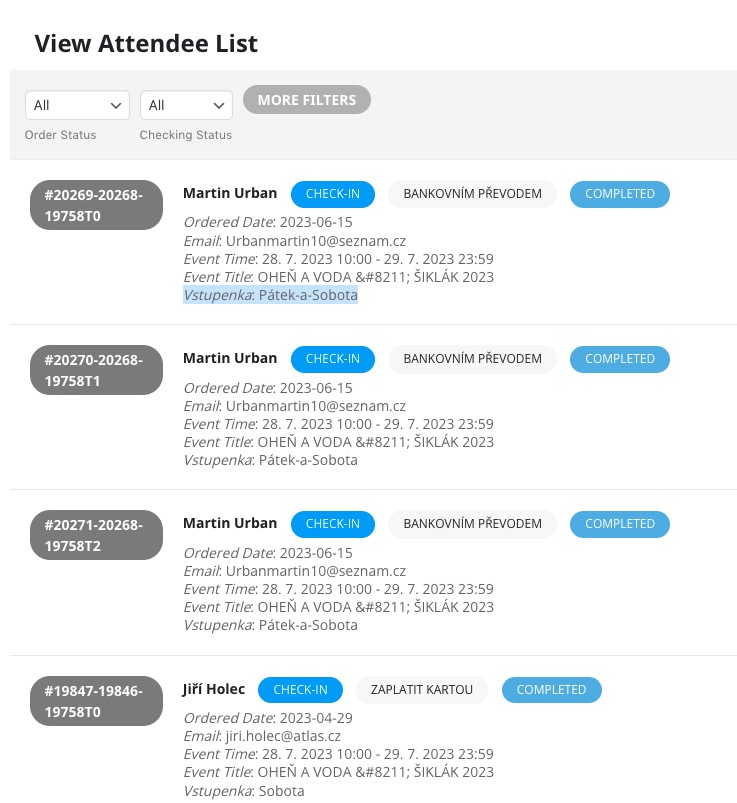
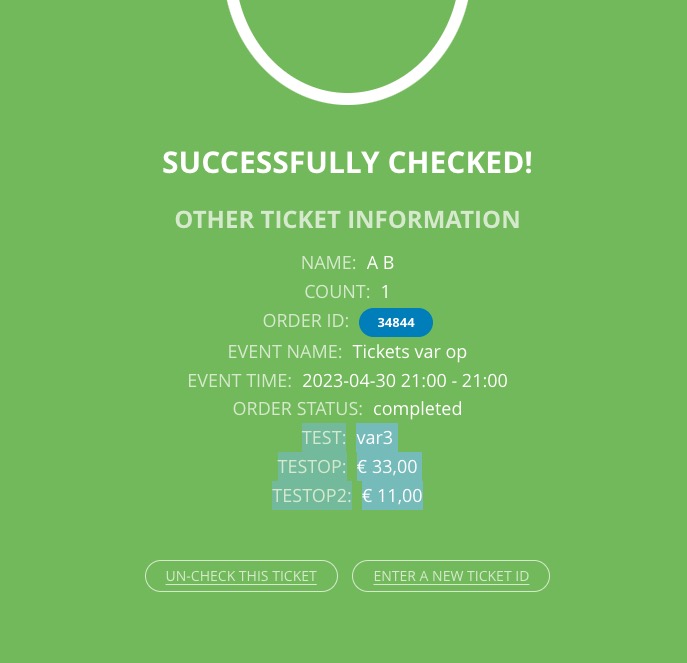
As for QR Code add-on, we are working on a big update that will upgrade QR Code add-on as well. This is how the checkin page will be available:
Replies for tickets on suppota
Hello,
You can find sales statistics by going to Edit Event > Tickets > Sales:
As for QR Code add-on, we are working on a big update that will upgrade QR Code add-on as well. This is how the checkin page will be available:
I was worried that’s what I’d have to do!
It worked great, though, so thank you!
We are glad your issue is resolved, if you have any further questions or concerns please create a new ticket.
If you have a moment, we would greatly appreciate if you could kindly leave us a review at codecanyon! from your account > downloads. Cheers!
This event https://noionline.conflombardia.com/events/italia/ shows this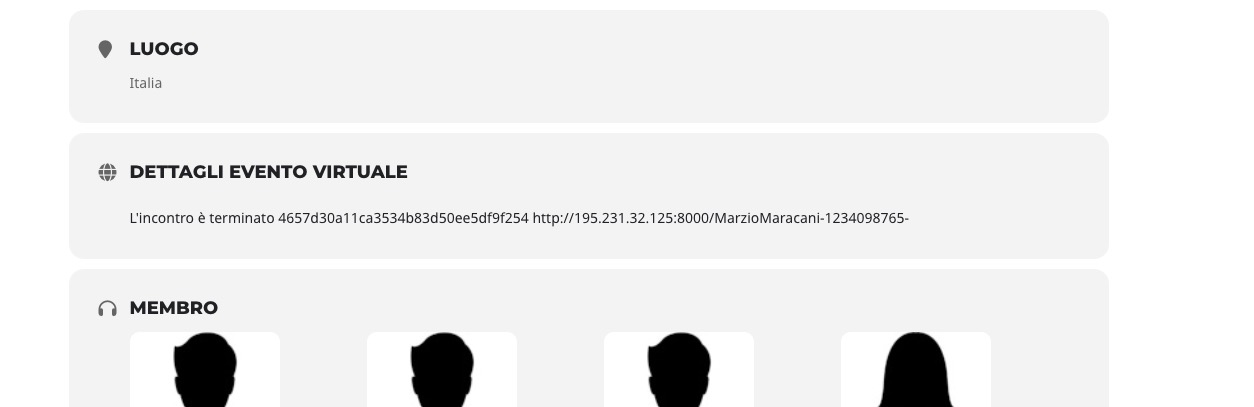
because of this option:
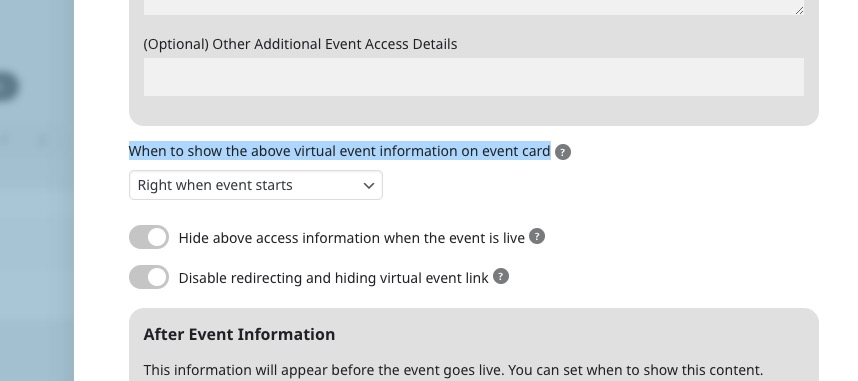
So I added your link to my test event
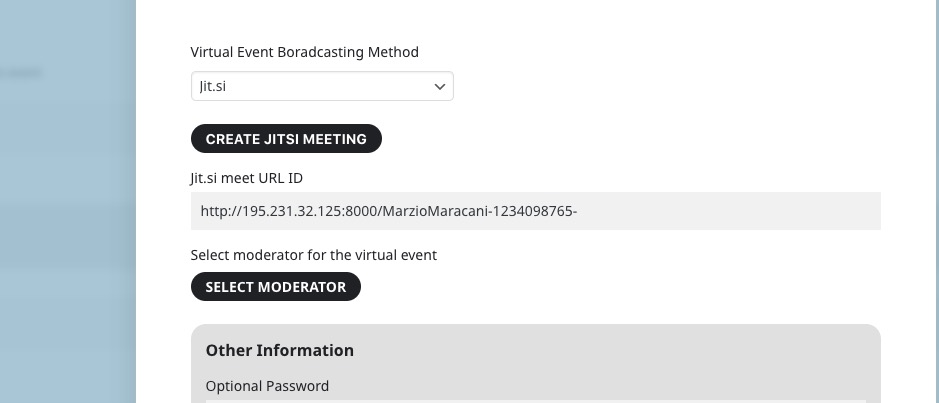
So the jitsi screen is visible now:
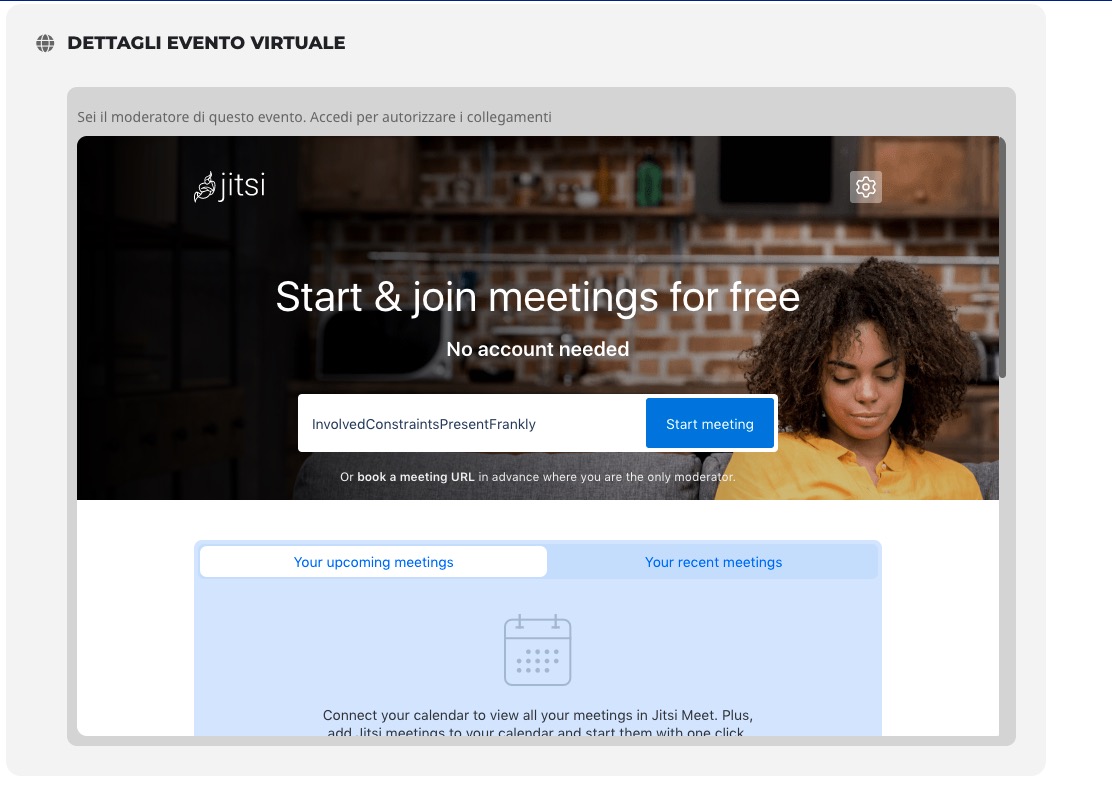
Could you check and let me know?
Did you check the guide related to your question?
https://docs.myeventon.com/documentations/how-to-set-up-virtual-events-with-jitsi-meet/
Closed as duplicate.
I was able to fix the issue by pulling the files from a working staging environment. Not sure why it worked, but it did.
Please ignore the first 2 paragraphs of the previous message… I now realize I have just one account.
That works and i get it, but the event needs to be created on the backend instead of the front-end and be able to receive the email notification
This event still leans on the jitsi portal.
Link: https://meet.jit.si/a97466fc205b5326a8df2e518bfff624
root https://meet.jit.si/
I have to open events from other root eg: http://195.231.32.125:8000/
to open the room http://195.231.32.125:8000/MarzioMaracani-1234098765-
So the problem is how to tell your plugin to use a different root than the standard one.
You can use the event https://noionline.conflombardia.com/events/italia/ as an example to make it work

Here the buttons not aligned and not centered now.