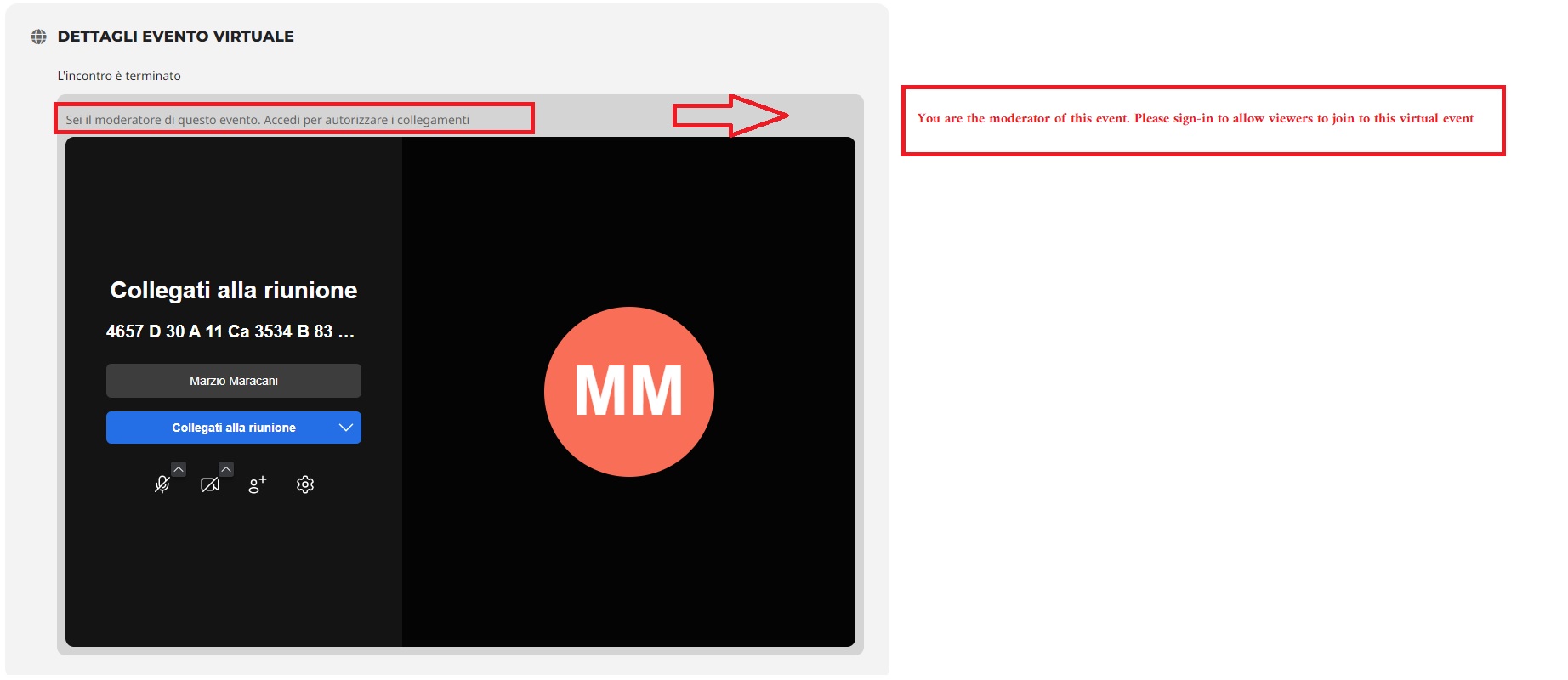
Maybe that’s how I explain myself better.
The sentence says that I can decide who to authorize to participate in the video conference and who not.
Example:
I am the moderator.
Antonio, Marco and Lucia want to participate in the event but I want to authorize only Lucia and Marco.
I didn’t understand how I can do this.
Can you explain it to me?
Hi Matt,
Please check now, it’s appearing on my end.

Does this update fix the issue?
Hi Artem
Will you explain why it takes so long to get an answer? I own two licenses and I must have an answer!
Yesterday after you wrote that you could not use aaccess data, after my reply, you connected without problems (dynamic.jazztel.es) The solution is urgent, please react.
Thank you
Guido
Hello, Kenneth,
Hope you are well!
Our event page is not working again after the update. Please refer to the url here: https://pm-eschool.com/Events/interviewing-skills-and-investigation-techniques-july-26-27-2023/
Could you please assist on this issue?
Thanks!
Hey Artem,
We are on Version 4.4 the cache was cleared several times with no change. Only after we removed the “SVG Support” plugin were we able to see any changes.
Do you need access to the live site, or can we provide access to our staging site for IlluminateColorado.org?
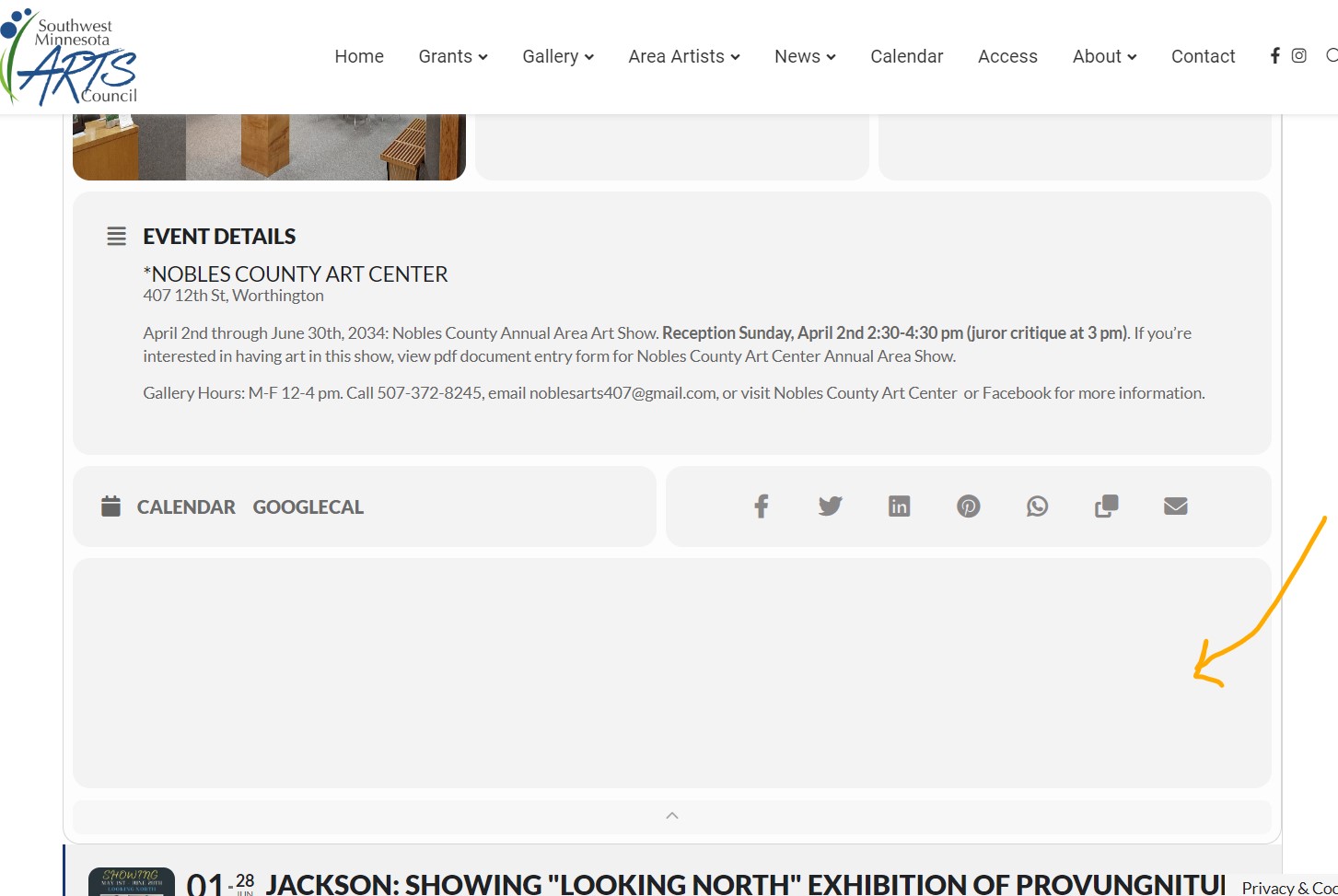
Hi Kenneth ~
Here’s a screenshot of what appears on the staging site with the EventOn update installed. The live site (no update) only shows a blank bar if Get Directions is paired with the Google Map option.
To login to live site or staging site:
swmnarts.org OR staging11.swmnarts.org
bhaugen
20K6#%wTP9eQ%8$!2fFWH!Fg
Thank you!
Hello,
The add-on includes any wordpress post within EventON event calendar, as if it was a regular event. And it seems that you are trying to use it the other way around.
Could you elaborate what exactly you are trying to do so we can help?
Hello,
Please use Event Lists shortcode instead of Main Calendar:
[add_eventon_list number_of_months=”12″ hide_empty_months=”yes”]