Ashan,
There are warnings in debug.log, but no fatal errors even so it shows there is a critical error with admin-ajax.php:
https://www.cjp.ch/anlaesse/
Troubleshooting mode:
https://www.cjp.ch/wp-admin/site-health.php?tab=troubleshoot
No errors on dev2.
Thank you for your messages, I am going to assign this ticket to Ashan and he will be able to take it from here and find you a solution. Please allow some time for him to get back to you, we greatly appreciate your patience and thank you for being a eventon customer! Also please disable any IP blocking on your site if there are any.
Hello,
The only option is to go to EventON > Tickets > Checkout > enable Hide additional guest names and uncheck Additional checkout guest fields.
Hello,
First of please apply this patch, since there is an issue with Event Lists and negative month_incre:
https://helpdeskx.s3.amazonaws.com/wp-content/uploads/2023/04/21121551/Screen-Shot-2023-04-21-at-12.15.26-PM.png
We can do this for you if you share FTP access as a private message.
Next please follow
https://docs.myeventon.com/documentations/how-to-show-past-events/
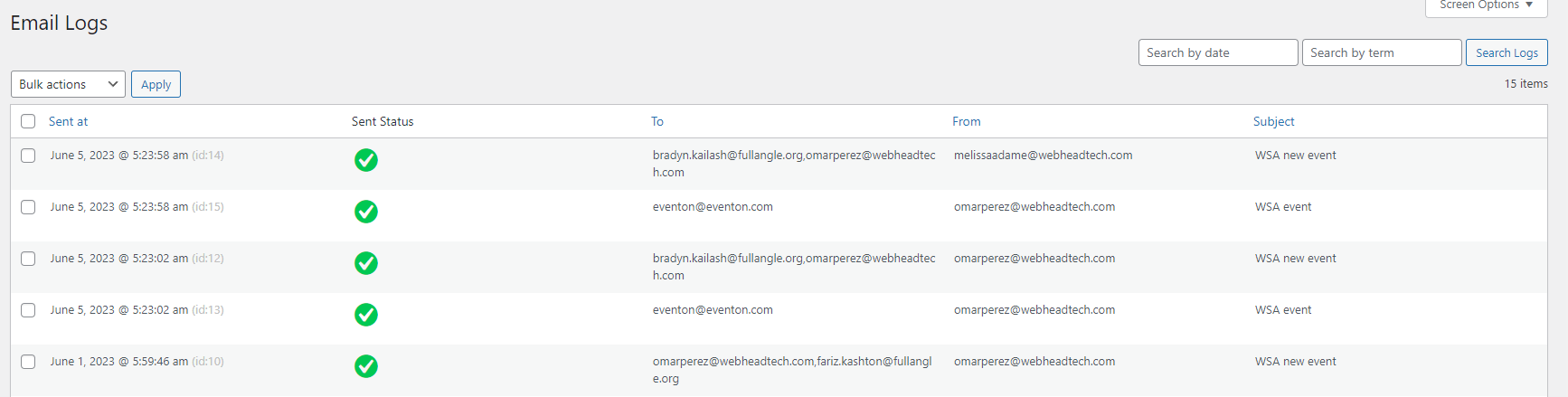
You can see the events to check i have created new events, and check the logs in the check & log email plugin that only your emails are sent and not when i create an event
I think this was the cache issue. Please try going to EventON > Scripts & Styling > disable Write dynamic styles to header > save > enable it again > save > clear WP Rocket cache.
1. I cannot access the page:
Sorry, you have been blocked
You are unable to access universitycityloop.com
The reason I buy these plugins and themes from Code Canyon is because the themes usually have priority of styling.
This is not the correct way of adding CSS styles: https://helpdeskx.s3.amazonaws.com/wp-content/uploads/2022/11/17140851/Screenshot-2022-11-17-at-22.08.18.jpg
Can we take a look at the page, so we can try fixing this with a custom code?
2. Please send us wp-admin access to your site as a private message for us to further assist your situation.
I created multiple events and still did not get the email, not sure why
Artem,
thanks for all tips! 🙂 everything is working great.
1
come in please to https://laczynasdart.pl/turnieje and choose the first tournament “Steel Dart Rekiny”. A google map appears there. Everything works great. BUT! When you click on “other events of the organizer” and select a tournament there, the google map does not appear anymore! There is an empty space. Can you explain it somehow?
2.
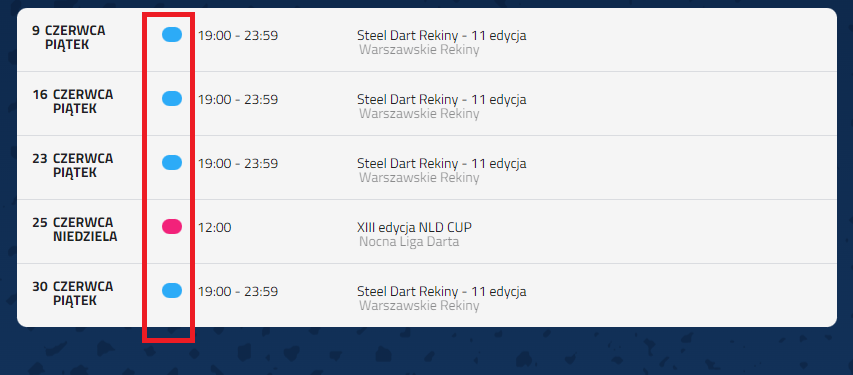
I would like to make a legend, i.e. what a specific highlight color means. So, for example, blue means national tournaments, and red means international tournaments. And now I have a question – how can I extract from the code or in any other way this colored element marked in red in the graphics?
I made a legend above the plugin, but I used facebook circles 😛 the problem is that it has a completely different shape and color. and I would like it to look the same as in eventon. Can you help me somehow? 🙂