Ok, there seems to be a conflict with one of the plugins.
Issues:
1. I followed the instructions in the documentation, the ticket doesn’t show up because the ticket is shown as simple with a null value in the price field. Another user had the same issue, so he added zero. The sub-total in the cart is showing zero.
2. Once you turn on add variations, the product type should change to variations. It still shows as simple. There is a disconnect between your plugin and Woocommerce. When I create the product on Woocommerce it works but not in EventOn.
3. The last issue I have is that the add-ons, I should be able to add quantities of each add-on.
I still can’t get this to work the way I want it to when it comes to variations and item add-ons.
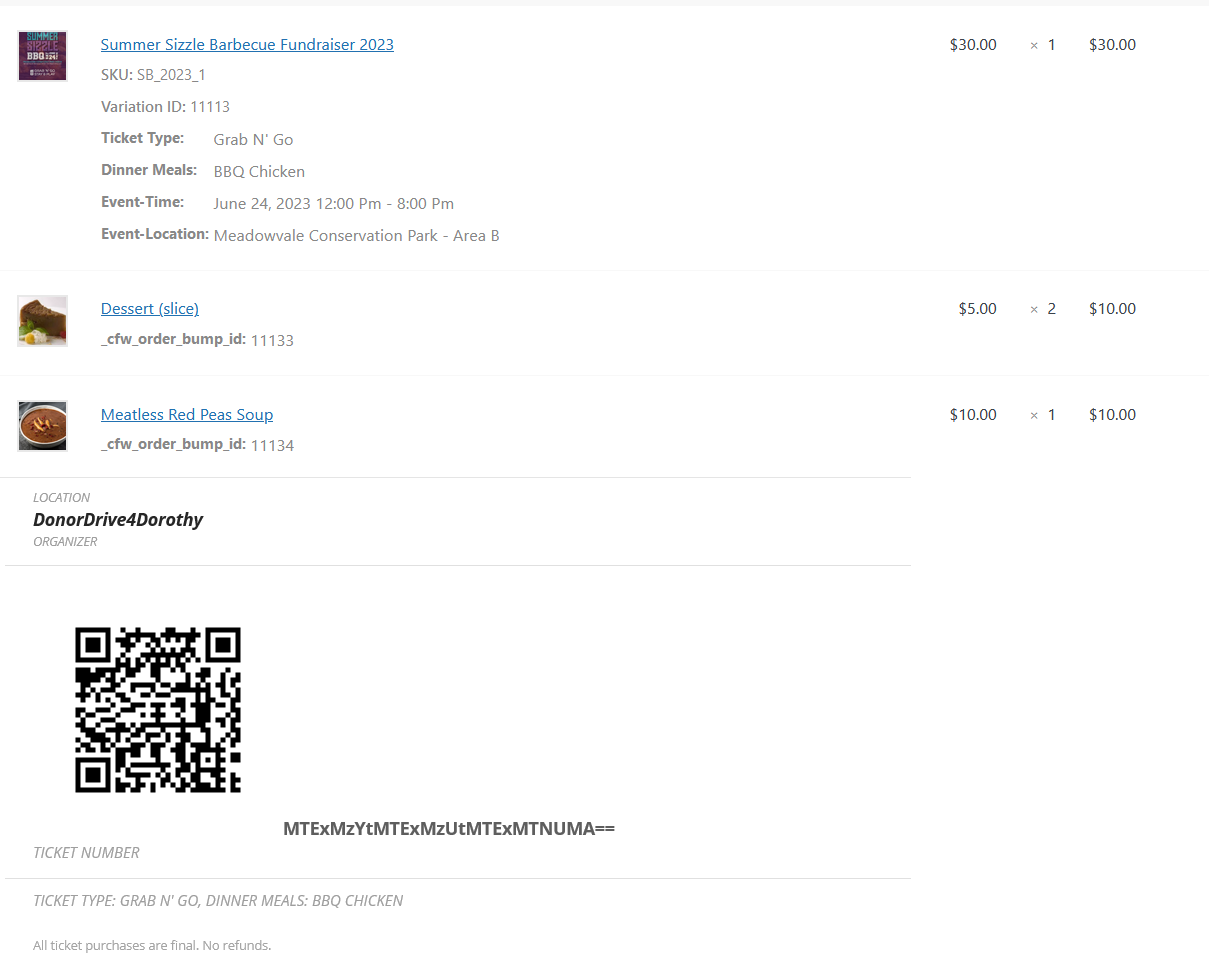
4. Say I added the Woocommerce product to the ticket and added separate products to the ticket in the form of order bumps. These order bumps along with the quantity doesn’t show on the ticket. The code in the ticket template is not pulling the data from the completed order details??
https://www.donordrive4dorothy.org/events/test-event/
See attached. The 2 add-on items should also be on the ticket.
This is an seo thing getting the length and width for the images
So the plugin perfmatters was causing the aspect ratio problem when I had activated an option to “apply image dimensions.”
Perfmatters main developer said that there is some data, or style that needs to be applied by eventon so that images can have the length width applied via perfmatters
I did a lot of research and the problem was WordPress adding the Gutenberg text editor. I solved it by adding a plug in called Disable Gutenberg.
Sorry for the delay. Ok david we will not install the new version in there. we are doing more tests on our end and really hoping to iron out these issues and get it out soon!! Probably be mid July to be honest.
Thank you will be resolved in the version 4.4 with a better solution. I am really hoping to get this new version out of the door today 🙂 we shall see.
I just tried the login I sent and it worked just fine.
https://nocovernighstg.wpengine.com/wp-admin/
username: mkelly22zz
Pass: Phorse11!Phorse11
Sadly I tried the debug instructions but could not get the debug file to appear.
Are you able to give us FTP access to wp-content folder to your site https://armosbooks.2netdemo.gr/? with wp_debug enabled?
Ok. You can always re-purchase with correct payment method if you decide to and cancel the current subscription from my account 🙂
https://soobahkdo.us/calendar/login/
eventon@soobahkdo.us (Network Super Admin)
SbdMdk5091!@#$