It was an add-on which I purchased. Thank you.
Archives: Replies
Replies for tickets on suppota
Reply to: tickets(315636)
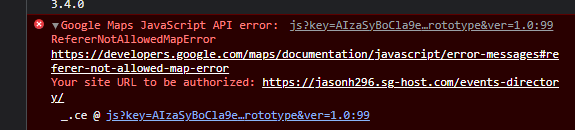
I got the location added but its giving me an API error, I readded the API but still did not fix it.
Reply to: tickets(314659)
Are you thinking that will solve the problems I’ve been having and therefore should wait for that to test it?
Reply to: tickets(315260)
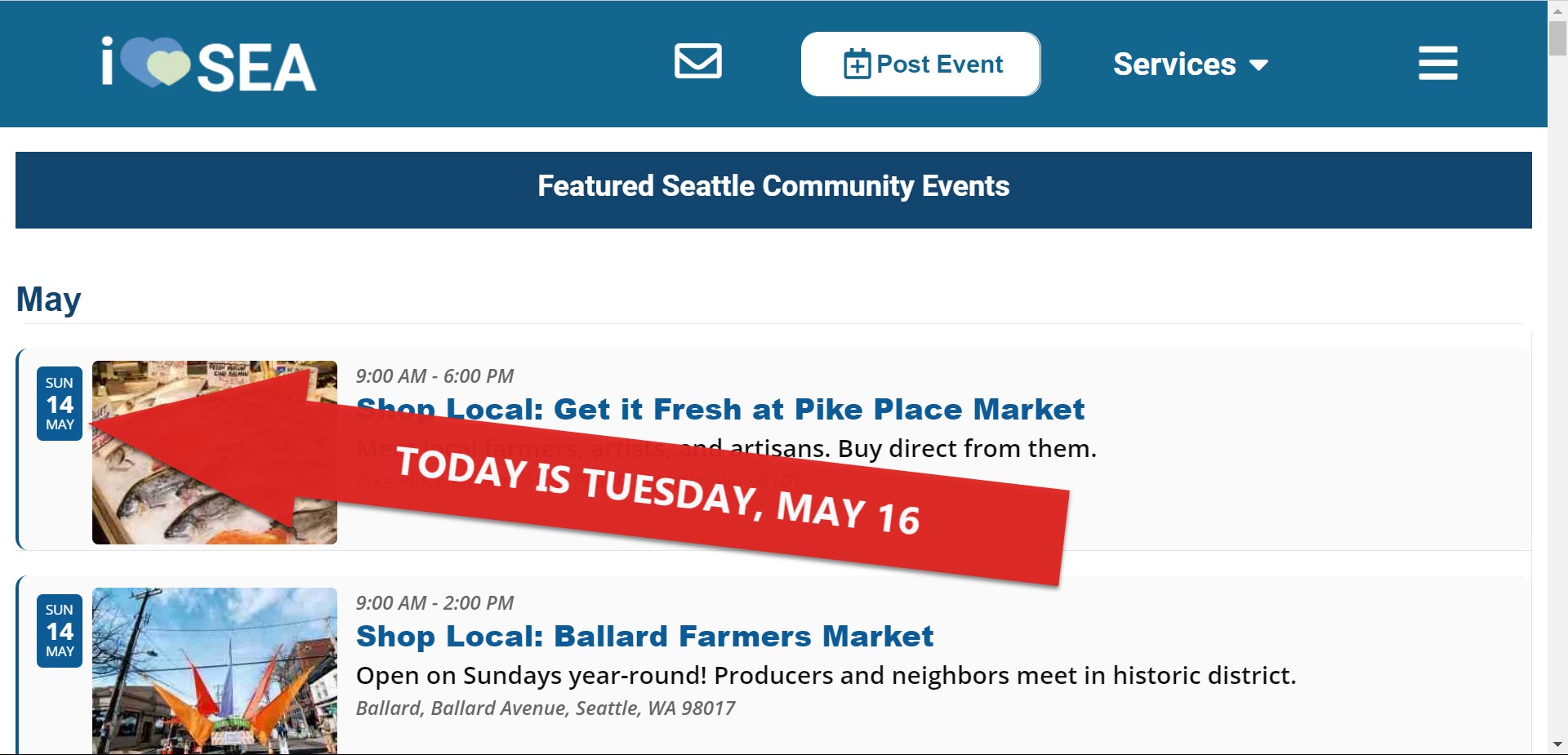
Hello. We are back to square one. I turned off all Siteground cache features like NGINX Direct Delivery and MEMCached. I deactivagted the CDN. I disabled the Siteground Optimizer plugin. Our problem is not resolved. The only way that I am able to get a current version of the calendar to show (with today’s events at top of list) is by making a change to the API code. For example, by adding or removing the show future events setting. It can also display correctly sometimes when I open calendar in incognito window.
I have tried this in Chrome, Firefox, and Edge. Problem is the same. I see the calendar with starting date same as the first time I loaded the page (https://iloveseattle.org). Are you able to replicate probem? Please visit page and return to page in two days with same computer/browser without clearing your local cache. Do you see the same events or is the calendar refreshed?
Thank you for your help.
Reply to: tickets(314863)
Hi there, I have paid and installed two addon plugins that are not working. I have created a support ticket almost a week ago..! As i mentioned it’s urgent.? Please could it be handled by other agent (you?), if that speeds up the progress?
Reply to: tickets(309276)
I let the Event Slider component expire. I can’t enter a new payment method.
I INSERTED MY NEW MASTERCARD PREPAID CREDIT CARD, BUT THE SYSTEM RETURNED THIS MESSAGE: “There was a problem entering the payment method”.
What do I have to do to pay you?
Reply to: tickets(315090)
Hello Artem,
Okay it works great. Thank you for the great job on the wishlist addon!
Reply to: tickets(314659)
Sorry for the delay. We are still working on the update for Tickets bundle.
Reply to: tickets(313415)
I enabled WP_DEBUG, but even so there is admin-ajax.php error in the console, it doesn’t add anything related the debug.log.
Could you contact hosting support and ask if enabling WP_DEBUG from wp-config.php is enough or do you need to also change php.ini file?
All points to the memory limit issue. Also ask the support about if you can increase memory limit from wp-config.php or do you need to change php.ini file.
Reply to: tickets(298422)
Avada answer is in ticket above, I copied it for you:
We understand your concern, however, since the plugin in question is developed by a third party, we cannot assure its compatibility with all available plugins. May we kindly suggest that you contact the plugin developer/author for further assistance on this matter, as we have no control over their development or codebase.