Hello,
There are 3 calendars on the same page you are trying to load.
Try following this guide:
https://docs.myeventon.com/documentations/why-my-site-and-eventon-page-loading-slow/
Event Lists: Ext has this option to enable Load More button. Add to the shortcode to enable it:
show_limit=”yes” show_limit_ajax=”yes”
We are working on the issue with EventON Lists 0.23.
Hello,
https://asfalt.globalmarketingdigital.es/events/prueba-event/ leads to 404 page.
Could you go to EventON > select Select calendar event content filter type: Default WordPress Filter?
I am sorry for the wrong screenshot. Please take a look at
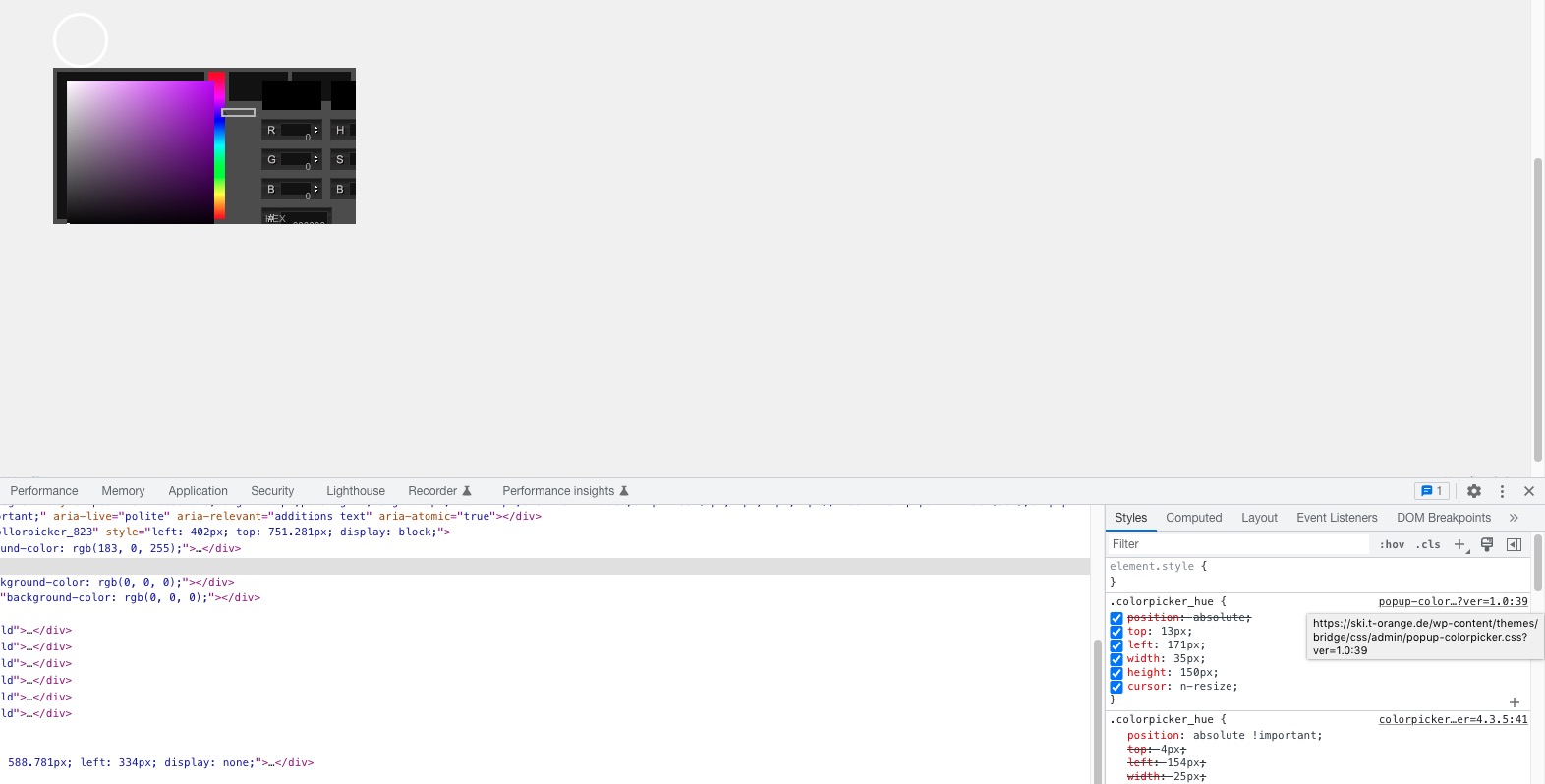
Your theme has it’s own custom code for the color selector:
Try going to /wp-content/plugins/eventON/assets/lib/colorpicker/colorpicker_styles.css and comment all styles in the file.
Hello Andre,
Regarding your shortcode, please remove cal_id=”Calendar Sign List” so that the code looks like below
[add_eventon number_of_months=”2″ event_count=”6″ event_order=”DESC” hide_so=”yes” filter_hide_indicator=”yes” hide_empty_months=”yes” only_ft=”yes” show_et_ft_img=’yes’]
Hello,
Thank you for your message, I am going to assign this ticket to Ashan and he will be able to take it from here. Please allow some time for him to get back to you, we greatly appreciate your patience and thank you for being a eventon customer!
The homepage. for example has events into mid july.
Also, it currently looks to be applying 60 days instead of the 30 days I have specified.
I didnt do the update bc Im not sure how to efficiently access the update.
I just wanted to check in and see if there was a resolution for this. Thanks
By the way: Is Eventon in general compatible with WordPress 6.2 ?