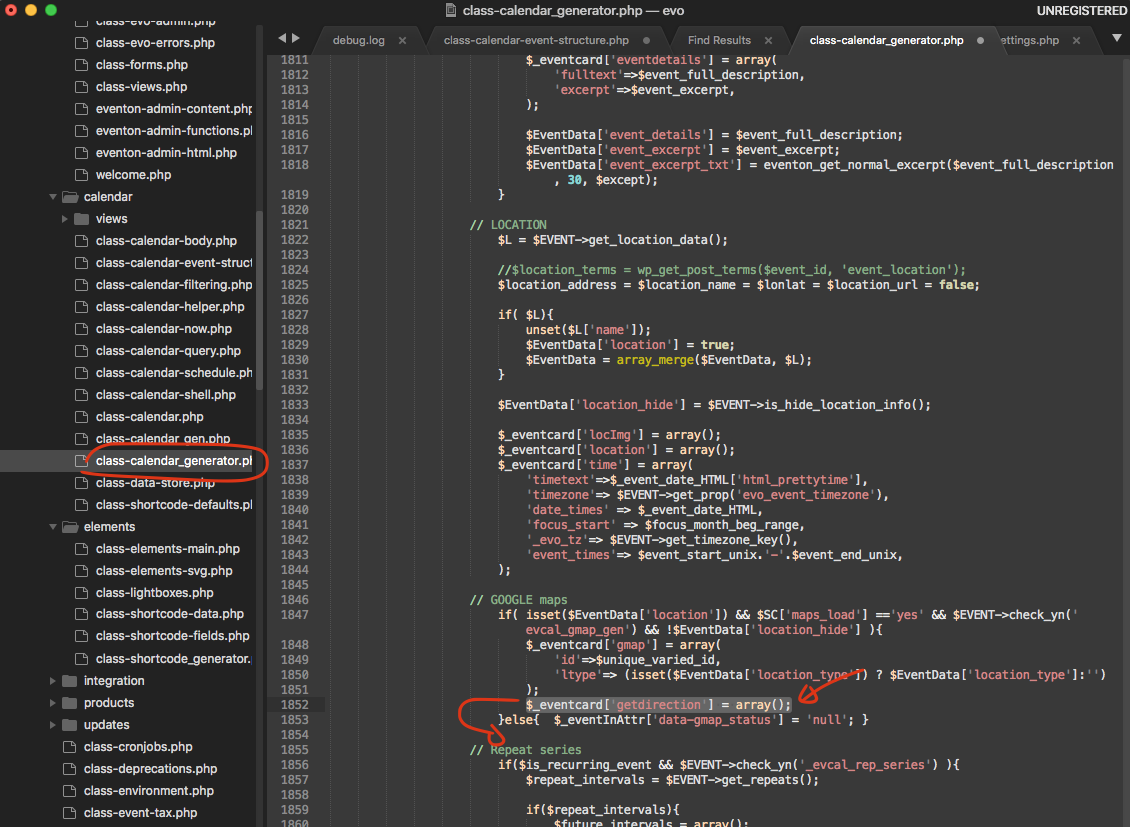
Hi
Thank you
1. Please follow this guide:
https://docs.myeventon.com/documentations/auto-complete-ticket-order/
Also check
https://wordpress.org/plugins/autocomplete-woocommerce-orders/
=> do I have to do both of them, or I can choose 1 ?
By the way, how to edit a .php file ? How to open it ? and is there anything I should know or I just need top copy and paste the code in the end of the file like I do with CSS ?
2. Go to EventON > Tickets > Checkout > enable Make additional guest names required in checkout. -> Thank you I got this
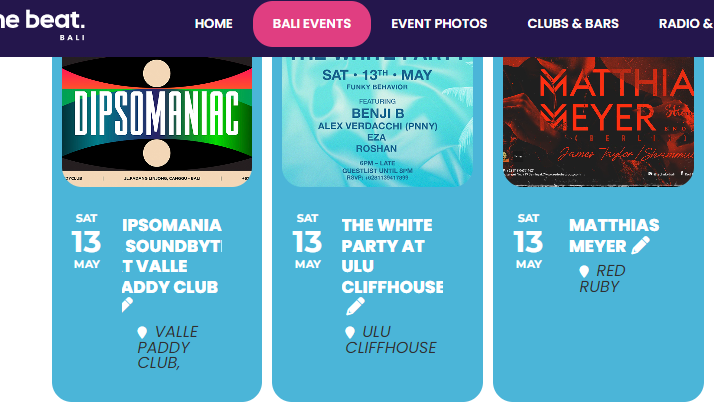
Hi, thanks for the help. I tried to find that script – not there. I tried to add the second script – didn’t change anything.
I think the problem is in the title text itself. The text is ok if the word is small. But if it is a long word it doesn’t fit in the space and cuts the beginning and end of the word. (as attached).
This problem is only on the desktop version. On the same mobile page it is all fine.
How can we make the box or the text more flexible? Hyphen on the text?
Please help. Thank you.
Thank you very much for bringing this to our attention please apply this patch fix to resolve this. You have to do is, to move the code outside of the if statement paranthesis.
Perfect! If you have any further questions or concerns please create a new ticket.
My previous version was 4.3.5
But I installed version 4.0.6, and it works fine.
thanks
error on line 2 at column 1: Extra content at the end of the document
I need to take a look at the error. Could you enable 8.0?
Ah, you are referring to Learn More of the organizer section. Sorry for not understanding the first time.
Unfortunately, not possible to remove the button, but you can hide it with this code:
p.evo_card_organizer_more { display: none !important; }
Please add this CSS code to EventON > Styles (If you don’t see any change, EventON > Scripts & Styling > turn off Write dynamic styles to header > save settings > turn on Write dynamic styles to header).
Hello,
The best solution is to clone your current site with https://wordpress.org/plugins/wp-clone-by-wp-academy/ or similar plugin.
If you just need to export/import events, please take a look at
https://www.myeventon.com/addons/csv-event-importer/
Try on https://dev.myeventon.com/wp-admin/
Hello,
Could you update RSVP add-on to 2.9.3? It should solve the issue.
To update eventon addons: You can download latest eventon addons from myeventon > my account. Then you can go to your website, deactivate old addon and install new one and activate then delete the old addon. This link will further explain the process. Also you can follow us on twitter to get real-time announcements on updates!