Make sure to follow
https://docs.myeventon.com/documentations/how-to-cancel-addon-subscription-before-auto-renew/
Replies for tickets on suppota
Make sure to follow
https://docs.myeventon.com/documentations/how-to-cancel-addon-subscription-before-auto-renew/
Hello,
Unfortunately, we don’t grant refunds for renewals per our refund policy:
http://docs.myeventon.com/documentations/terms-and-conditions-and-refund-policy/
Item 7 under 7.5 subscription renewal reminder emails.
Our system sends out reminder email 3 days before the renewal.
Hello,
Please add this CSS code to EventON > Styles (If you don’t see any change, EventON > Scripts & Styling > turn off Write dynamic styles to header > save settings > turn on Write dynamic styles to header):
#evcal_list .eventon_list_event .evo_metarow_organizer .evo_card_organizer span, .evo_pop_body .evo_metarow_organizer .evo_card_organizer span { color: white; }
.eventon_events_list .eventon_list_event a, .evocard_row .evo_metarow_organizer .evo_card_organizer_social a, .evo_lightbox .evo_tax_social_media a { color: white; }
Hello,
Could you send us a screenshot? Instagram section on my side on mobile:
Hello,
If time.ly can export events as .csv file in the following format
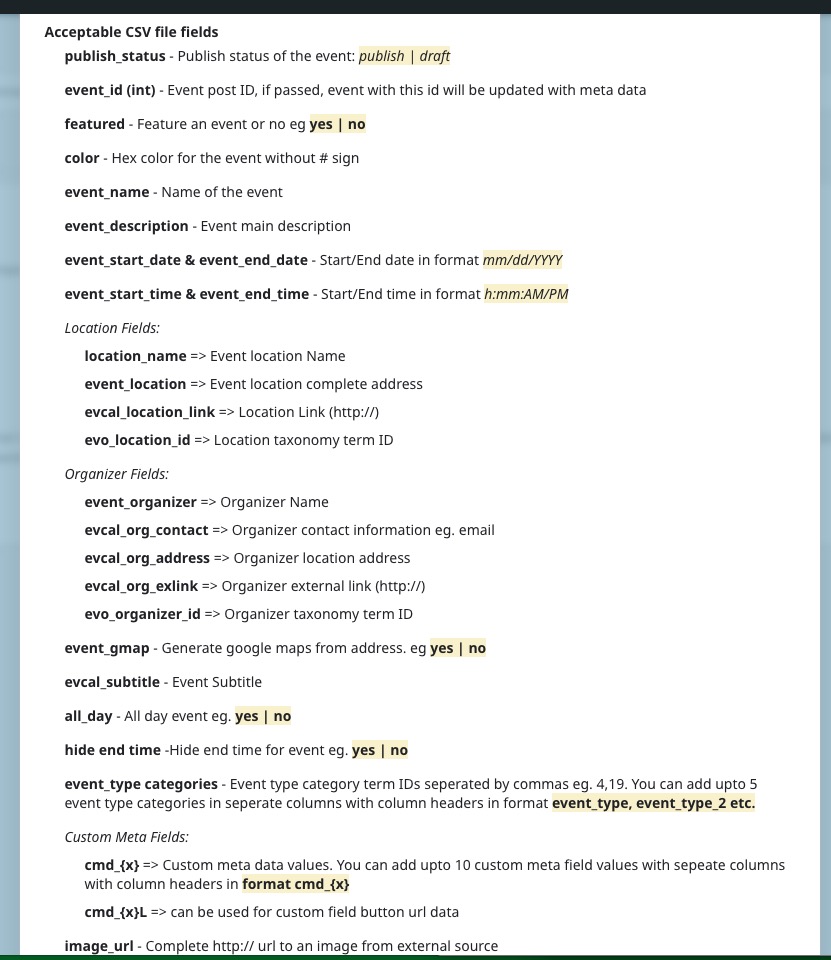
then try using CSV Event Importer add-on:
https://www.myeventon.com/addons/csv-event-importer/
Try on https://dev.myeventon.com/wp-admin/
However, not sure if this is possible.
Hello,
Please fix this issue:
Google Maps JavaScript API error: ApiNotActivatedMapError
https://developers.google.com/maps/documentation/javascript/error-messages#api-not-activated-map-error
Try following
https://stackoverflow.com/a/38056246
Hello,
Are you referring to this https://events.iloveseattle.org/ or this calendar http://iloveseattle.org/? They both show me events for May 7th on load.
Try going to EventON Settings > enable Hide past events for default calendar(s).
Hello,
Switch to “Code editor” mode:

Now remove this code:
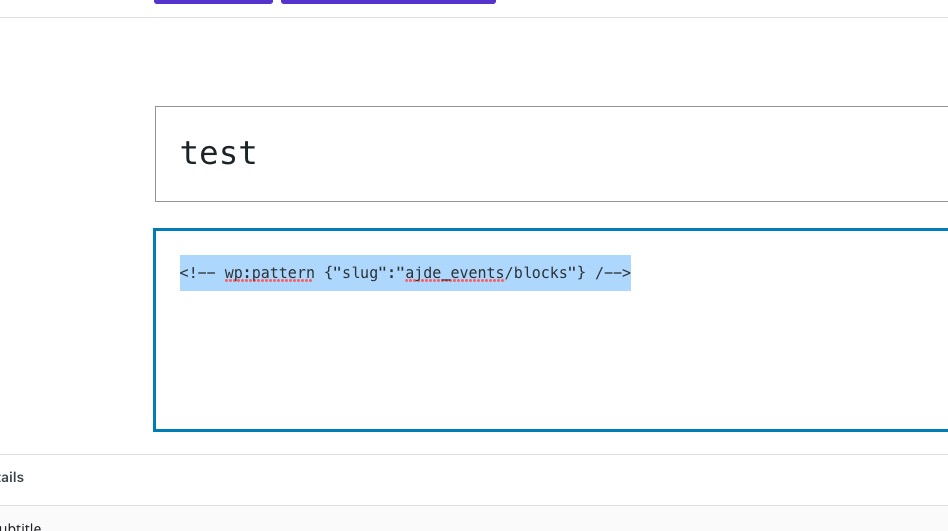 After publishing the event details should be hidden.
Hello,
Please add this CSS code to EventON > Styles (If you don’t see any change, EventON > Scripts & Styling > turn off Write dynamic styles to header > save settings > turn on Write dynamic styles to header):
.ajde_evcal_calendar.boxy .eventon_list_event.hasbgimg::after { opacity: .6 }
Thank you for your messages, I am going to assign this ticket to Ashan and he will be able to take it from here and find you a solution. Please allow some time for him to get back to you, we greatly appreciate your patience and thank you for being a eventon customer! Also please disable any IP blocking on your site if there are any.