Ashan,
Please check these orders as an example:
https://tickets.dance10studio.com/wp-admin/post.php?post=3450&action=edit
https://tickets.dance10studio.com/wp-admin/post.php?post=3910&action=edit
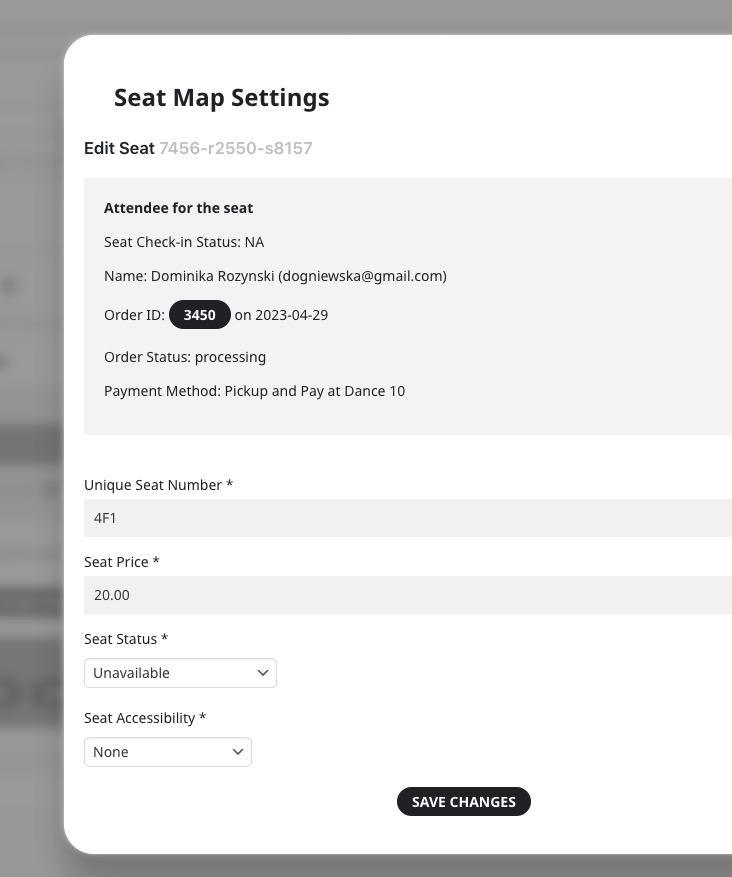
They both purchased the same seat 4F1.
Event:
https://tickets.dance10studio.com/wp-admin/post.php?post=3282&action=edit
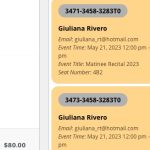
Seat Map says that Order ID is 3450:
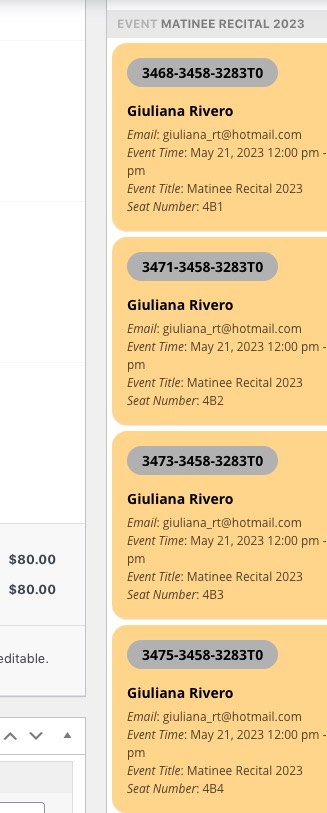
https://tickets.dance10studio.com/wp-admin/post.php?post=3458&action=edit (not duplicate seats but duplicate order numbers)
Order numbers are different. Please compare first 4 numbers:
As for duplicated seats, thank you for your messages, I am going to assign this ticket to Ashan and he will be able to take it from here and find you a solution. Please allow some time for him to get back to you, we greatly appreciate your patience and thank you for being a eventon customer! Also please disable any IP blocking on your site if there are any.
Hello,
Hmm, my code should only work on mobiles because of @media (max-width: 768px).
Can we take a look at wp-admin? Please send us wp-admin access to your site as a private message for us to further assist your situation.
Hello,
Please add this to your shortcode:
ux_val=”4″
The option opens events as Single Event Page.
Hello,
Thank you for your messages, I am going to assign this ticket to Ashan and he will be able to take it from here and find you a solution. Please allow some time for him to get back to you, we greatly appreciate your patience and thank you for being a eventon customer!
Hello,
How do I change these headings to be h2?
This is not possible without customizing the source code, I am afraid.
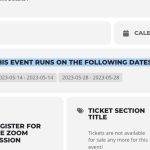
The code hides this part:
Please go to EventON > Single Events > enable Create Single Events Page Sidebar. Now go to Widgets and add widgets.
As for Events page, please either try following this suggestion:
PROTIP: If the /events page does not work due to theme/plugin conflicts, create a new page, call it “Events Directory” Insert eventon shortcode and use that as your main events page which will have a URL ending like /events-directory. This would be a perfect solution if you have conflicts with /events slug.
Or this guide:
https://docs.myeventon.com/documentations/how-to-customize-events-archive-page/
Hello,
Could you remove your custom code from https://www.kappersmodellen.nl/wp-admin/admin.php?page=eventon&tab=evcal_3?
Please let us know what do you mean by “the styling of the eventlist still looks very bad”. Do you have an example of how would you like it to look?
No, there not even in the same country.
Thanks for helping me work through this! That worked. But now there is the issue of the template. This page is supposed to be sidebar left, content right. However, if you view the specific event:https://theclearing.org/wp/events-classes-calendar/alcohol-inks-painting-ornaments-cards-gift-tags-33/
or the event calendar: Events | The Clearing,
it spans the entire page. Is EventON overwriting the page template setting or? There should be a sidebar on the left on both of these pages.