Hello,
Could you try going to EventON > select a different Select calendar event content filter type? If it won’t help please send us wp-admin access to your site as a private message for us to further assist your situation.
Replies for tickets on suppota
Hello,
Could you try going to EventON > select a different Select calendar event content filter type? If it won’t help please send us wp-admin access to your site as a private message for us to further assist your situation.
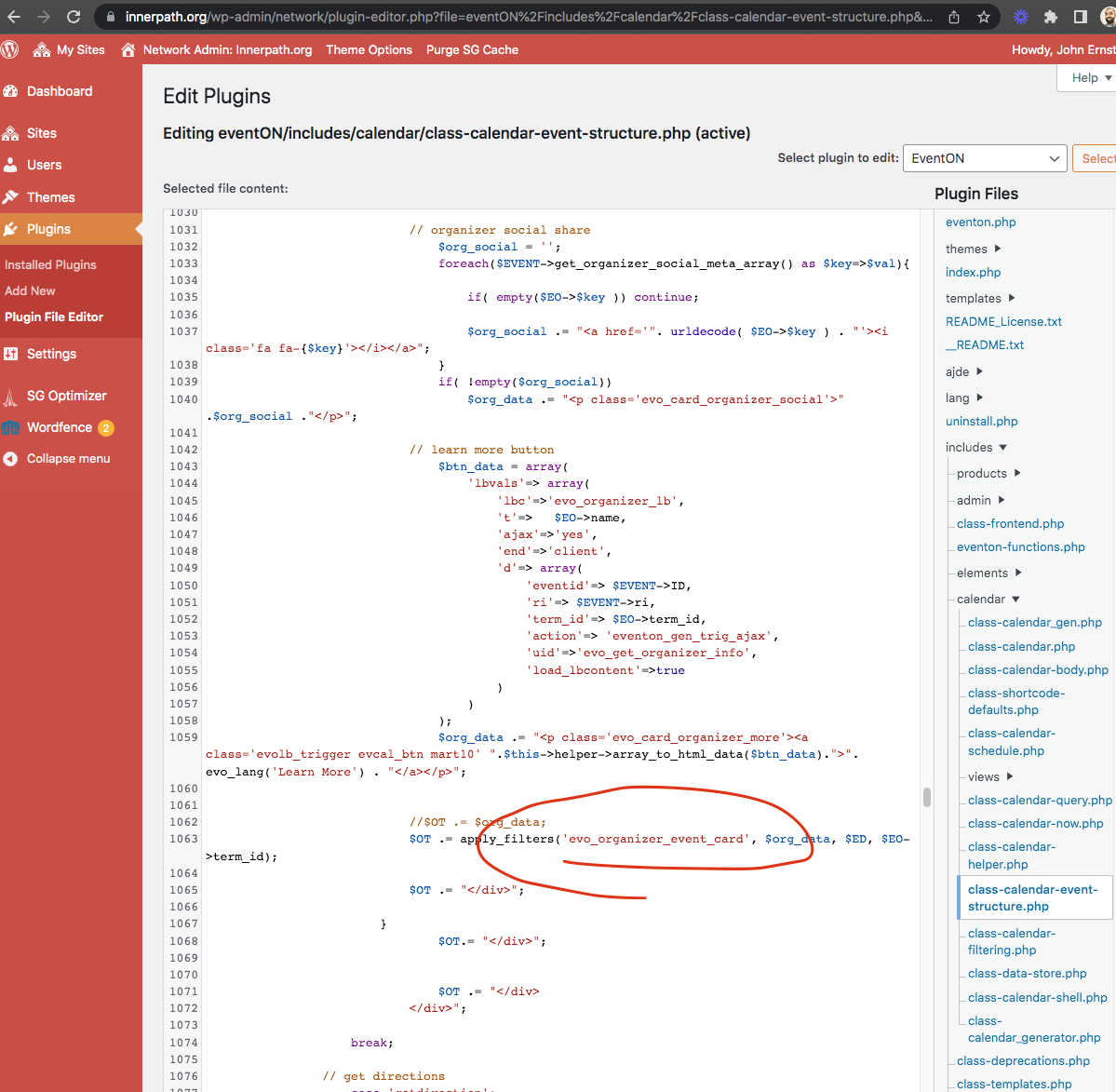
There is a piece of code somewhere on the website that uses this filter https://helpdeskx.s3.amazonaws.com/wp-content/uploads/2023/04/07114412/Screen-Shot-2023-04-07-at-11.43.02-AM.png and doubles the description field.
The issue is that I cannot find it anywhere on the website.
For example, usually the PHP code should be in functions.php of the theme, but it’s empty:
https://innerpath.org/wp-admin/network/theme-editor.php?file=functions.php&theme=enfold-child
If you switch the theme to Twenty Twenty-Three, will that fix the issue? Could you try?
Also try disabling plugins one by one.
I found the workaround at least, it only works with checkout page created with shortcode [woocommerce_checkout]. Using the Checkout block on the page doesnt work with Tickets , it creates everything as simple orders. Its too bad because the frontend of the block looks better than the one generated by the shortcode
Excellent, thank you. Ed
Can you help me understand further what needs to be done? I am still seeing the duplicate on the site and I am not aware of any customization we have made to the plugin. Though there was another developer on this project before me so there is definitely that possibility. Do I just comment that out? Won’t it overwrite when the plugin updates? Thank you for the help!
Please respons to artem. And as you can see in the code, those text and supplied as regular wordpress translatable text which should appear in translators.
We are wrapping this up. just have one more thing to do and then get this new update out.
FYI please backup old version before update so you can always go back to old version if you see any issues.
No worries we understand. order refunded and subscription cancelled.
Thank you Ed. So what we are going to do is create a secondary description box for organizer where you can enter HTML content and then get that also visible in frontend without stripping out HTML. Hoping to wrap this out and get it out today 🙂
Loks like you are using this filter to add the organizer description again into the page. Because once I commented this out in the code it does not show double descriptions/