Ashan,
Could you check:
….I have not been receiving emails that…
Replies for tickets on suppota
Ashan,
Could you check:
….I have not been receiving emails that…
Hello,
Could you send us Order ID of the purchase?
Hello,
Please add this CSS code to EventON > Styles (If you don’t see any change, EventON > Scripts & Styling > turn off Write dynamic styles to header > save settings > turn on Write dynamic styles to header).
You can also add this code to wp-admin > Appearance > Customize > Additional CSS.
.eventon_filter_dropdown { max-height: 500px; }
I set Select event calendar WP Query method to Query all the event posts, so now events are visible:
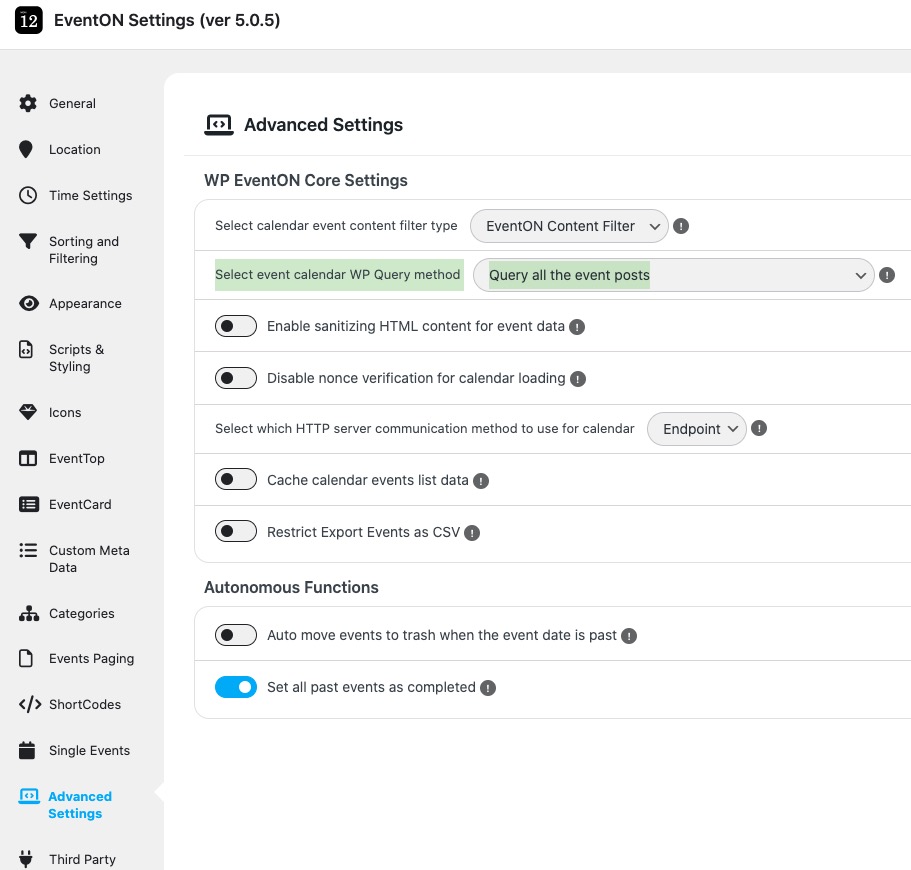
Please check and let me know.
Hello,
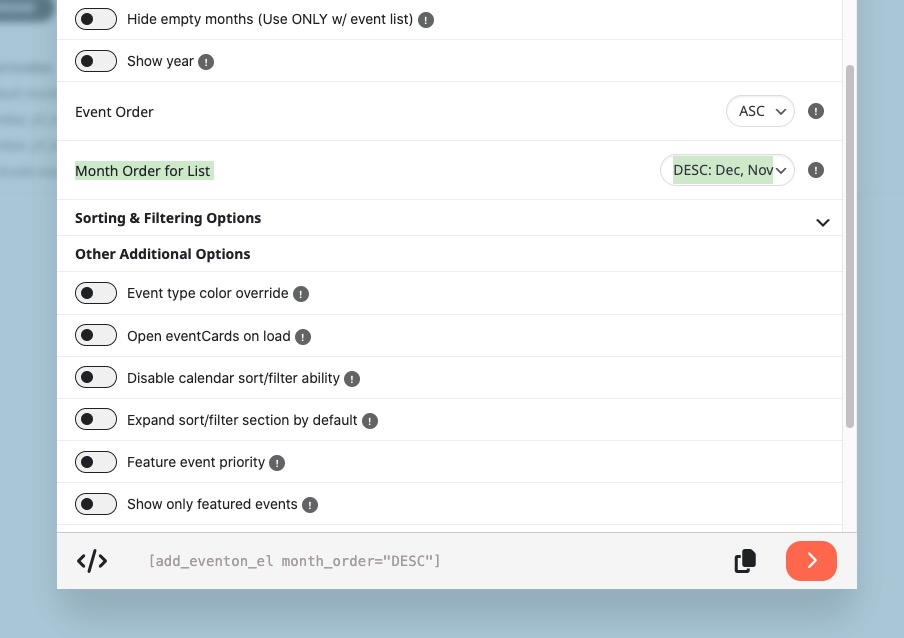
Could you try using ”Month Order for List: DESC: Dec, Nov” by adding
month_order=”DESC”
to the shortcode?
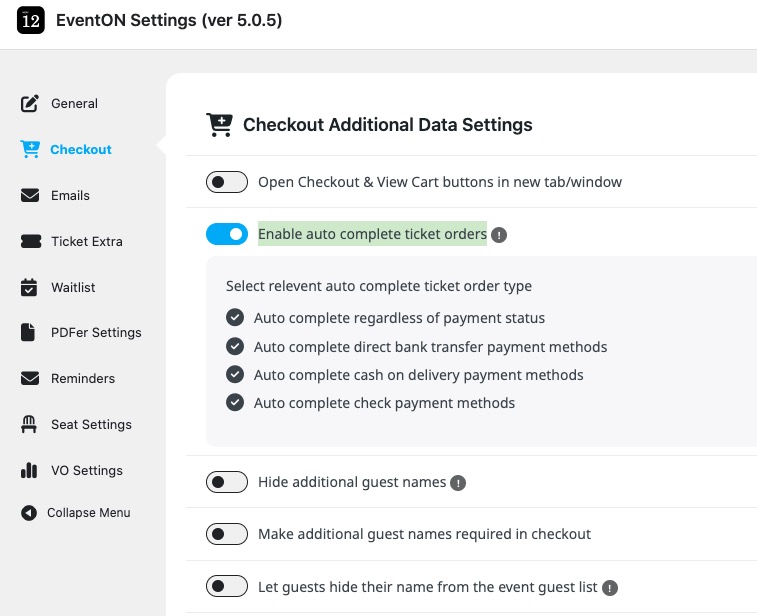
Hello,
Please check if this enabled on your website:
Please send us wp-admin access to your site from ”Access Info” box on right side menu, to further assist your situation.
Ashan,
”Order #220877 is for 25 sites, but the activation limit is sjhowing as 1”
Thank you for your messages!
I am going to escalate this ticket to development to help in here. Please allow us some time to address this, and we truly appreciate your patience. Thank you for being a valued EventON customer!
Unfortunately, we don’t do any custom work at the moment.
Could you elaborate more?
Seems to be working on my side: