Reply to: tickets(310929)
Replies for tickets on suppota
Hello, I have disabled all plugins except Eventon. The result is the same. But then I found something. I have reset the used PHP version from 8.2.3 to 8.1.16. Now the shortcode works again
Please note, I do not wish to clone the old site, as it’s extremely messy and includes a heavily outdated theme. I’m happy to clone some files where applicable, but cloning the entire site is simply not an option in this instance sadly.
Thank you Artem and Ashan!
Hello,
Thank you for your response.
The CSV download indicates only completed orders. No data indicating whether the customer was ever CHECKED-IN and actually attended the event. So I can’t filter it because the data is not in that file – attached my downloaded file for reference.
We’ve been doing entirely virtual events since first installing EventOn a few years ago, and Zoom was able to give us this data. Now that we’re back in-person we’re panicked to see this may not be available from EventOn.
The data is in your platform, but I can’t seem to access it in a usable form. If we get another column in CSV download that indicates CHECKED-IN that would do it for us (I can sort and manipulate in Excel).
Without CHECK-IN data in the download it’s just a plain WooCommerce order export and EventOn isn’t customizing it sufficiently (or at all) for use for people running events professionally.
Thanks for your continued help in finding a solution.
Steve
Unfortunately, without customizing the source code, this is not possible with the current functionality.
That did it! Thanks so much Artem.
Hello,
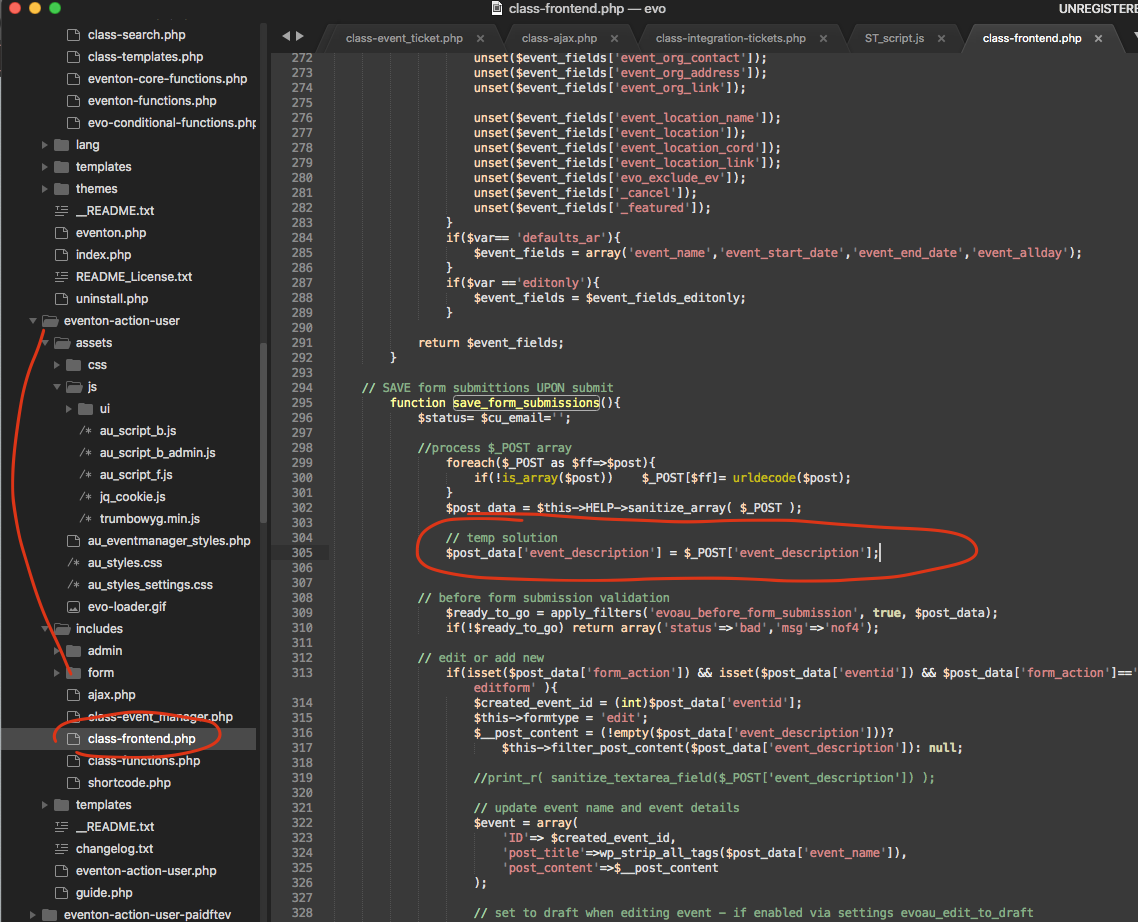
Could you please try this temporary patch from Ashan:
here is a temporary solution. What is happening is the form submission sanitize the event details and remove all html formatting. This temp solution override those sanitization for just the event details. You can use this for the moment. It is a temp solution and we will work on a more secure better solution.
Many thanks for your patience and bringing this to our attention!
Kind Regards
Hello,
The easies solution is to clone your website with https://wordpress.org/plugins/wp-clone-by-wp-academy/ or similar plugin.
CSV Event Importer allows you to import the .csv file:
https://www.myeventon.com/addons/csv-event-importer/
Try on https://dev.myeventon.com/wp-admin/
Hello,
EventON lets you download the attendees list from Edit Event > Tickets > DOWNLOAD (CSV). However, the file contains all attendees, so you need to filter it manually.