Hello, it`s active again
Archives: Replies
Replies for tickets on suppota
Reply to: tickets(310827)
password stoped working for us can you post again so I can run some tests
Reply to: tickets(310798)
you have either added the calendar to the web page via a shortcode or used a widget
if you have used a widget you will need to use a shortcode instead found at my eventon>>>>settings>>>shortcodes
you can generate your own in your case you would use events list and paste it into a text file
see video
[add_eventon_list number_of_months=”12″ exp_so=”yes” hide_empty_months=”yes”]
Reply to: tickets(310938)
Please send us wp-admin access to your site as a private message for us to further assist your situation.
Reply to: tickets(310944)
see video
Reply to: tickets(310938)
After some debugging, I found this stacktrace:
[18-Mar-2023 21:34:27 UTC] PHP Fatal error:  Uncaught ArgumentCountError: Too few arguments to function evors_meta_boxes::eventedit_content(), 3 passed in /home/club509pickle/public_html/wp-includes/class-wp-hook.php on line 308 and exactly 4 expected in /home/club509pickle/public_html/wp-content/plugins/eventon-rsvp/includes/admin/evo-rsvp_meta_boxes.php:482
Stack trace:
#0 /home/club509pickle/public_html/wp-includes/class-wp-hook.php(308): evors_meta_boxes->eventedit_content(Array, Array, Object(EVO_Event))
#1 /home/club509pickle/public_html/wp-includes/plugin.php(205): WP_Hook->apply_filters(Array, Array)
#2 /home/club509pickle/public_html/wp-content/plugins/eventON/includes/admin/class-admin-ajax.php(69): apply_filters('evo_eventedit_p...', Array, Array, Object(EVO_Event))
#3 /home/club509pickle/public_html/wp-includes/class-wp-hook.php(308): EVO_admin_ajax->evo_eventedit_onload('')
#4 /home/club509pickle/public_html/wp-includes/class-wp-hook.php(332): WP_Hook->apply_filters('', Array)
#5 /home/club509pickle/public_html/wp-includes/plugin.php(517):  in /home/club509pickle/public_html/wp-content/plugins/eventon-rsvp/includes/admin/evo-rsvp_meta_boxes.php on line 482
Reply to: tickets(310137)
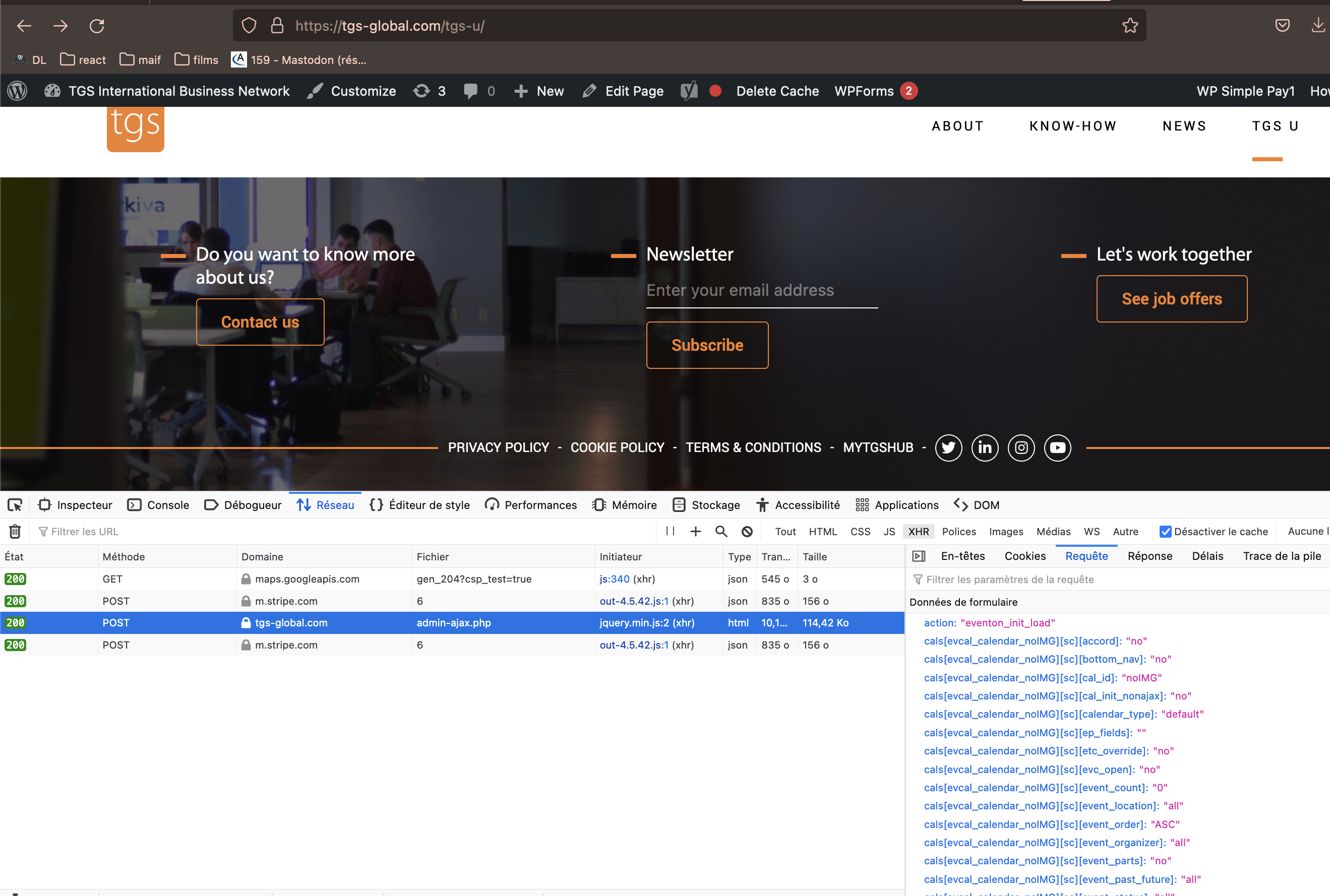
Reply to: tickets(310137)
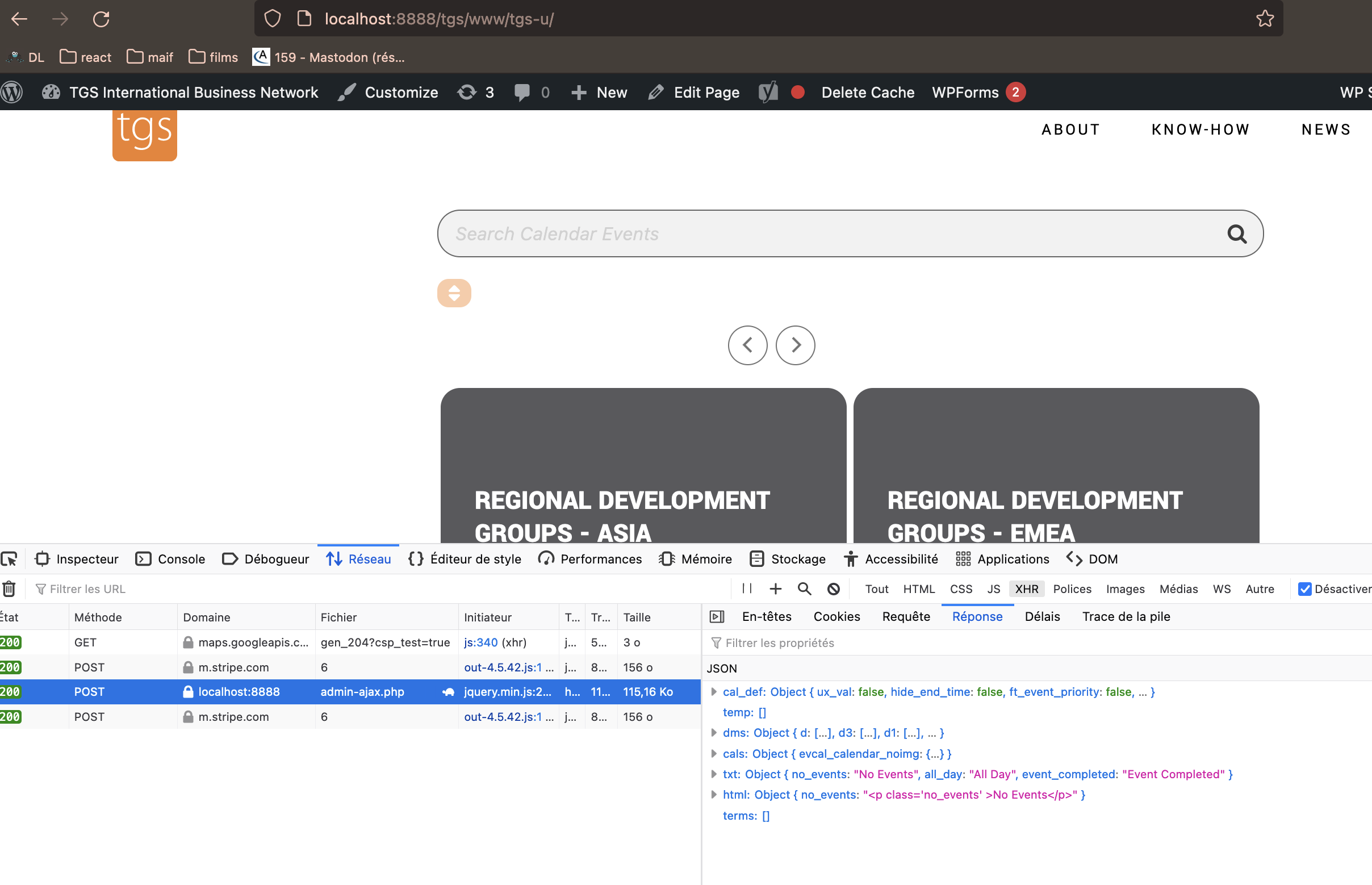
Yes I know the theme is old.
I try something today (a lot …) . I made a copy of the website tu run it in local. And it works with the last version of the plugin. the same versino of PHP …
I saw that the xhr doesn’t send the same Response. I give you 2 screenshots, maybe it can helps you
Reply to: tickets(310798)
Thank you. Where can I find the shortcode to add exp_so=”yes” to?
Reply to: tickets(310797)
Hello –
Our site already uses Muli (and the eventon calendar was in Muli before I started using an event category type and (seemingly because of that…nothing else changed) lost formatting. So I think the web designer must already have loaded Muli onto our website. Is there any other reason that it wouldn’t be working when I add Muli as the primary/secondary calendar font family?
Thank you for your help,
Kristen