Hello
I bought Event List but it still doesn’t work
Oldest years still appear first.
The code:
[add_eventon_list number_of_months=”200″ month_incre=”-200″ event_order=”DESC” month_order=”DESC” hide_empty_months=”yes” show_year=”yes” show_et_ft_img=”yes”]
I need both the year and the most recent event to appear first, Thanks.
My key is already restricted to right domain but I still get this error. Can I just ignore it? Just seems odd that Google have just started to send me these errors when I’ve been using EventON for some time. Has something changed in the way it shows the key?
Hi Amy,
To remove the second field, navigate to Eventon > Settings > EventCardDesign
Hi Joe,
Thanks for choosing our plugin!
Regarding adding a line of text above the social share icons, please take a look at the tutorial below
https://docs.myeventon.com/documentations/show-additional-custom-data-eventcard/

Let me not make this any more complicated than it needs to be, since the inclusion of code you apparently dismiss as “custom work”, when is, in fact, not.
Please see the attached screenshot:
1 – where additional fields are enabled and keyed in EventOn Settings
2 – the Event “post” where Additional Fields are enabled. (I have tried with and without brackets, with and without spaces between entries, to no avail)
3 – the forward-facing form that shows the additional fields are functioning and being recorded (since I can see them in All RSVPs list)
4 – the customer notification email
5 – the Admin notification email
Neither 4 nor 5 (emails) show the Additional Field content. This is, obviously, quite important information or it wouldn’t be on the form.
The issue in prior Support Ticket requests was this same issue but I was trying to hardcode the AFs in to the email (which I later realized would be a very, very bad idea). This is not custom work as previously suggested; this is an included function not functioning.
I use sendinblue for SMTP transactional email, though that ought not matter since the mails deliver no problem, they’re just missing information. I have tried to see if an optimization plugin may be the issue (WP Optimize) but that does not seem to affect other plugins from emailing forms. I am out of options to try, and would appreciate any advice you can offer.
Thanks,
Travis
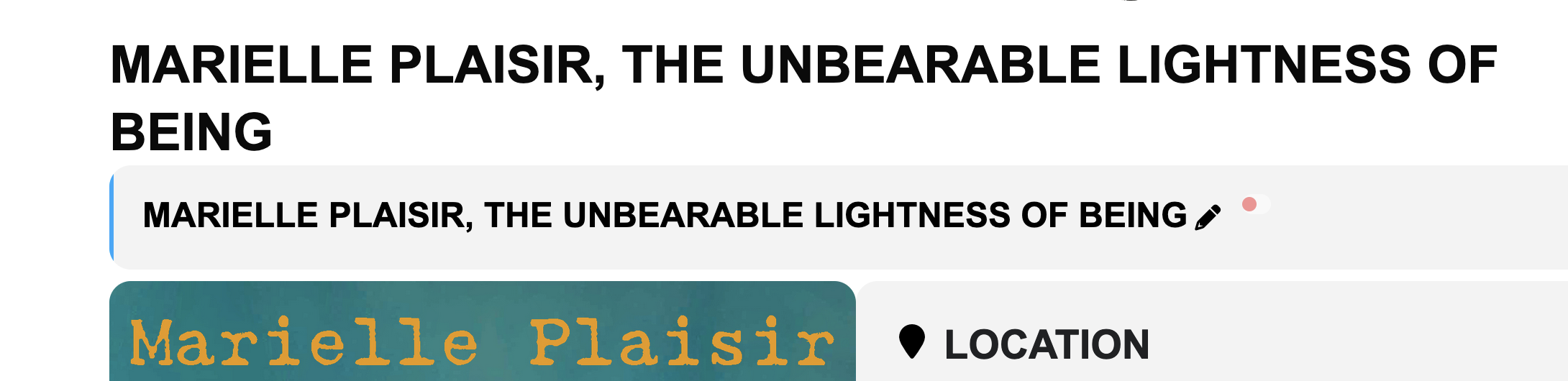
So I have a couple design Issues.
#1 the redundant H1 header with the eventcard title.
It seems prudent that the eventcard title would be the H1 in the Eventtop.
Is there a way to comment out the event top on event card pages? Do you have any suggestions as to how to resolve this issue? So that there isnt 2 redundant lines of text?
#2 Location text on event card.
Currently the location text is becoming hyperlinked, instead of staying static and matching the other element headers. Instead it is becoming smaller font and hyperlinked and it looks bad. How do I make this the exact same style as the other header elements?
#3 In the event card, in the time area. Some months are lower case. I notice March and September are 2 examples. How to fix this?
Ok i lied, the new update will be out tomorrow. I am getting carried away trying to make it look better in UI design 🙂
Additionally, when a ticket is scanned, the ticket information shown is incomplete! It does not display the SECTION of the seat.
Many venues have the same seat, such as B6, but in different sections. So staff are unable to direct people to the correct section when looking at the ticket confirmation information.
It is really not well thought out
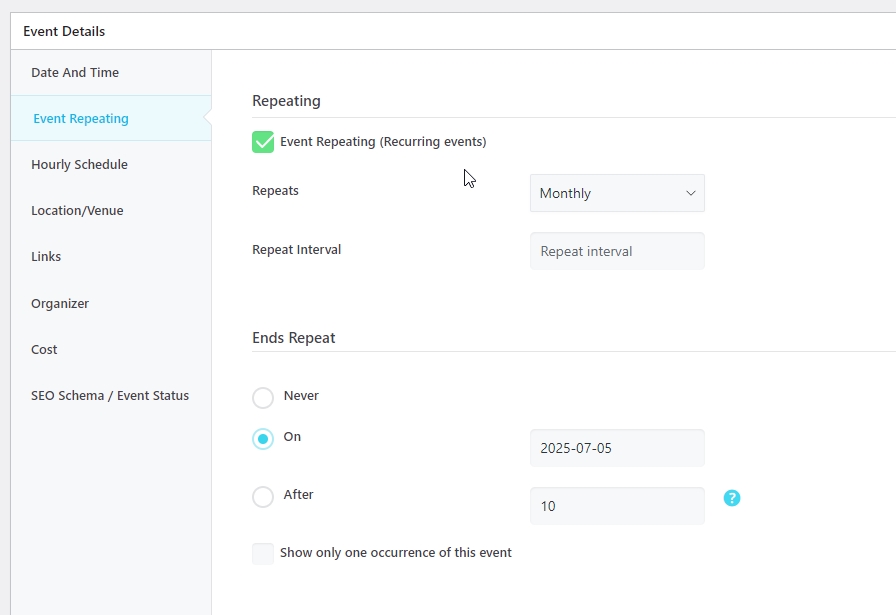
Ashan, like how MEC has it, see pic, i have the feeling that posts like that would be rendered way faster then the current json-in-a-field solution of Eventon.
I really need a faster solution, with or without Ajax, its not being cached, and cannot rely on only precached pages (litespeed, as i do now)