Hi i already download the update, and installed it. Works fine!
Thank you for your support.
Replies for tickets on suppota
Hi i already download the update, and installed it. Works fine!
Thank you for your support.
I was referring to EventON > ShortCodes > [ ] GENERATE SHORTCODE.
Please check the events page, it should now have the correct styling.
Hello,
Please send us wp-admin access to your site as a private message for us to further assist your situation.
https://www.myeventon.com/addons/event-lists-extended/
Hello,
You need to use Event Lists: Ext add-on since it has this option:
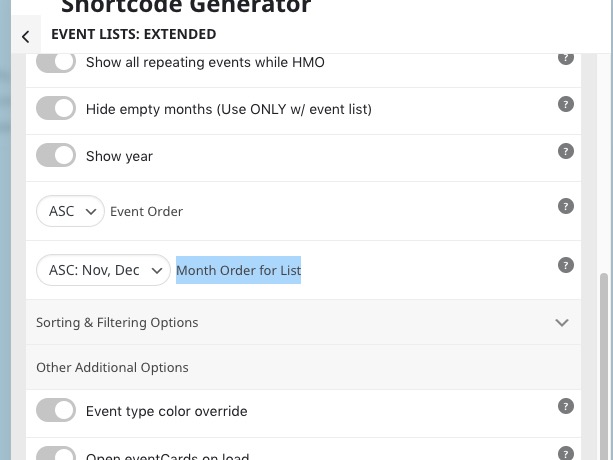 Try on https://dev.myeventon.com/wp-admin/
[add_eventon_el el_type=”pe” number_of_months=”12″ event_order=”DESC” month_order=”DESC” hide_empty_months=”yes”]
I see the issue. please allow me some time I need to fix several things and then will release an update 🙂
Hello,
Thank you for your messages, I am going to assign this ticket to Ashan and he will be able to take it from here and find you a solution. Please allow some time for him to get back to you, we greatly appreciate your patience and thank you for being a eventon customer! Also please disable any IP blocking on your site if there are any.
Hello,
Could you go to EventON > EventCard Design > make sure to add them all to Event Card Layout Designer?
I am not sure where to find this custom code: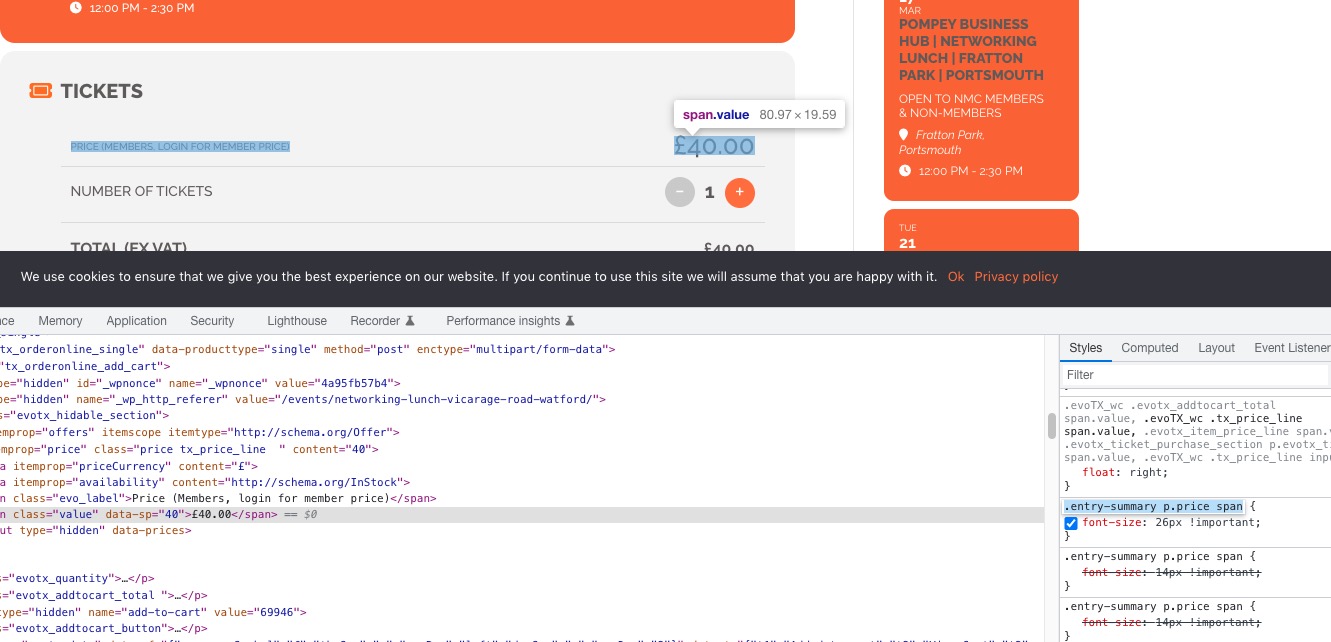 The one in the https://www.networkmyclub.co.uk/wp-admin/admin.php?page=eventon&tab=evcal_3 is correct, but there is one that is still changing the font size.
no, it’s about reverse years order so the FEBRUARY 2023 will be first , not last one
Will this work for you?
https://chiefmarketer.co.uk/1669-2/
aslo, please advise how (after click) can I share single event ?
Please go to https://chiefmarketer.co.uk/wp-admin/admin.php?page=eventon#eventon_social > enable Shareable Options.