Hello,
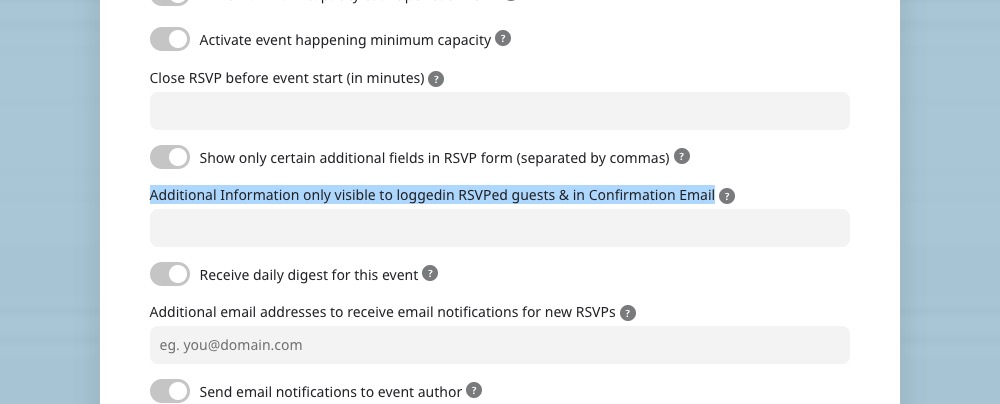
There is no such functionality available. However, please take a look at Edit Event > RSVP > this option:
Replies for tickets on suppota
Hello,
There is no such functionality available. However, please take a look at Edit Event > RSVP > this option:
Depending on the theme and third-party plugins installed they may look different, so it’s trial and error.
We are glad your issue is resolved, if you have any further questions or concerns please create a new ticket.
If you have a moment, we would greatly appreciate if you could kindly leave us a review at codecanyon! from your account > downloads. Cheers!
I just updated the test environment. I also, finally, found the issue with the login. I should now work correctly no matter which browser you are using.
Login-URL: https://www.solarserver.de:8443/login2sose
admin username: eventon
password: *nV(Q1NXIIh@Ga)uCP(JPmuT
The Eventon plugin is uptodate, I re-saved the location (adding “xx” in order to be sure it got properly saved), the problem persists, as you can see in the source code of https://www.solarserver.de:8443/veranstaltung/praxisseminar-solare-fernwaerme/
Thanks for looking into this, again.
Hello,
Thank you for reaching out, I am going to assign this ticket to Ashan and he will be able to take it from here. Please allow some time for him to get back to you, we greatly appreciate your patience and thank you for being aneventon customer!
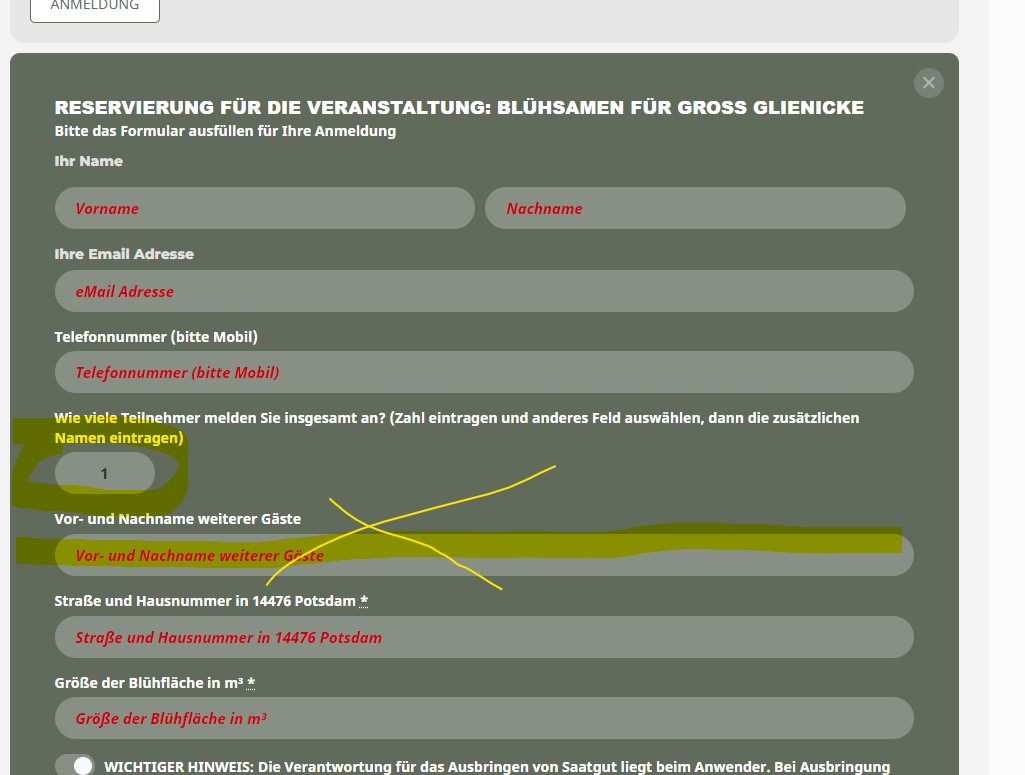
In the screenshot you can see “Guest Count” is 1, although the inputline for additional guest names (“Vor- und Nachname weitere Gäste”) is shown.
In previous versions there was one line if count was 2, two lines if cont was 3, …
Now the inputline is shown even if no additional gusts rspv (count is 1).
Any update ?
I feel that these are really weak instructions, honestly.
I am so sorry but I do not understand these instructions. I can’t find anything from these screenshots.
I gave you the login info. Please change to crystal clear…or call me and talk me through it — 845-681-9352.
Thank you.
It does work. Thank you.
I actually set it to the default WordPress filter, as the EventOn content filter made some not so nice changes to our layouts, especially bullet point lists.
I tried finding some documentation about this feature, but wasn’t able to. What does the EventON content filter do differently? And when to use which one?
I will mark this issue as fixed for now. Thank you for the quick reply.

That work.
I’m having a problem with the subtitle overflow isn’t wrapping. What am I needing to change?